



Softphones for VoIP Calls
LiveAgent's hosted call center software supports softphones for VoIP calls from devices, enhancing customer support. Compatible with popular clients like MicroS...
2 min read
Softphones
VoIP
+2


Linphone is a free softphone application for calls, video calls, and messaging on Windows, Mac, and Linux. It integrates easily with LiveAgent’s call center, offering features like IVR and unlimited call recordings without extra cost.
Linphone is a free softphone application. It can be used for direct calls and video calls, and it offers messaging capabilities for each user. The application is available for Windows, Mac and Linux. It receives regular updates and tweaks. Linphone has a friendly and innovative user interface and provides good call functionality for any use case.

Start your free trial today and see results within days.
You can use Linphone as your dedicated softphone application for the LiveAgent call center . Linphone is a free softphone which means you don’t have to pay extra for its softphone functionality. It’s very easy to integrate with LiveAgent, and can help you handle incoming customer calls effectively. It works with all call center features , such as IVR , automatic callback , unlimited call recordings , and more.
The latest tips and deals delivered straight to your inbox.
Integrating Linphone with LiveAgent takes just a couple of minutes to complete. However, you need to already have a VoIP number available to make calls possible. If you don’t have a VoIP number, choose a VoIP provider and pick a plan. Once you get your login details, you can add your call number in LiveAgent call configuration. Next, you need to have Linphone installed on your computer. You can download the app for free at this link .
Once you do, all that’s necessary is to add your LiveAgent details into Linphone SIP configuration.
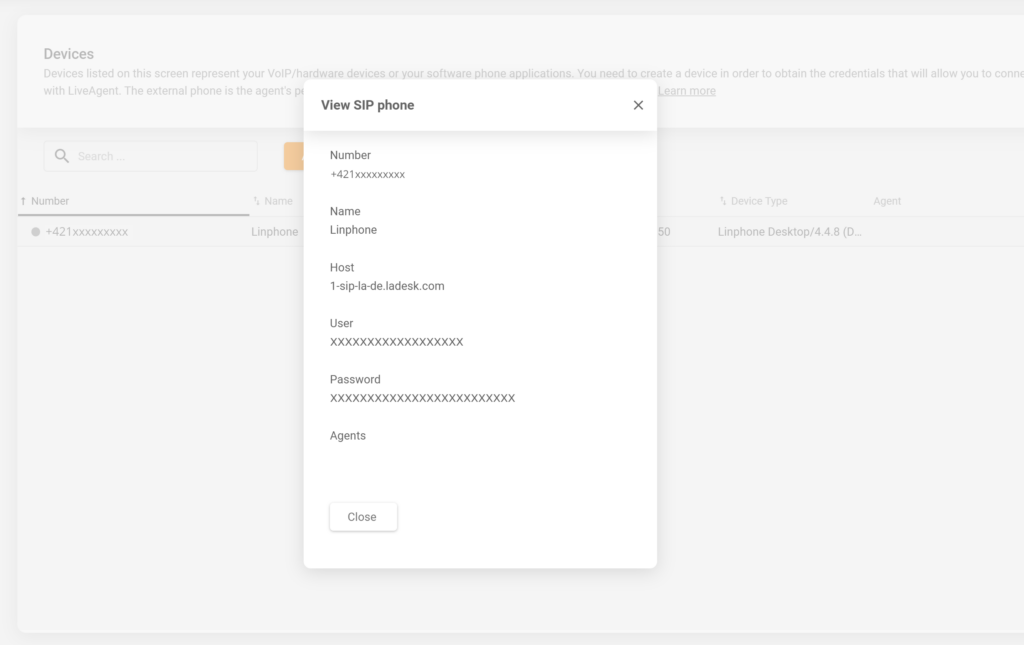
Go to LiveAgent and open Configuration > Call > Devices. Click on create a new phone and select SIP. Name the device and add the VoIP number you will be using in this integration. Once you create the SIP phone, you will see a window with your device information, which we will use in the next step.
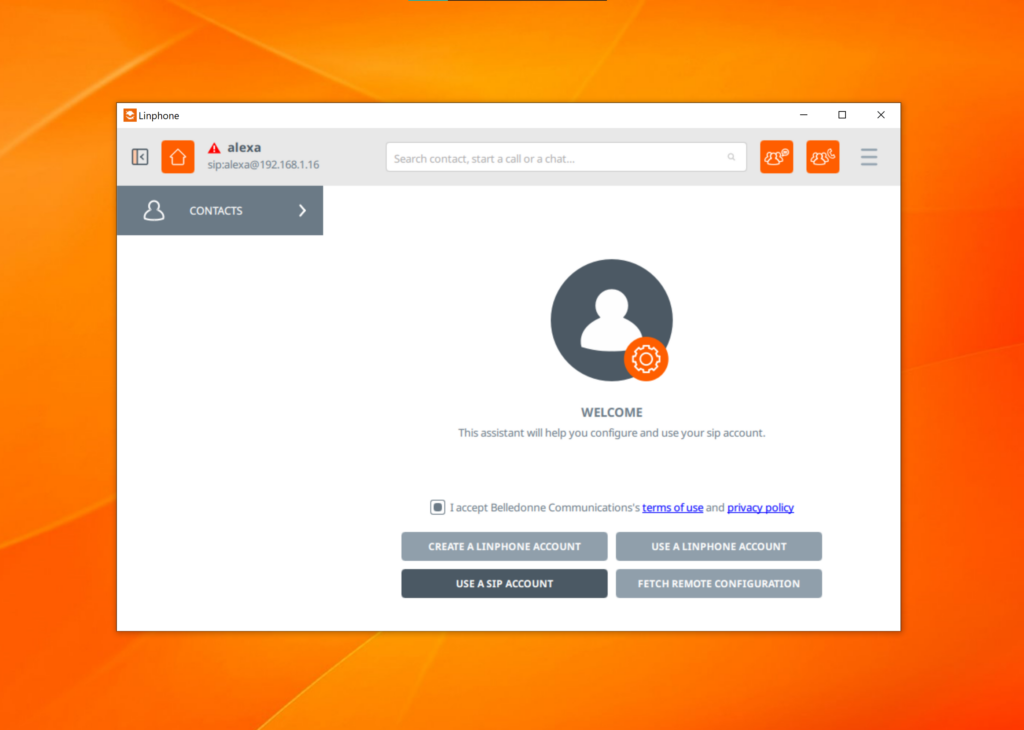
Now, open Linphone and go to your Account assistant. Select Use a SIP account and provide the username, password, and other details into the configuration. Once you save your changes, you’re done and can successfully receive calls from Linphone in your LiveAgent app.
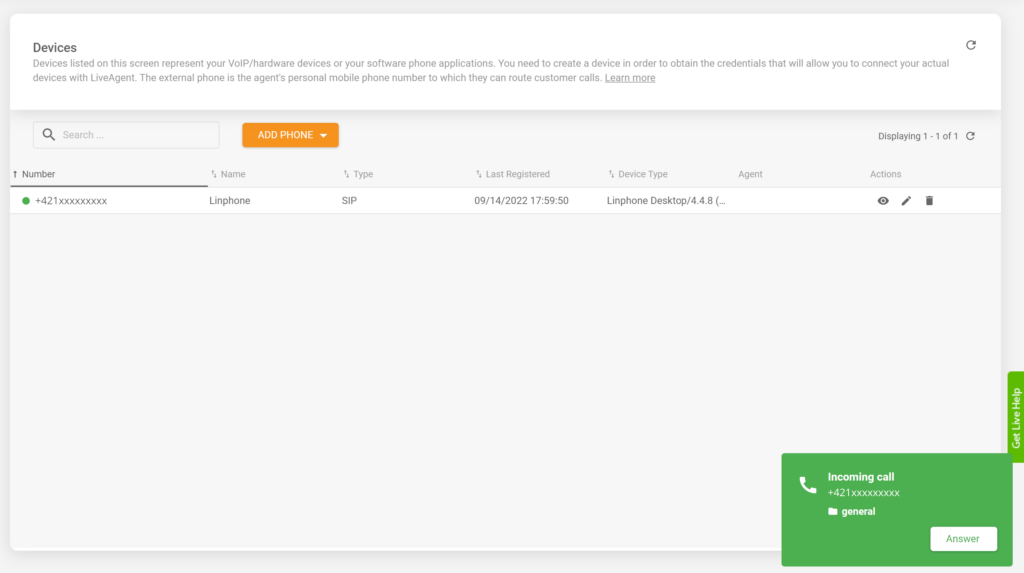
That’s it, your integration is finished, and you can now use your LiveAgent call center to receive customer calls and solve tickets over the phone.
LiveAgent subscription includes integration at no extra cost, whereas Linphone is a free application with no additional charges for any of the features.
LiveAgent’s call center capabilities can help you answer and solve every customer question effectively. Get started with our free trial today!
LiveAgent's call center capabilities can help you answer and solve every customer question effectively. Get started with our free trial today!
LiveAgent's hosted call center software supports softphones for VoIP calls from devices, enhancing customer support. Compatible with popular clients like MicroS...

Discover LiveAgent's top-rated softphone software for B2B & B2C businesses, offering SIP-based VoIP support for seamless, reliable communication from anywhere. ...

Integrate MicroSIP with LiveAgent for free SIP calling, text messaging, and video calling. Easy setup, no hidden charges. Turn your computer into a fully capabl...
Join our community of happy clients and provide excellent customer support with LiveAgent.

Cookie Consent
We use cookies to enhance your browsing experience and analyze our traffic. See our privacy policy.