



SLA
Learn how Service Level Agreements (SLAs) can enhance customer service by setting measurable targets. Monitor compliance with LiveAgent's tools.
2 min read
Customer support
Help desk software
+1

Learn about Service Level Agreements (SLAs) and their role in defining customer expectations and provider responsibilities. Discover how LiveAgent’s SLAs boost efficiency, accountability, and productivity with features like SLA compliance and log reports.
A service level agreement (SLA) is a contract between a service provider and customer that defines what level of service must be provided at all times. SLAs typically cover the quality of service, availability, and provider responsibilities. In customer support, an SLA defines how fast a provider must respond to a customer’s service request. This is where SLA meaning in customer service becomes crucial, as it ensures that expectations for both sides are clearly defined.
Service level agreements can cover and define various internal goals and metrics that need to be met. For instance, one team goal could be a response time commitment. For example, a service level agreement might state that the software provider’s service desk must answer customer queries from email, live chat, and phone within one business hour. This also applies to live chat SLA, ensuring timely responses to customer interactions through chat. If this goal is not met, the customer has the right to request reimbursement.
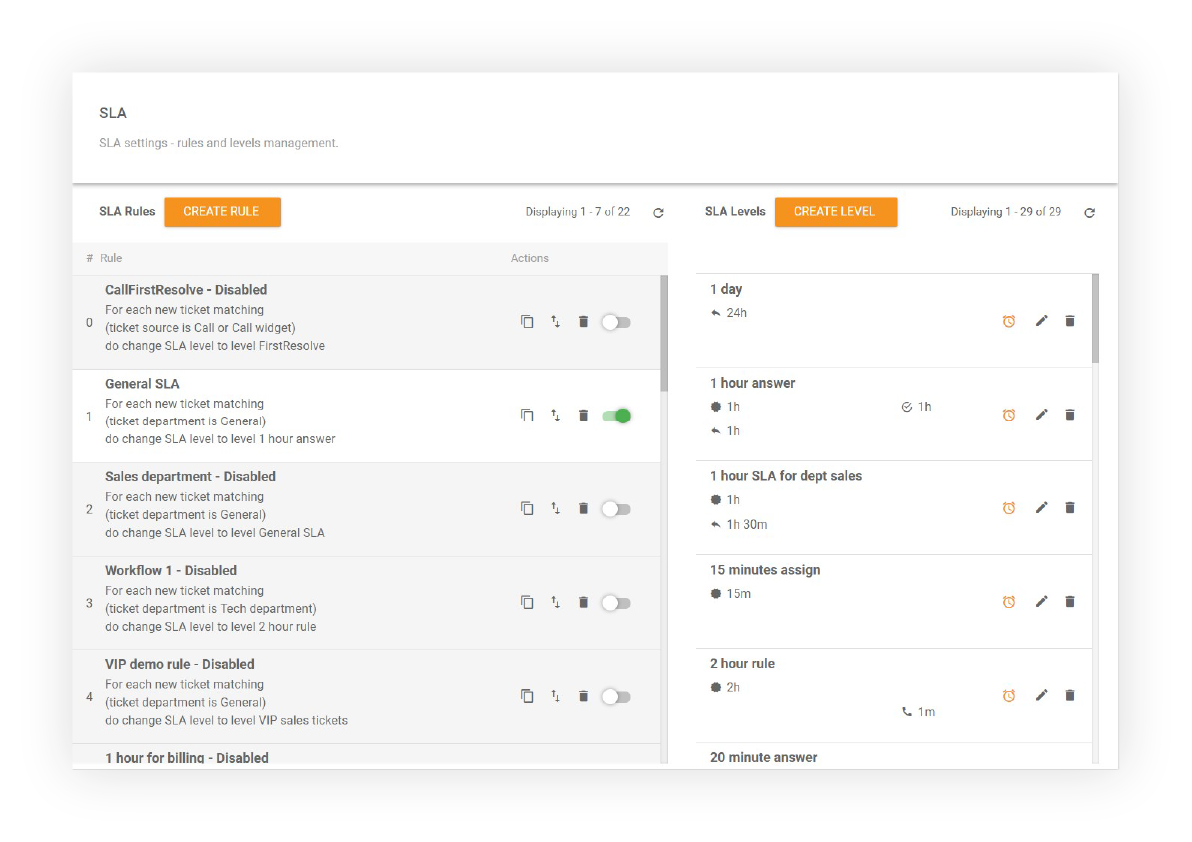
Typically, SLAs include predefined penalties that can be enforced if the service provider does not meet the terms of service. These penalties are often handled via credits that are equal to a certain percentage of the vendor’s monthly profit made from the customer’s account. If the goal is not met, the customer has the right to reimbursement in the form of credit, which can be applied to future monthly subscription charges. Understanding SLA compliance meaning helps service providers ensure they avoid penalties and meet their agreed-upon commitments.
SLAs are important because they define clear customer expectations and provider responsibilities. If they are not met, each party knows the consequences. This ensures that if problems arise, no party pleads ignorance and tries to excuse their behavior.
SLAs are also beneficial to use because they hold your employees accountable and keep efficiency and productivity high. If there are no agreements or performance goals in place, employees can get “lazy” and assume a mindset that everything will get done eventually. This can create a build-up of support tickets, fuel customer frustration, and hurt your business. If your customers are unsatisfied with the service you provide, it’s likely that they’ll churn and take their business elsewhere.
Thus, if you want to provide excellent service and uphold business goals and solution times, you should look into adding a service management software into your arsenal of tools.

The latest tips and deals delivered straight to your inbox.
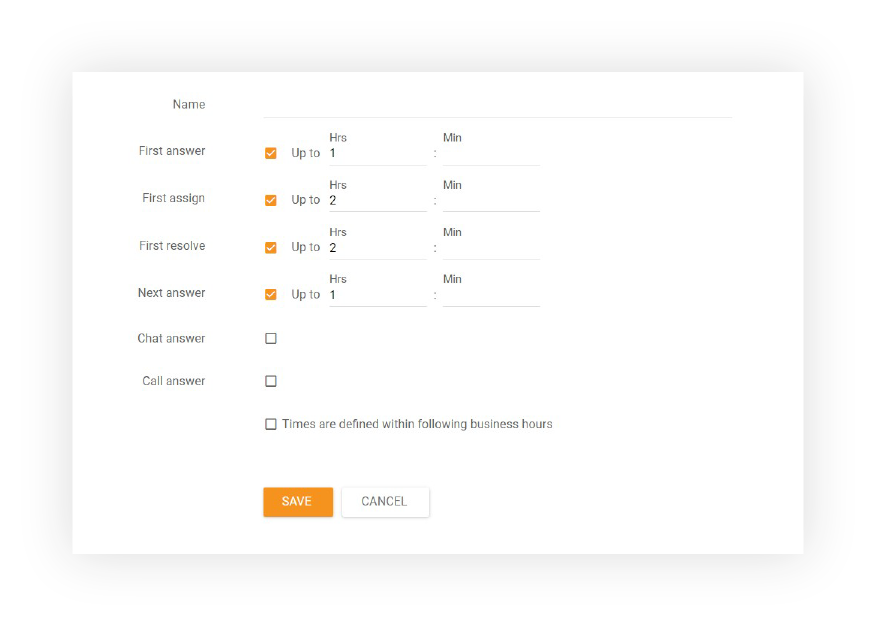
It depends on the types of SLA features and levels you create. For example, if you create an SLA level that requires the ‘First Answer" due within one hour, then tickets tied to this SLA must be answered within that timeframe during business hours. This call center SLA feature ensures that teams are always on top of customer requests, and their response times are consistent with service standards.
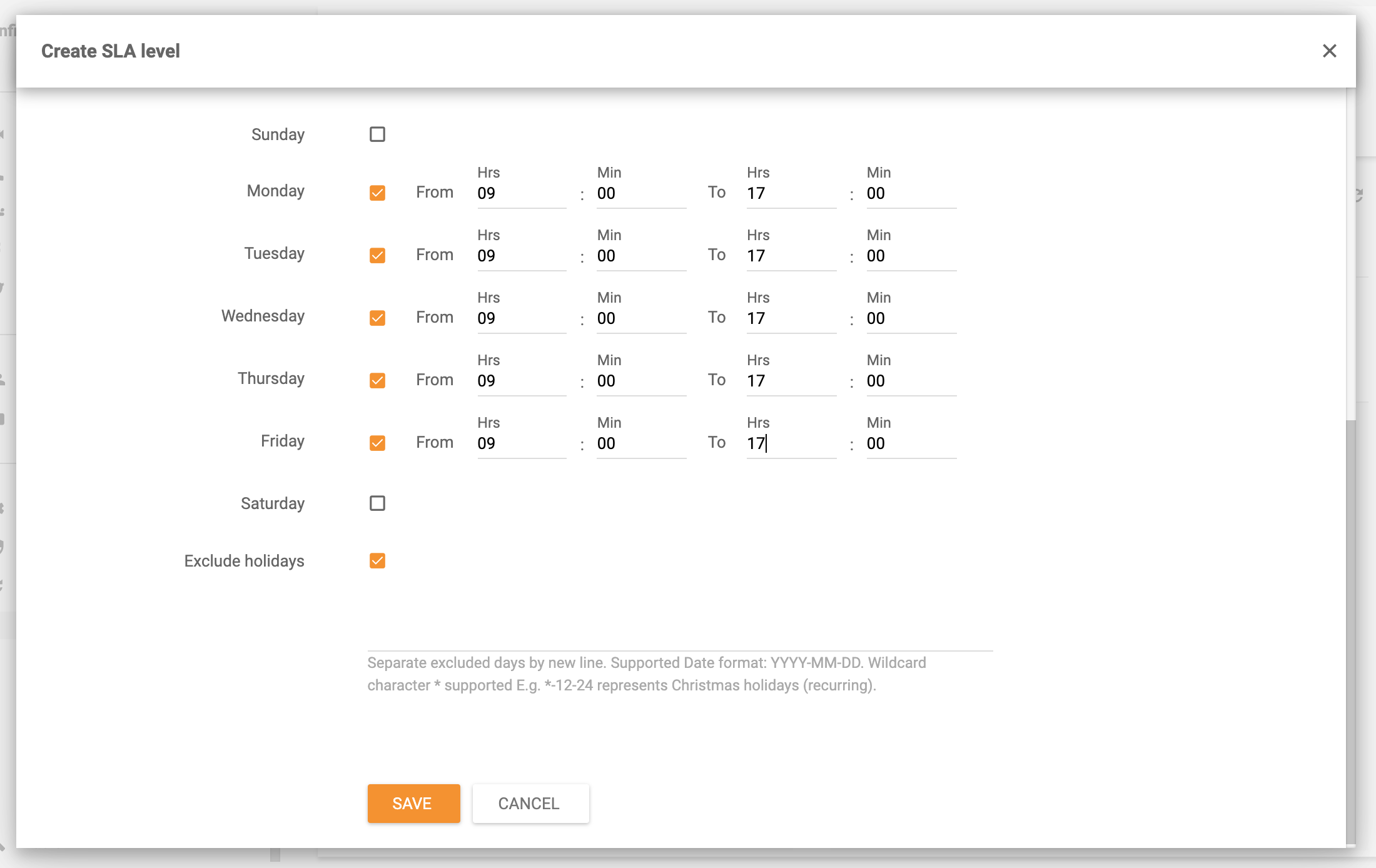
SLA levels define the SLA response times that your support agents need to meet. Please note that when you’re creating your SLA levels in the LiveAgent help desk software, you can define your business hours to exclude holidays or weekends. This helps to manage what is SLA in a call center, making sure that calls are answered in a timely manner, and setting clear standards for customer service teams.
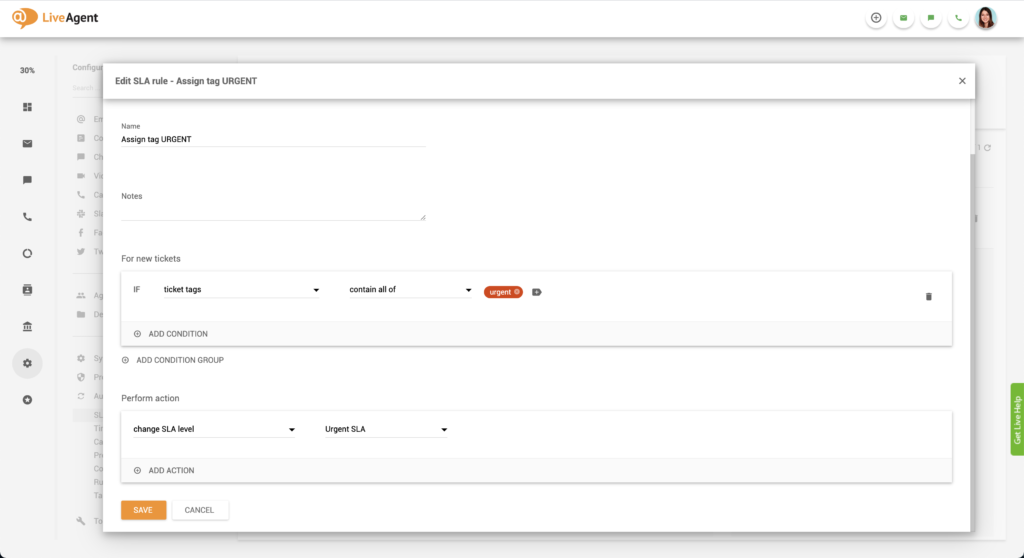
SLA rules are automation rules that are executed when certain conditions are met. These rules can streamline agent workflow and override other existing rules if needed.
SLA rules can also be combined with automation rules to escalate tickets that are not marked as new.
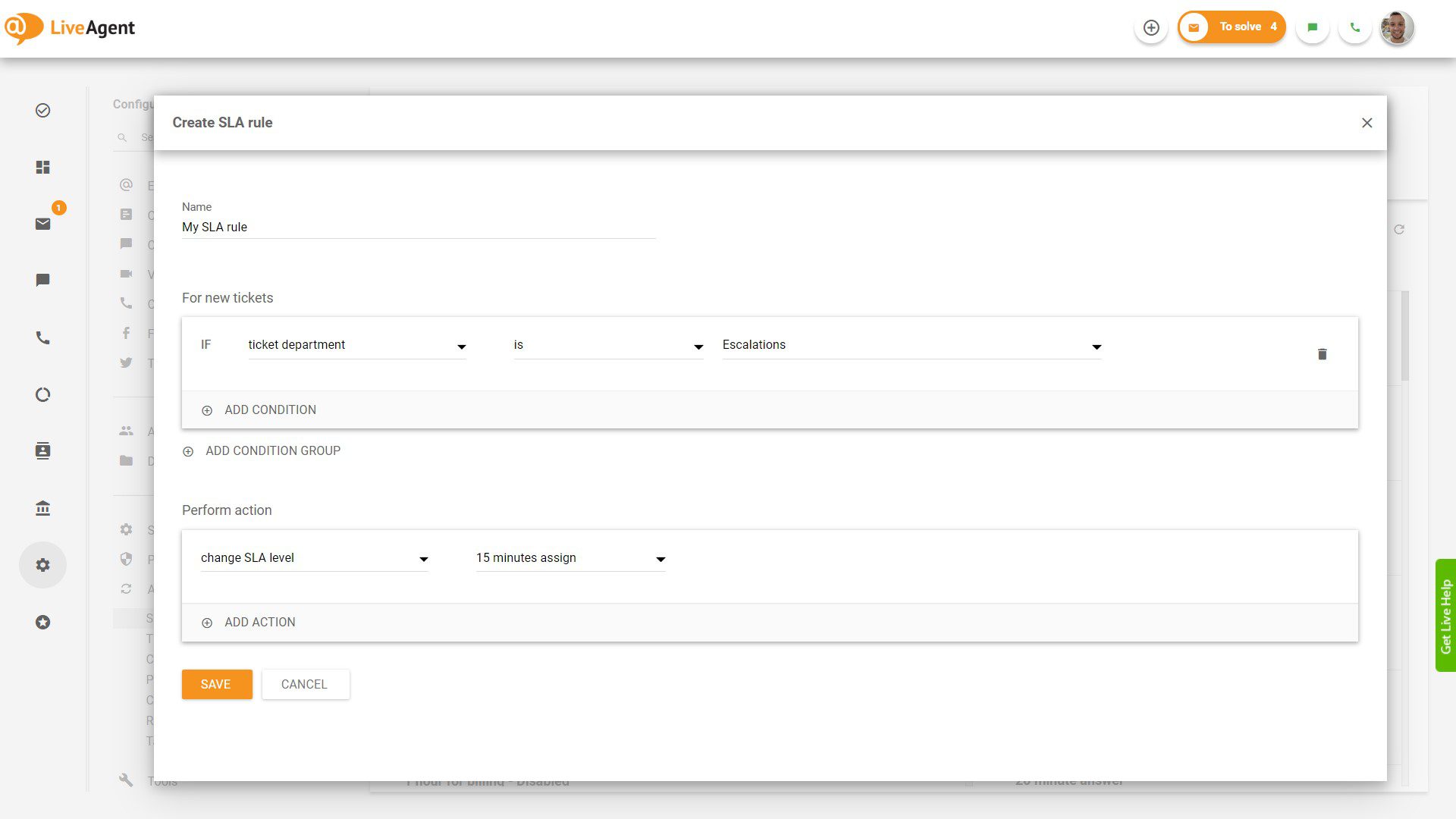
Follow these steps to start managing SLAs in LiveAgent:
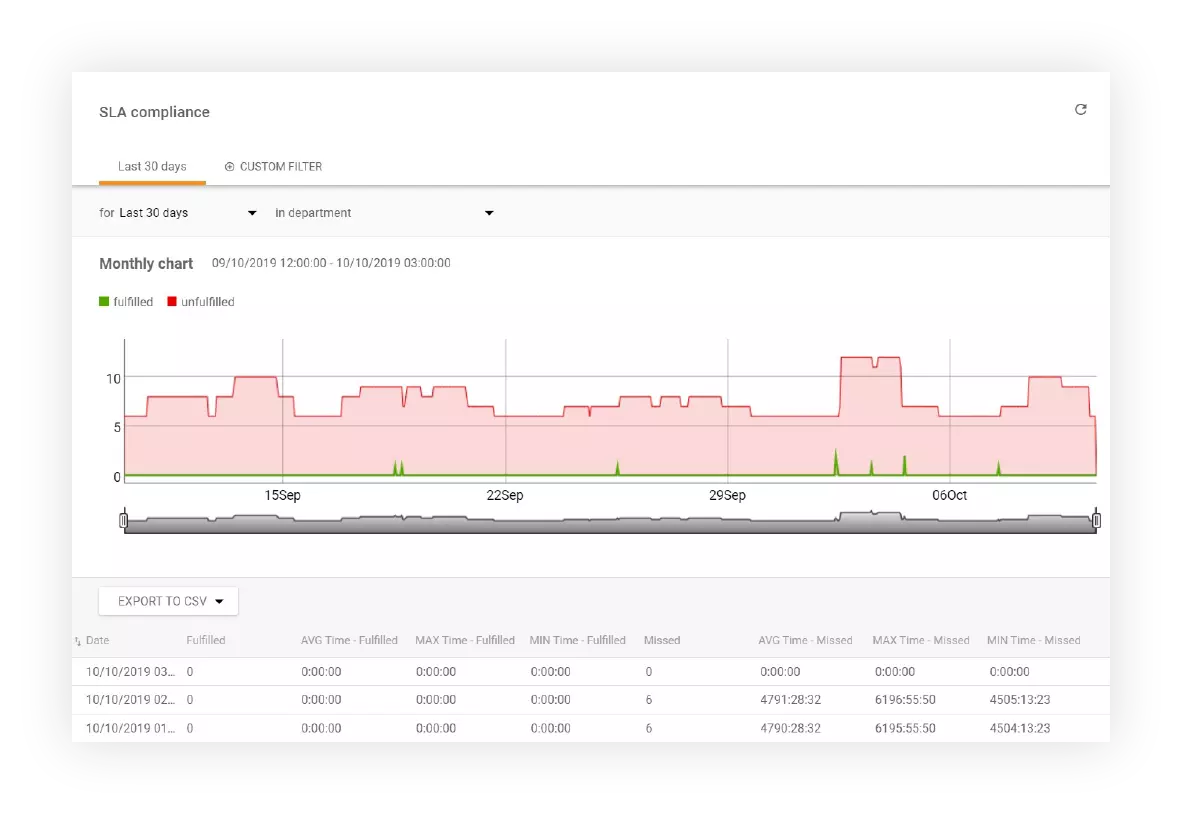
LiveAgent offers detailed SLA compliance reports that show all fulfilled and missed SLAs across departments and specific timeframes. These reports help support managers track team performance and ensure that SLAs are met, enhancing productivity. If you’re unsure about SLA definition, it essentially refers to the formalized expectations between service providers and customers about service quality.
In LiveAgent’s customer ticketing software, you can find all SLA compliance reports and export them into CSV files. This makes it easier to share the information with higher management.
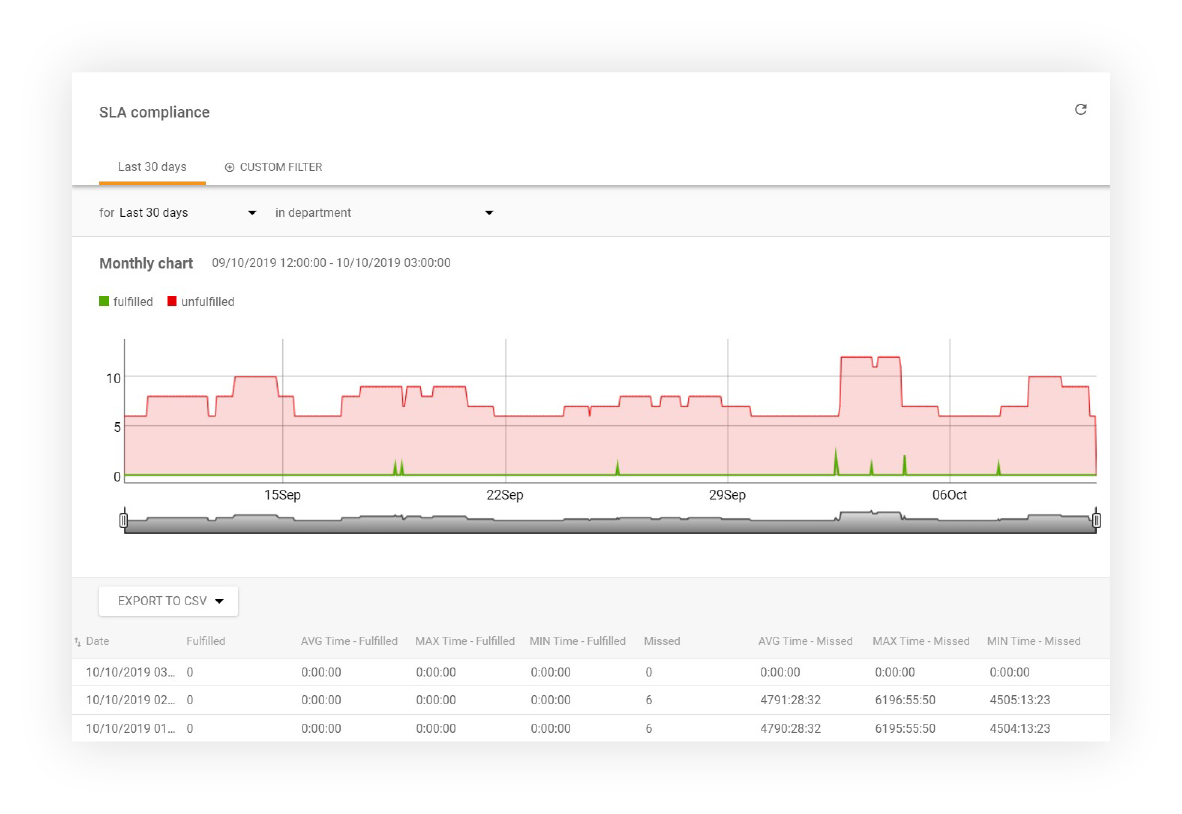
Use the LiveAgent REST API guide for call values from SLA compliance reports.
Apart from SLA compliance reports, LiveAgent also keeps logs of all fulfilled and missed SLAs. The logs can be filtered by departments and by a specific time range. Individual entries can be sorted by the requester, ticket ID, SLA start time, department, agent, due date, close date, and SLA remaining/overdue time. All SLA logs can be exported into a CSV file as well.
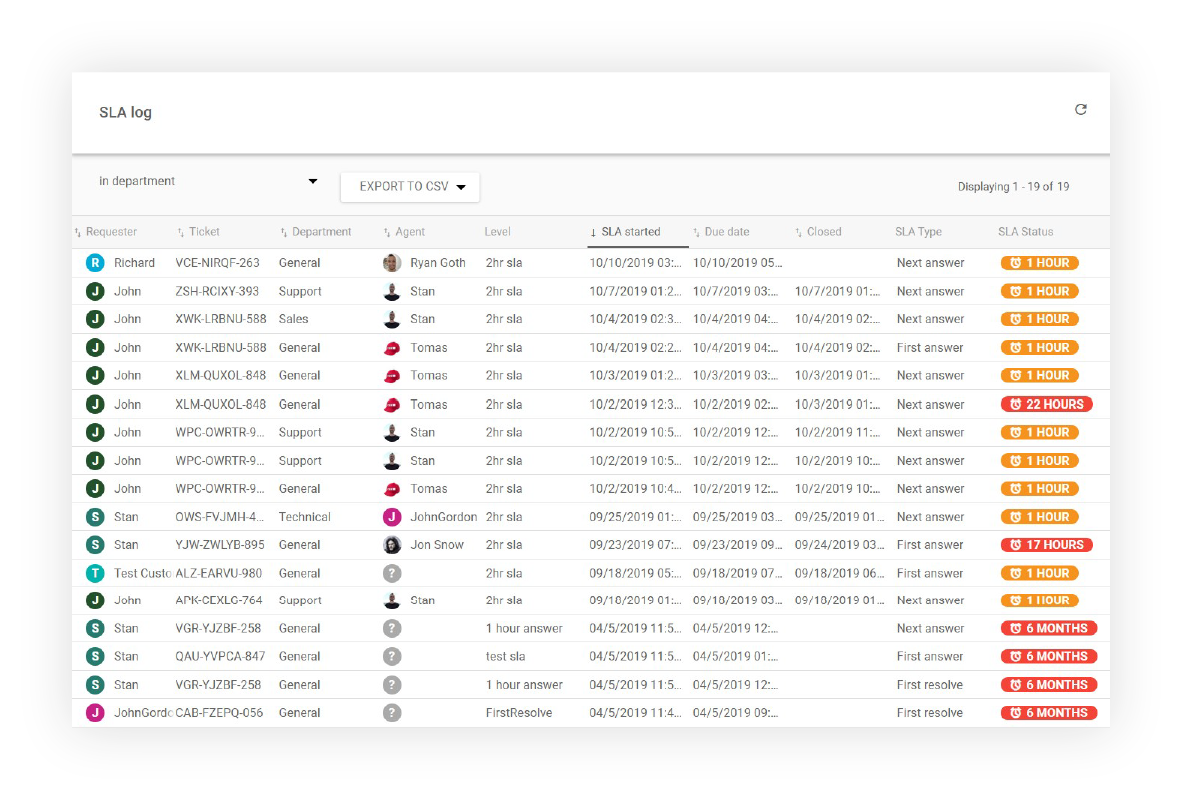
Use the LiveAgent REST API guide to call values from the SLA log report.
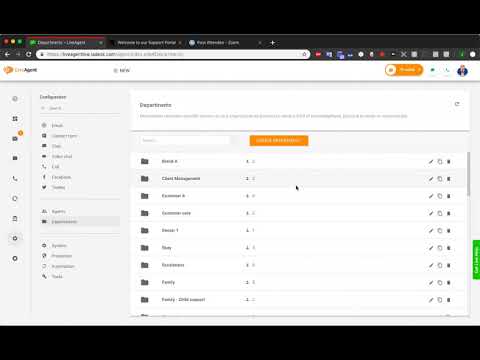
Need more help with SLA management? Check out these detailed guides:
Stay on top of all messages from your VIP clients with SLA rules, levels, and our ‘To-Solve’ feature. Try it today. No credit card required. Start a 30-day free trial .
Learn how Service Level Agreements (SLAs) can enhance customer service by setting measurable targets. Monitor compliance with LiveAgent's tools.
Monitor and track your team's SLA compliance with LiveAgent's reports. Set SLA levels, rules, and export data to CSV. Evaluate performance by department, agent,...

LiveAgent's SLA Log Report tracks fulfilled and missed SLAs, sortable by various parameters and exportable to CSV, enhancing customer service efficiency. Availa...
Cookie Consent
We use cookies to enhance your browsing experience and analyze our traffic. See our privacy policy.