



LiveAgent Multiple Ticket Tabs
LiveAgent's multiple ticket tabs let agents handle several customer queries at once for maximum efficiency. Try it free for 30 days!
3 min read
Ticket Management
Productivity
+1

Split tickets in LiveAgent let you duplicate and assign multi-issue tickets to different agents or departments. Try it free for 30 days!
Have you ever wondered how to deal with a ticket where a customer needs to solve multiple issues suitable for different agents or departments? With the Split Ticket feature, you can solve both problems faster and more effectively than ever before.
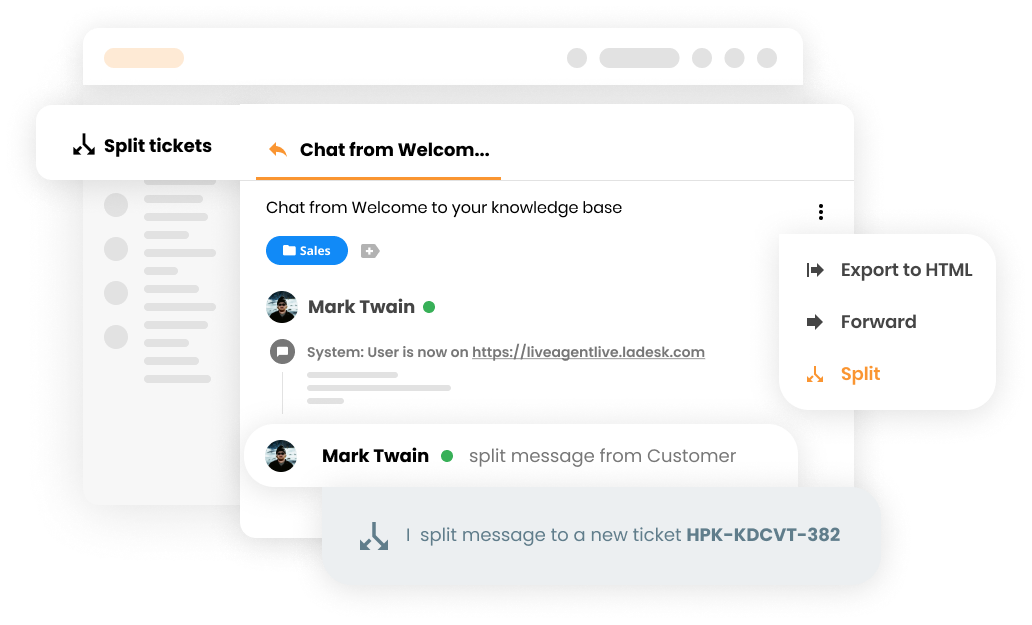
When you receive a ticket where a customer needs to solve two or more different issues, you simply click the Split button. This will create a copy of the original ticket within your ticketing tool with a new reference number. You can use it as a normal, valuable ticket with all features as usual.
Your customer David is wondering how to setup and configure his default email address for email communication with customers and also if there is a possibility to customize the chat buttons by your designers. You can clearly see this is a case suited for two different departments.
Your customer support agent will now use the Split Ticket feature to split and assign the ticket to other, more suitable agents or departments.
The Split button will simply duplicate the ticket with a new reference number and the agent can assign it to the right Department.
The Split Ticket feature provides numerous benefits for your support team:
By using the Split Ticket feature, you can:

The latest tips and deals delivered straight to your inbox.
Need more help with this feature? Check out these detailed guides: Split ticket action
LiveAgent's multiple ticket tabs let agents handle several customer queries at once for maximum efficiency. Try it free for 30 days!

Learn how to efficiently assign tickets in LiveAgent to enhance customer support, streamline processes, and increase satisfaction. Customize criteria for ticket...

Combine duplicate tickets effortlessly with LiveAgent's Merge Tickets feature. Streamline support, save time, and boost efficiency. Try Free!