AI customer support assistant: the complete guide to modern customer service automation in 2026
AI customer support assistants use NLP and machine learning to resolve issues end-to-end, integrate with your CRM, and operate 24/7. Here’s everything you need to know before deploying one.
The customer support landscape is undergoing a fundamental transformation. According to Gartner’s latest research, AI agents are expected to automate around 70% of customer support interactions by 2027—a dramatic shift from the traditional human-centric model. Yet many organizations remain uncertain about which AI solutions to implement, how to integrate them with existing systems, and whether they truly deliver measurable ROI.
This comprehensive guide addresses every critical question you need answered before deploying an AI customer support assistant: from essential features like Natural Language Understanding (NLU) and CRM integrations, to practical implementation strategies, data security considerations, and how to balance automation with human expertise. It also explains how support interactions can be structured as a real sales opportunity in customer support
when agents have the right context.
What are AI customer support assistants and why do they matter?
An AI customer support assistant is fundamentally different from a traditional chatbot. While legacy chatbots follow rigid scripts and decision trees, true AI assistants use advanced machine learning and natural language processing to understand context, intent, and customer sentiment—then respond with genuine intelligence rather than predetermined answers.
Modern AI assistants go beyond merely answering frequently asked questions. They:
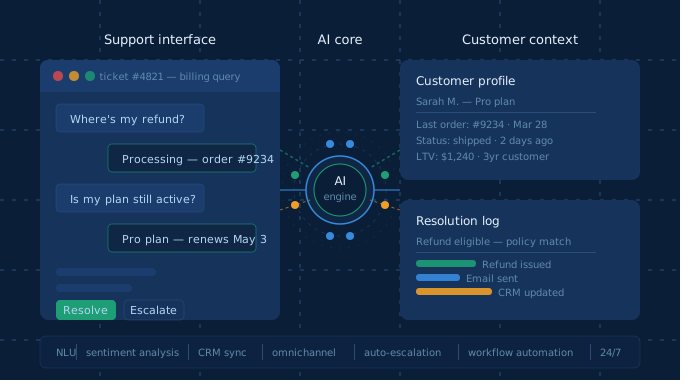
Resolve issues end-to-end by accessing backend systems, processing refunds, updating customer records, and escalating complex cases to human agents when necessary
Learn from every interaction through machine learning, continuously improving response accuracy and relevance
Support omnichannel engagement across website chat, email, phone, social media, and messaging platforms
Operate 24/7 with consistent service quality regardless of time zone or business hours
The business impact is measurable: organizations implementing AI customer support agents report 60–70% reduction in support tickets, 2–3x higher conversion rates, and 45% faster resolution times compared to traditional support models.
Must-have features for enterprise AI customer support assistants
Not all AI customer support solutions are created equal. Enterprise-grade platforms require a specific set of capabilities to deliver genuine business value. Here are the non-negotiable features:
Natural language understanding (NLU) and intent recognition
NLU is the foundation of intelligent customer support. Unlike traditional keyword matching, NLU-powered systems understand context, infer customer intent, and detect sentiment—even when customers phrase requests in unexpected ways.
For example, when a customer writes “I’m upset because my delivery is late again,” an NLU system recognizes both the intent (delivery issue) and the emotional context (frustration), allowing the AI to respond with empathy and appropriate urgency.
What to look for:
Contextual understanding that grasps multi-turn conversations
Sentiment analysis to detect customer frustration or satisfaction
Named Entity Recognition (NER) to identify specific customer details, order numbers, and product references
A customer support AI assistant that cannot connect to your CRM, ticketing system, or backend databases is fundamentally limited. True agentic AI requires two-way data synchronization with enterprise systems.
Critical integration capabilities include:
Salesforce integration: Real-time access to customer records, account history, and opportunity data; ability to update CRM fields directly from conversations
HubSpot connectivity: Native support for contact management, deal tracking, and automated workflow triggers
Zendesk and ticketing systems: Automatic ticket creation, routing, and escalation with full conversation history
Email and communication platforms: Seamless handoff to human agents with context preservation
Custom API connections: Ability to connect to proprietary systems and legacy platforms
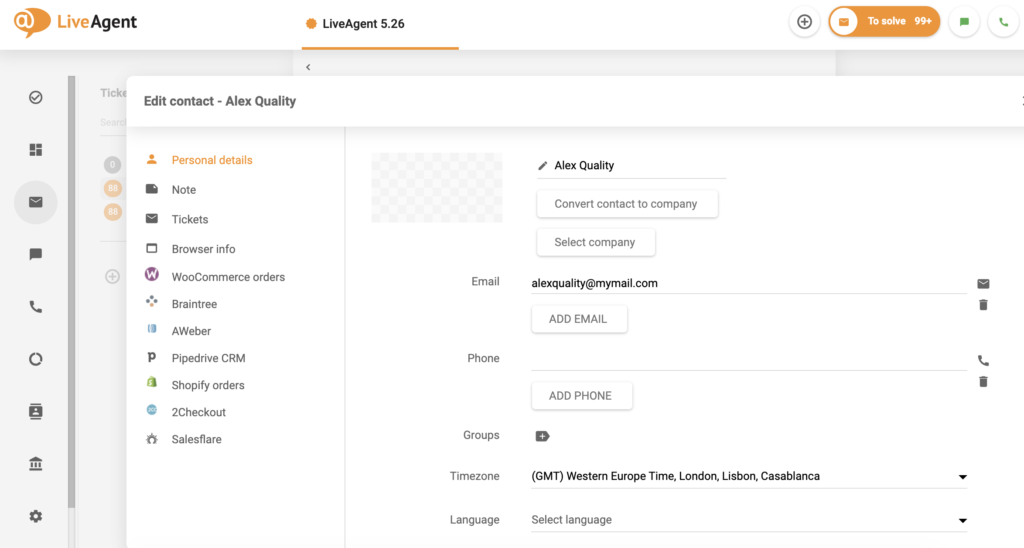
The market is moving rapidly in this direction. LiveAgent leads the way with its native Display external info in a ticket
plugin, which surfaces CRM data, order history, billing status, and subscription details directly inside each support ticket—giving agents everything they need without leaving the conversation. Retell AI similarly integrates with Salesforce, HubSpot, Microsoft Dynamics, and Zendesk—enabling AI agents to perform complex tasks like updating customer records in real-time, routing calls based on CRM data, and maintaining two-way synchronization without manual intervention.
Putting customer context directly inside every ticket
One of the most practical integration challenges in support is context fragmentation. Agents need order history, billing status, subscription details, and CRM data to respond well—but that information typically lives across multiple systems, requiring tab-switching, manual lookups, and time lost before a single reply can be sent.
LiveAgent’s Display external info in a ticket
plugin solves this directly. Available since version 4.25.6.4, it pulls key customer data—orders, billing status, subscription details, and CRM history—directly into each support ticket, right next to the conversation. That same visibility is the foundation of a successful support-as-sales opportunity
strategy. Depending on what you connect, agents can instantly see:
What the customer bought and whether their order has shipped
Whether they’re a first-time or returning buyer
Their subscription or payment status
Any relevant history from your CRM
This matters especially for e-commerce, where most support requests are tied to a transaction. Questions like “Where’s my order?”, “Is my subscription still active?”, or “Why was I charged?” aren’t complicated—but without context, replies take far longer than they should. With this plugin, that context is visible the moment a ticket opens: faster responses, fewer mistakes, a smoother customer experience, and more natural opportunities to upsell while you have their attention. It is exactly this kind of experience that turns support into a sales-generating support interaction
.
Multilingual and omnichannel support
Global customer bases demand multilingual support. Leading AI platforms now support 33+ languages and dialects, enabling organizations to serve international customers with native-level language understanding.
Omnichannel deployment means your AI assistant operates consistently across:
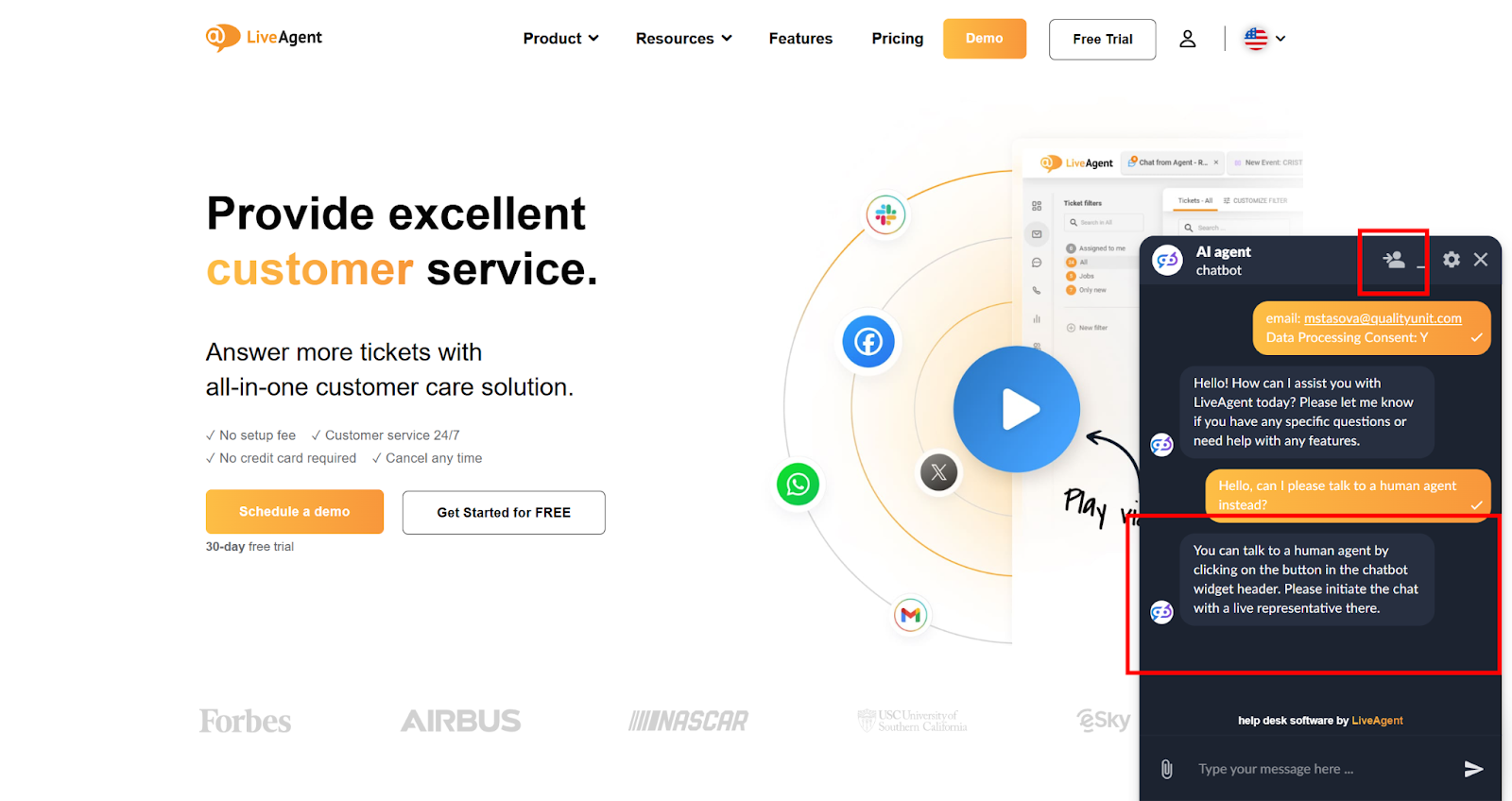
No AI system handles 100% of requests perfectly. The best assistants recognize their limitations and seamlessly transfer conversations to human agents with full context.
Smart escalation triggers include:
Customer frustration detected through sentiment analysis
Complex requests outside the AI’s knowledge base
Explicit customer requests to speak with a human
Multi-turn conversations that exceed complexity thresholds
AI virtual assistants vs. traditional chatbots: understanding the critical differences
The distinction between AI virtual assistants and traditional chatbots is not semantic—it defines the scope and capability of what your support system can achieve.
Conversation type: Traditional chatbots are scripted or FAQ-based with limited scope. AI virtual assistants handle context-aware, multi-turn conversations with reasoning.
Language understanding: Chatbots rely on keyword matching and pattern recognition. AI assistants use NLU with context, sentiment, and intent inference.
Task execution: Chatbots provide information only with no backend access. AI assistants execute actions such as refunds, updates, and scheduling.
Learning capability: Chatbot responses are static and require manual updates. AI assistants learn continuously from interactions and adapt their responses.
Channel support: Chatbots are often limited to a single platform. AI assistants are omnichannel across web, mobile, email, phone, and social.
Personalization: Chatbots give generic responses for all users. AI assistants personalize based on customer history and preferences.
Integration depth: Chatbots are limited to basic data retrieval. AI assistants offer deep CRM integration with real-time data sync.
When to choose each option
Use a traditional chatbot if:
You have high-volume, low-complexity inquiries (order tracking, basic FAQs)
Budget is severely constrained
Your support team operates during business hours only
You need rapid deployment with minimal integration
Use an AI virtual assistant if:
You need to reduce support costs while maintaining quality
Your customers expect 24/7 availability
You want to generate leads while providing support
You operate across multiple channels and geographies
You need the AI to take actions (refunds, updates, scheduling)
You want continuous improvement through machine learning
Industry data shows that for most modern businesses, the decision isn’t between chatbots and AI assistants—it’s whether to implement an AI assistant now or risk falling behind competitors who already have. Organizations using advanced AI assistants report 2–3x higher conversion rates and 60–70% reduction in support ticket volume. For a deeper look at how support can be converted into revenue without sacrificing service quality, see how support becomes a sales opportunity
.
Connecting AI assistants to CRM and email for workflow automation
The true power of AI customer support emerges when your assistant is deeply integrated with your business systems.
Native CRM integration architecture
Leading platforms offer native integration with enterprise CRM systems. This means:
Real-time data access: The AI reads customer records, account history, and interaction logs during conversations
Bi-directional sync: Changes made by the AI immediately reflect in your CRM
API-based connections: Secure, authenticated connections using standard REST APIs or webhooks
Custom field mapping: Align your CRM’s unique fields with AI system requirements
Email automation workflows
AI assistants can automatically:
Send confirmation emails when issues are resolved
Trigger nurture sequences for qualified leads
Forward conversation summaries to assigned team members
Schedule follow-up emails based on customer interactions
Generate and send invoices or receipts automatically
Ticketing system integration
When an AI assistant encounters a complex issue requiring human intervention, it automatically:
Creates a support ticket in your ticketing system (Zendesk, Jira, ServiceNow)
Assigns the ticket based on predefined rules or AI routing logic
Includes full conversation history and context
Notifies the assigned agent through your notification system
Updates the ticket status as the human agent responds
Practical implementation example
Consider a customer inquiring about a refund. Here is the complete automated workflow:
Initiation: Customer initiates chat on your website
Context retrieval: AI queries CRM to fetch customer account, order history, and previous interactions
Decision making: AI determines eligibility based on company policy and customer history
Action execution: AI processes the refund through your payment system API
CRM update: AI updates customer record with refund details and reason
Email trigger: Automated email confirmation sent to customer
Analytics: Interaction logged for reporting and training purposes
This entire process—which traditionally required human intervention—now happens in seconds with zero manual work.
Join our newsletter
The latest tips and deals delivered straight to your inbox.
Conclusion
AI customer support assistants are no longer a future investment—they are a present competitive requirement. From reducing ticket volume and resolution times to enabling 24/7 omnichannel coverage and deep CRM integration, these tools fundamentally change what a support team can achieve. The organizations seeing the strongest results are those that treat AI not as a replacement for human agents, but as the infrastructure that makes every human interaction faster, smarter, and more informed.
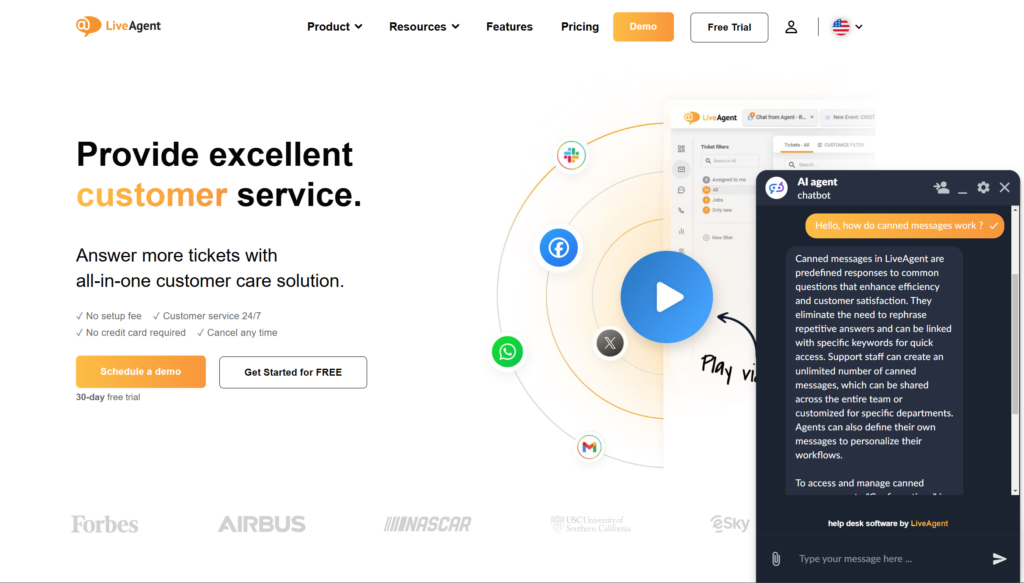
Tools like the LiveAgent AI Chatbot
exemplify this approach—handling routine queries autonomously, surfacing full customer context inside every ticket, and escalating seamlessly when a human touch is needed. If you’re ready to see the impact firsthand, start a free 30-day trial today.
Share this article
Lilia is a content manager at LiveAgent. Passionate about customer support, she crafts engaging content that highlights the power of seamless communication and exceptional AI-powered service.
Lilia Savko
Copywriter
Frequently asked questions
An AI customer support assistant is software that uses natural language processing and machine learning to handle customer inquiries autonomously—understanding context and intent, executing actions like issuing refunds or updating account data, and learning from every interaction to improve over time.
Traditional chatbots follow fixed scripts and can only retrieve information. AI assistants use natural language understanding to interpret intent, handle multi-turn conversations, integrate with CRM and helpdesk systems, and execute tasks end-to-end without human intervention.
At minimum: a CRM (Salesforce, HubSpot, or similar), a ticketing system (Zendesk, Jira, ServiceNow), and your e-commerce or billing backend. Tools like LiveAgent's Display external info in a ticket plugin can surface all this data directly inside support tickets, eliminating the need to switch between systems.
Yes—enterprise AI assistants can process refunds, update account information, reset passwords, schedule appointments, and trigger email workflows automatically, without needing to hand off to a human agent.
Organizations typically report a 60–70% reduction in support ticket volume, 45% faster resolution times, and 2–3x higher conversion rates compared to traditional support models.
Yes, and it's particularly effective for e-commerce because most support queries relate to orders, billing, and subscriptions. With the right integrations—such as LiveAgent's Display external info in a ticket plugin—agents see order status, billing history, and CRM data directly in the ticket without switching tabs, cutting response time significantly.
Leading platforms support 33+ languages and dialects, enabling organizations to serve international customers with native-level language understanding across all channels.
AI customer service agents: How do they improve client service?
AI customer service agents boost efficiency with instant responses, sentiment analysis, multilingual support, and personalized interactions. They reduce costs, ...
How to set up an AI virtual assistant for customer support (step-by-step)
From choosing the right tool to handling your first automated ticket — this step-by-step guide covers the full AI virtual assistant setup process for support te...
9 Current Customer Service Trends + Recent Tips from Our Experts
Discover the latest customer service trends, from AI-driven strategies to timeless best practices. Learn how to stay ahead in delivering exceptional service.
11 min read
CustomerService
AI
+3
Cookie Consent We use cookies to enhance your browsing experience and analyze our traffic. See our privacy policy.