



Instant Chat
Enhance customer support with LiveAgent's instant chat! Real-time messaging, GIFs, and media sharing. Try it free—no credit card required!
4 min read
Customer support
Live Chat
+1


Enhance customer communication by integrating GIPHY with LiveAgent for GIF-supported tickets, emails, and social media. Enjoy easy setup with native and Zapier integrations, and start a free trial without a credit card.
GIPHY is an online database and a search engine of animated GIFs, soundless looping videos that can enhance online interaction. GIPHY is popular mostly on social media but also in some professional areas, such as customer support channels or Slack channels.
GIFs can be used in LiveAgent tickets. Express yourself with a large variety of GIF images made for many purposes and occasions. Let customers know what you think in live chat, share some happiness in a social media message, or share a funny story with your colleagues in Slack. The service is free so it’s only up to you how much you utilize it. Most people appreciate an easy-going customer support agent. So make it fun, and don’t be a sourpuss like Roy over here…

… be like Beavis instead! He sure looks like he knows what he’s doing.

LiveAgent ticketing supports GIPHY so feel free to use the GIFs whenever and wherever. Here are few popular Channels where you can benefit from using GIFs.
Emails don’t have to be just bland pieces of text when you can use pictures, links, emoji and you guessed right, GIFs. Improve your customer interaction and make your customer close their inbox with a smile on their face after a job well done.

Facebook is a great place to use GIFs when dealing with customer issues. Some of the top companies are using this tactic to make customers feel understood, relaxed, and happy. Sometimes customers don’t want to solve problems but share their thoughts, ideas or just write something funny. GIFs are begging to be used in these scenarios, so go ahead and see the response of your Facebook followers.

Outside of your communication with customers, you can use them in your Slack channels with your colleagues. Slack users know about the support and popular use of GIFs in their workspace and LiveAgent tickets support this function too.

The latest tips and deals delivered straight to your inbox.
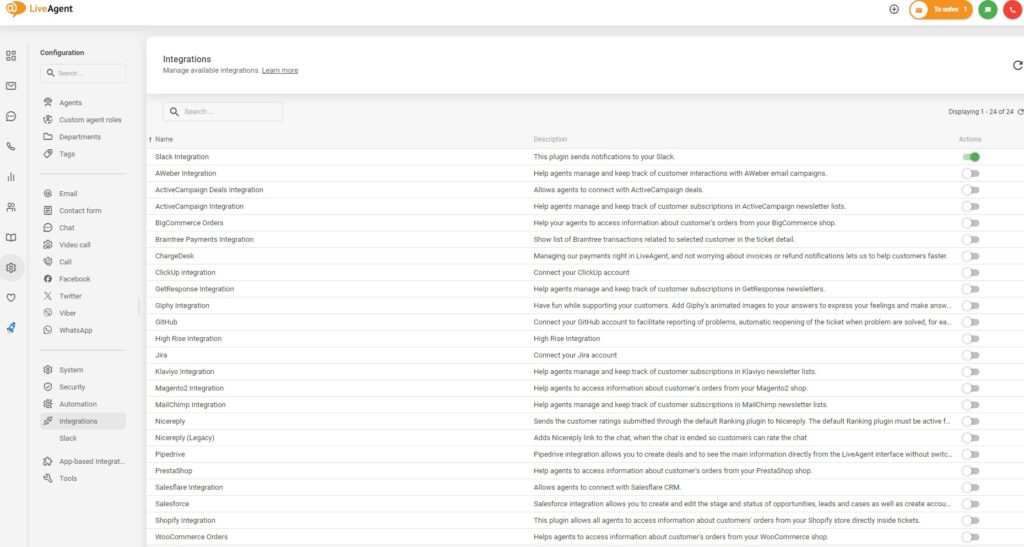
LiveAgent has a native support of the GIPHY plugin available in configuration. To start, open your dashboard and go to Configuration > Integrations. Find the GIPHY plugin in the list of plugins and click on the activate switch. LiveAgent will restart after this.
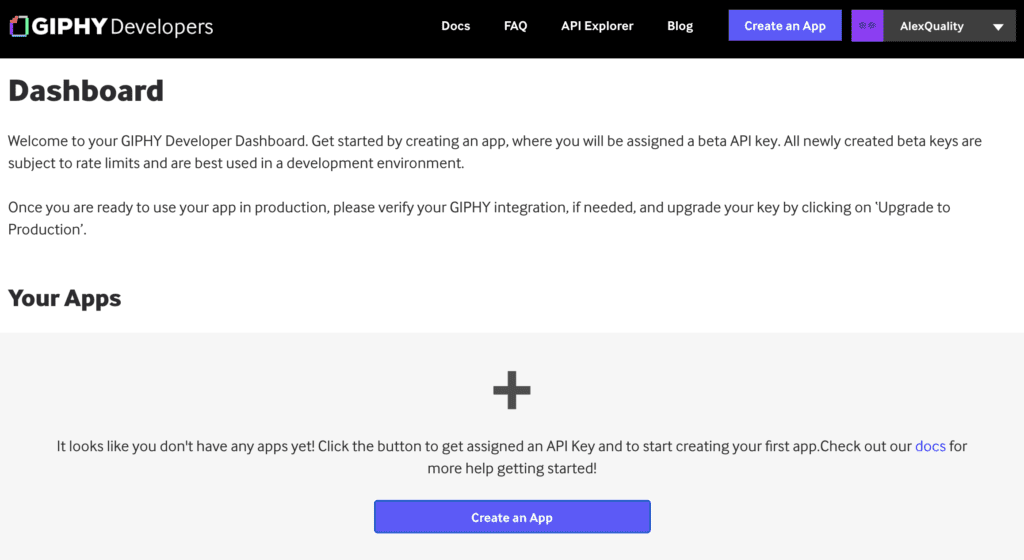
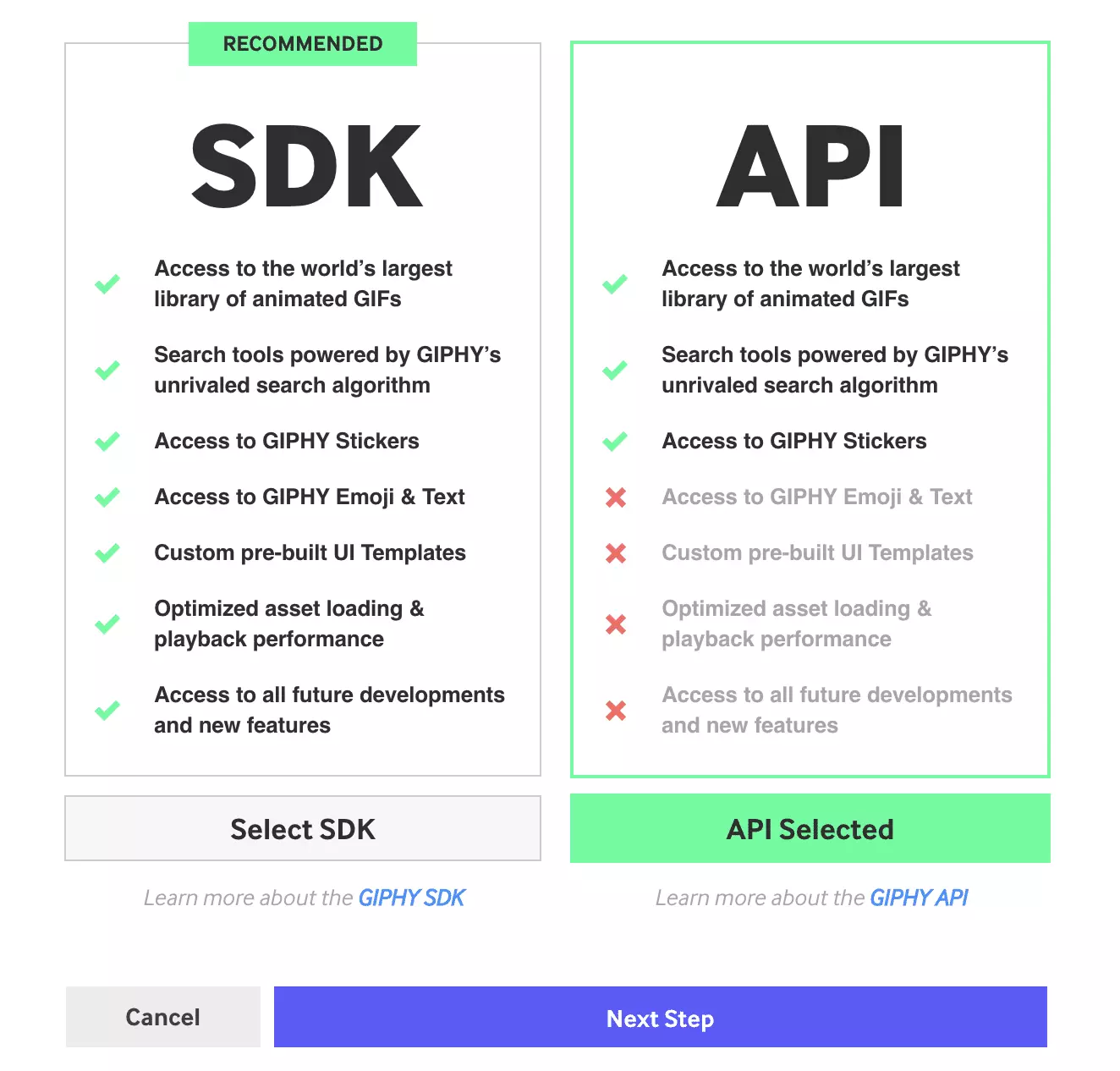
Next, go to GIPHY for Developers and click on Create an app. Then select API, name your app and describe it. GIPHY will generate an API key for you.
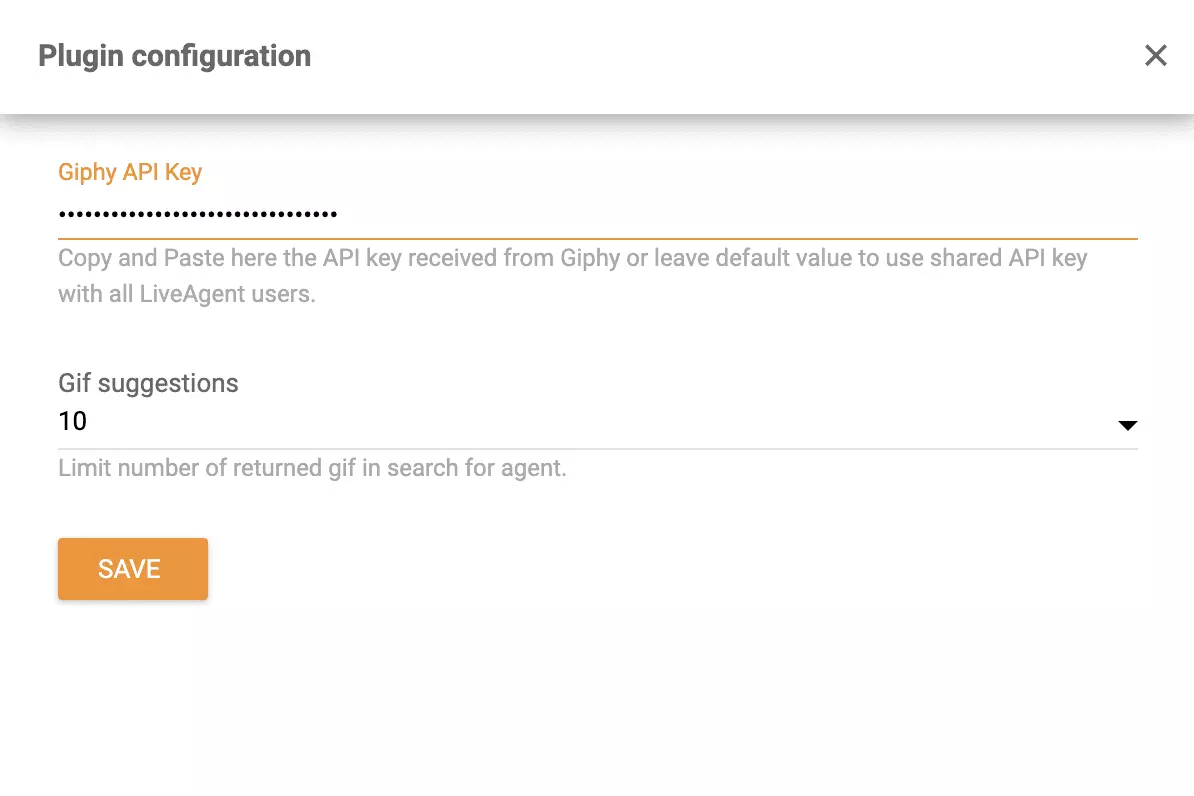
Copy this key and go back to the LiveAgent plugin section. Find GIPHY and click on the cogwheel icon to configure the plugin. Copy the API key into the GIPHY API key field and click on Save.
You’re done and GIPHY is now ready. Go to your ticketing system and open up a ticket you want to reply to with a GIF image. Click on the three dots under the ticket name and select GIPHY. The search engine allows you to search for various GIFs that are suitable for your conversation.
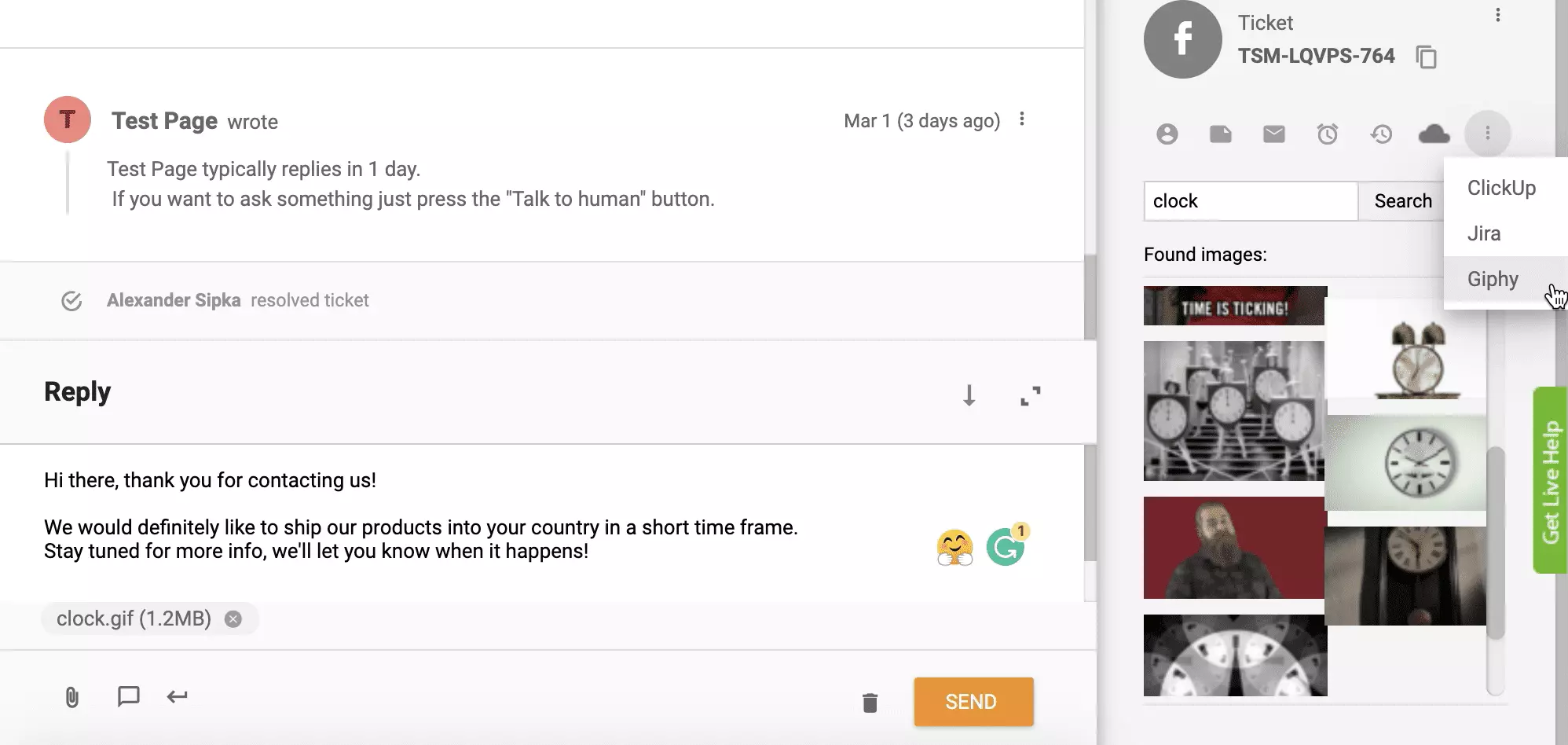
There’s plenty of GIFs out there to be used. Or make your own at giphy.com like we did!
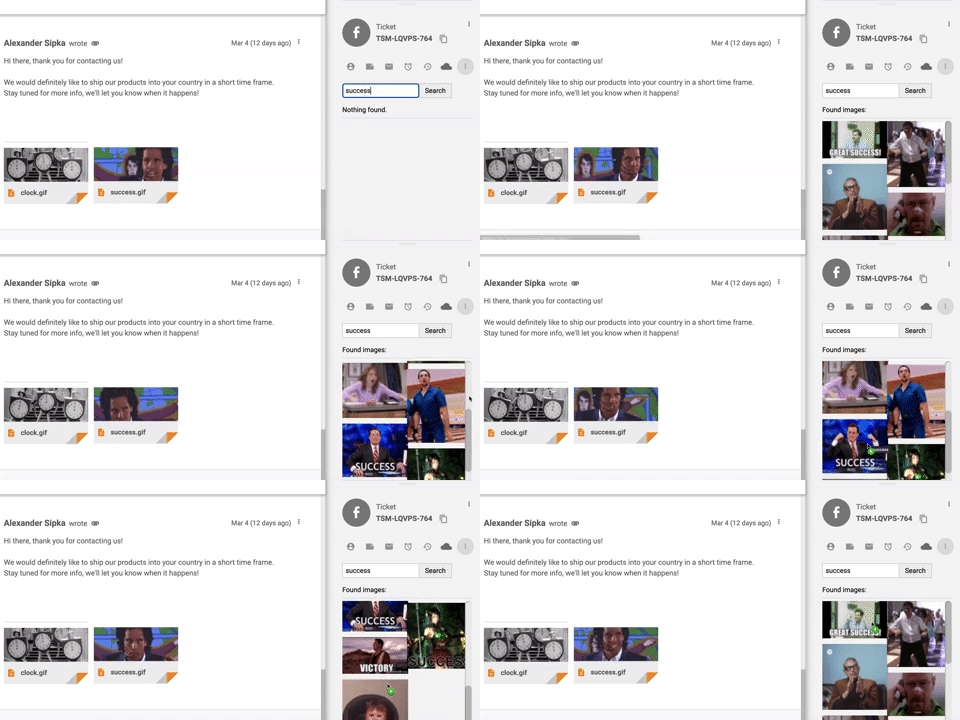
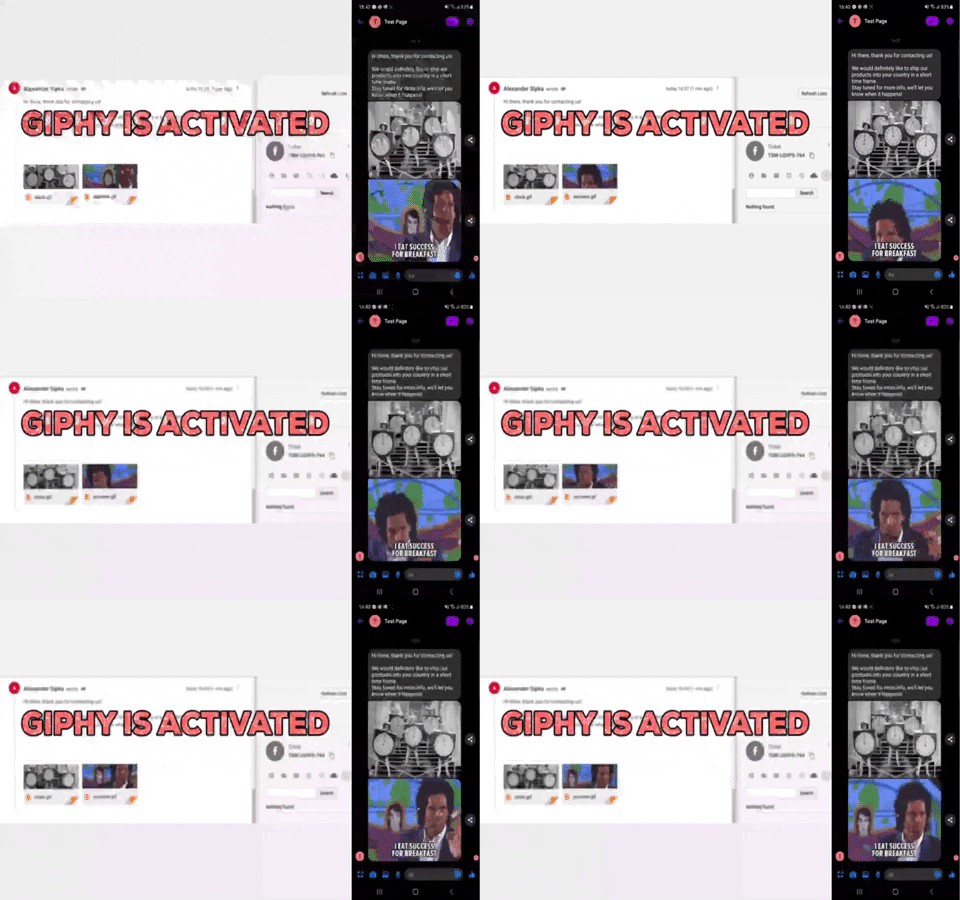
You can also try integrating GIPHY with Zapier service. Zapier connects two apps with multiple integration options available, so you can choose what the integration should do. If you don’t have a Zapier account, create one here .
Then proceed to the GIPHY + LiveAgent integrations page .
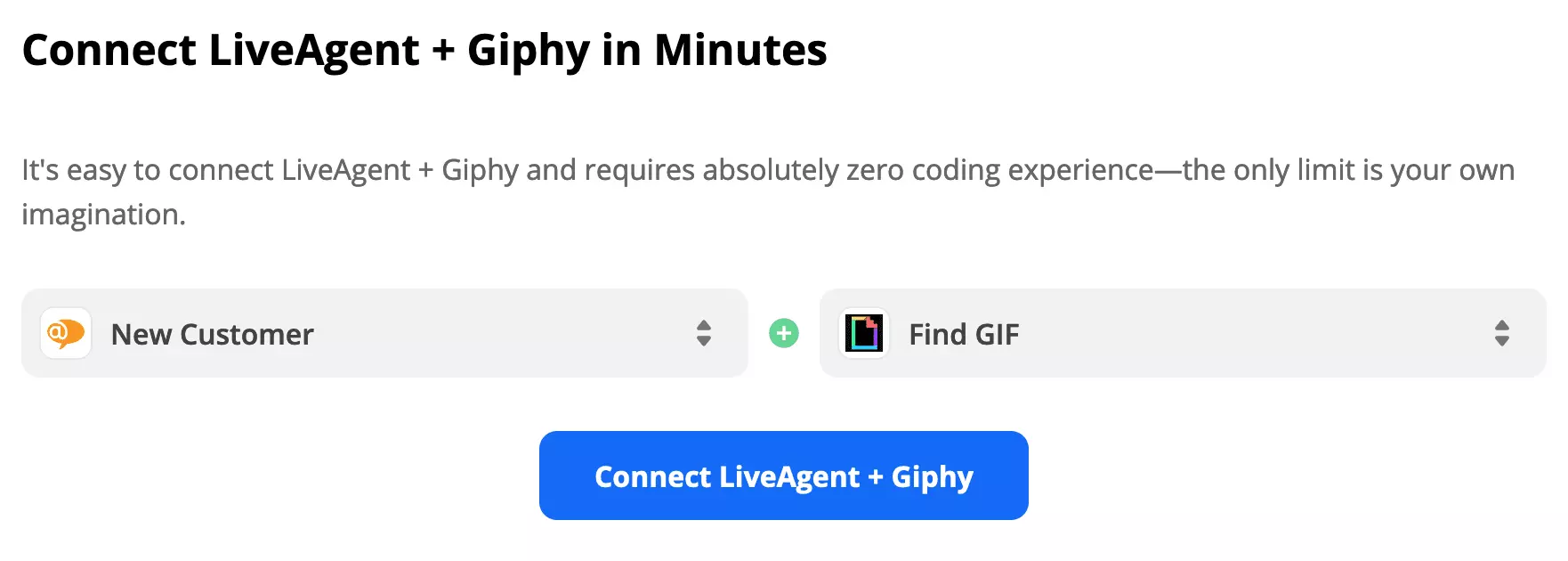
Scroll down on the page and find trigger and action selection. Have a look through the options and pick the ones that suit you the best. At the time of writing this article, we have only one option available, so we’re going to choose it. Click on the blue connect button to continue the integration process.
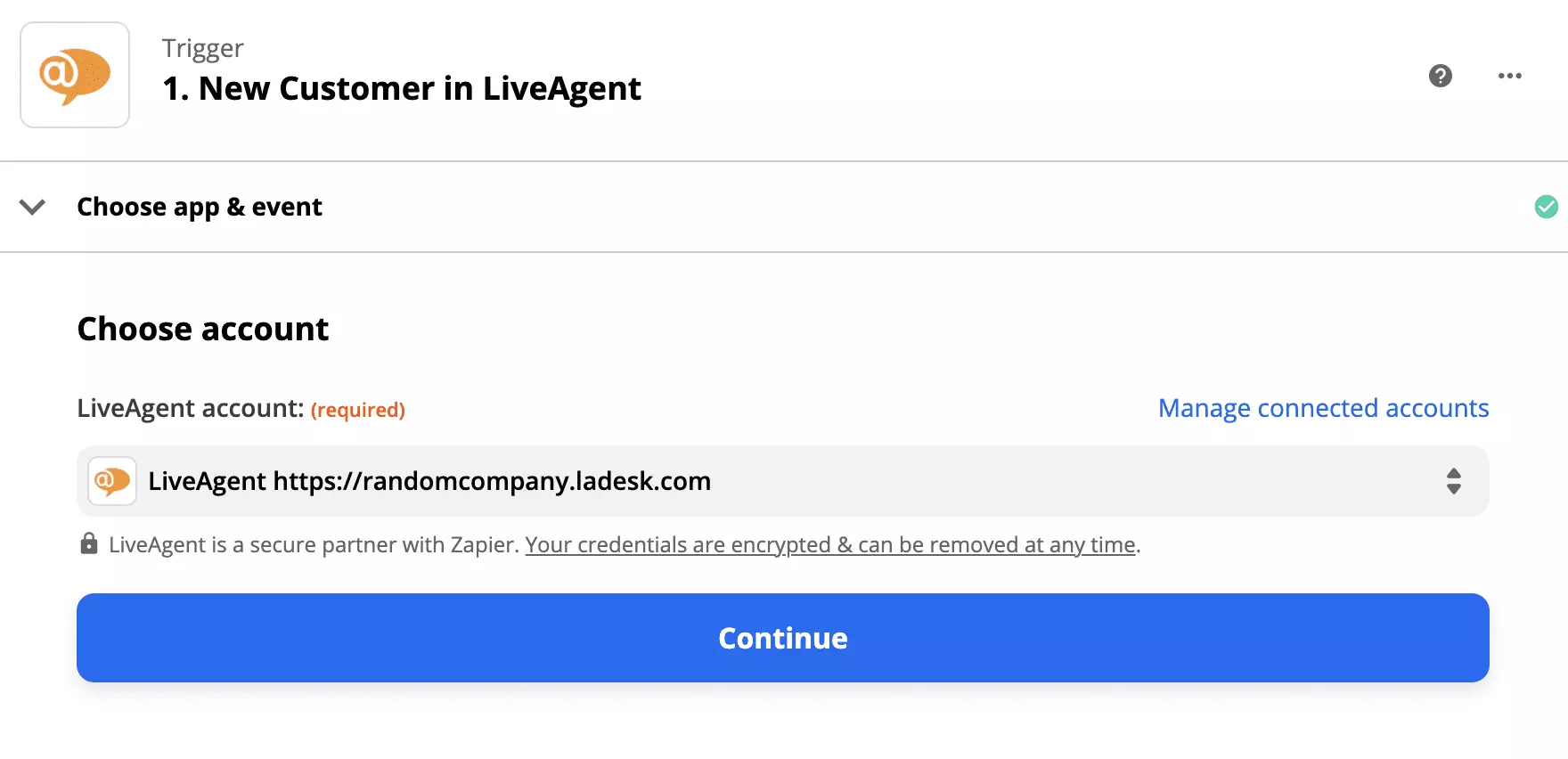
The first step is simple, just login to your LiveAgent account and give access to Zapier to handle your customer data. Test the trigger to continue.
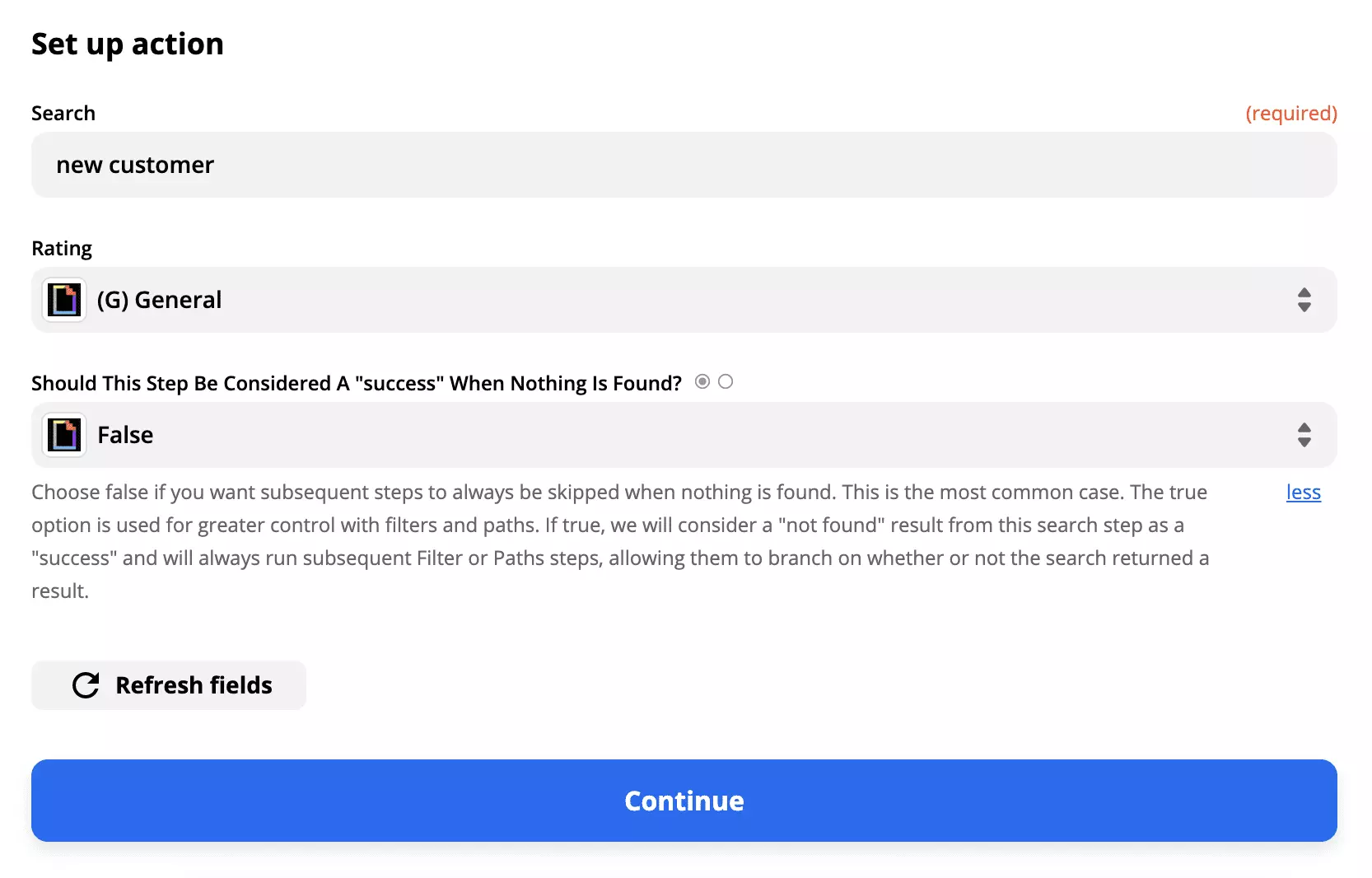
Do the same with GIPHY and specify the keyword for GIF search when a new customer is added. Test the integration and turn on the Zap.
That’s it, you’re done.
Enhance customer support with LiveAgent's instant chat! Real-time messaging, GIFs, and media sharing. Try it free—no credit card required!

LiveAgent's social media help desk integrates with Facebook, Twitter, Instagram, and WhatsApp, consolidating customer interactions in one inbox. Features includ...

Integrate LiveAgent with Facebook to manage inquiries, posts, and comments from one platform, boosting agent productivity and customer satisfaction. Streamline ...
Cookie Consent
We use cookies to enhance your browsing experience and analyze our traffic. See our privacy policy.