



Placetel
Integrate Placetel VoIP with LiveAgent for free to enhance productivity, customer experience, and cost-efficiency. Access German local numbers seamlessly in you...
1 min read


BlaBla Connect is an international calling app with VoIP services, offering affordable rates, free calls between users, and excellent support. It integrates seamlessly with LiveAgent to enhance call center operations.
BlaBla Connect is an international calling app and VoIP service provider. They provide services internationally with quality as their priority and they also offer great and fast customer support for their clients. Their app offers unique features such as airtime top-up, mini-calls, file sharing, or messaging.

Start your free trial today and see results within days.
Use BlaBla Connect if you want to handle international calls with a quality provider. This is especially useful if you want to handle calls between other BlaBla Connect users because the calls in this case are free of charge. Furthermore, their services are inexpensive to help you save money, and their customer support is always ready to help you with anything you need.BlaBla Connect works well with the LiveAgent call center.
Use BlaBla Connect as your main call center software number. Simply add your call number to the LiveAgent call center and start handling customer calls. LiveAgent offers plenty of features to ease your workflows and make customer calls more manageable, thanks to various features and automation.
Take advantage of Interactive Voice Response and create a custom one to suit your purposes, store an unlimited number of phone recordings or set up a custom call button for your website to match your branding. Check out the full list of features and see what they can do for you.

The latest tips and deals delivered straight to your inbox.
BlaBla Connect can be easily integrated with the LiveAgent call center. The process takes just a few minutes to complete and then you can start making and answering phone calls from your customers. Follow the guide below to learn how to complete the process.
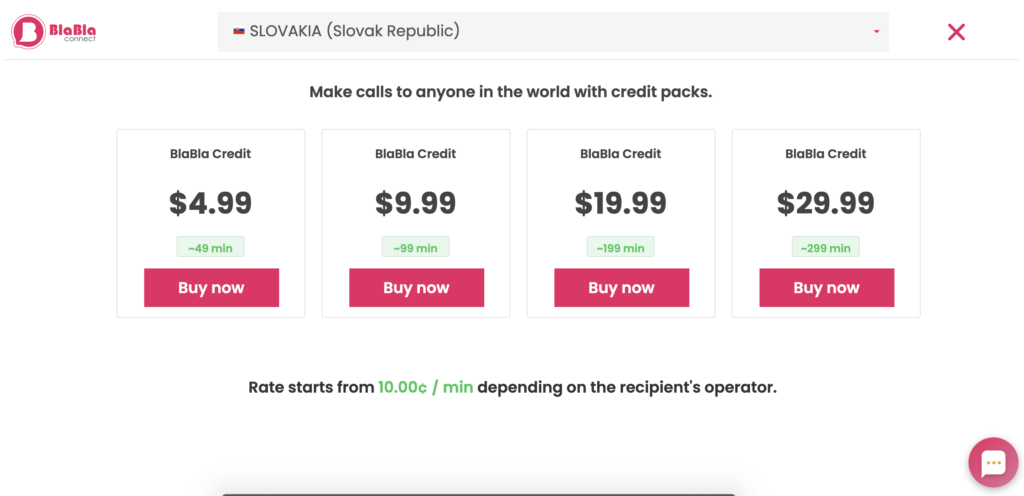
Don’t have a BlaBla Connect account yet? Head over to their website and select a country where you want to make calls. Then pick a paid plan and get your number. Once you have BlaBla Connect setup, you can head over to the next step.
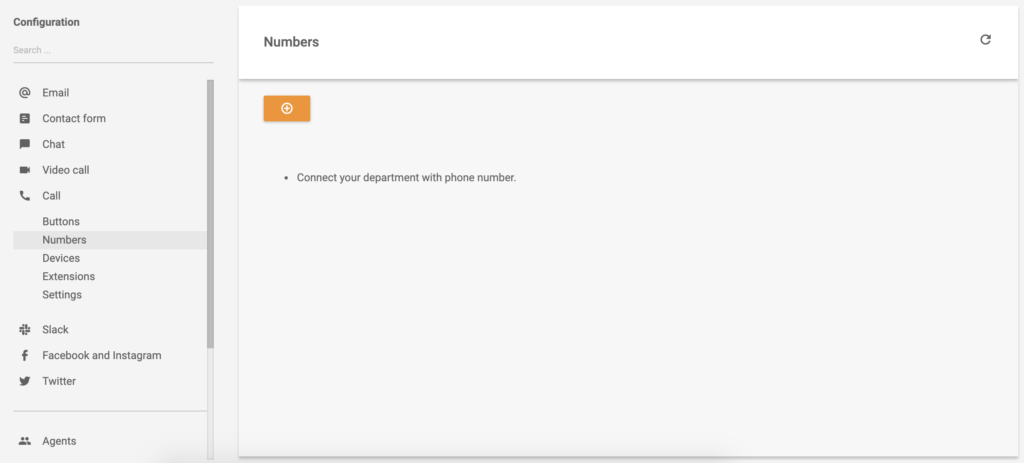
Now with your BlaBla Connect account and call number ready, head over to your LiveAgent account and open Configuration > Call > Numbers. Click on the Create button and select General.
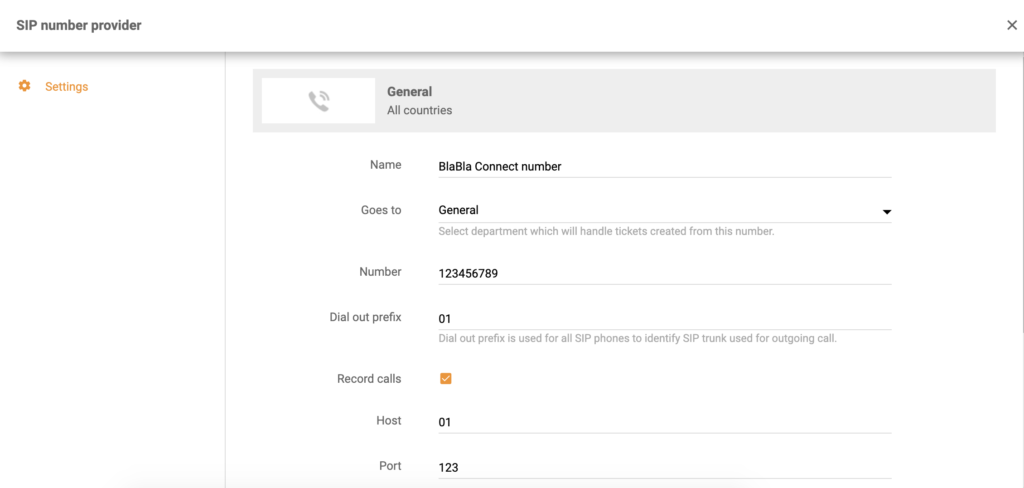
All you have to do now is provide your details. Provide your number and name it, select a department responsible for phone calls coming from this number, select port and host. You also have to provide your login and password, as well as decide if you want to record all calls from this number. After you’re done, click on Add at the bottom of the window.
That’s it, your BlaBla Connect number is connected with LiveAgent and you can start making and receiving customer phone calls. Take a minute to browse through articles on the LiveAgent Academy page and learn something new about providing the best customer support with your call center.

Take your customer service to the next level with LiveAgent’s integration with BlaBla Connect. Our powerful software coupled with BlaBla Connect’s innovative technology allows you to easily manage and track all customer interactions in one place.
Our powerful software coupled with BlaBla Connect's innovative technology allows you to easily manage and track all customer interactions in one place.
Integrate Placetel VoIP with LiveAgent for free to enhance productivity, customer experience, and cost-efficiency. Access German local numbers seamlessly in you...

Discover LiveAgent's top-rated telephony software for B2B & B2C businesses, offering SIP-based VoIP support for seamless, reliable communication from anywhere. ...
Connect Flowroute VoIP with LiveAgent for seamless cloud-based communication. No extra costs, easy setup, and a 30-day free trial!
Join our community of happy clients and provide excellent customer support with LiveAgent.

Cookie Consent
We use cookies to enhance your browsing experience and analyze our traffic. See our privacy policy.