Valentine's Day promotion background
14.Feb - 13.Mar 2026

Valentine deal

AI UNLOCKED
For new and existing customers for 3 months

2-Step Verification

Security Authentication Account Protection

What is 2-Step Verification?

With 2-Step Verification (also known as 2 Factor Authentication), you’ll protect your LiveAgent account with both your password and an additional code from Google Authenticator mobile app.

Enable 2-Step Verification to secure your LiveAgent account.

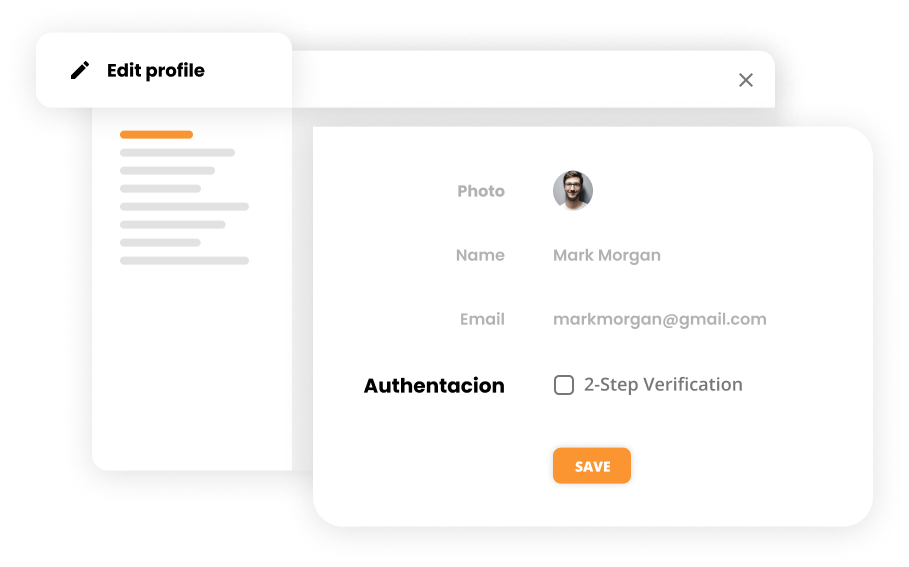
2-Step Verification mockup

Do you need it?

2-Step Verification is an optional feature that’s recommended to be used. It adds more security to your LiveAgent account. When you have 2-Step Verification enabled, any attempt to log into your account must be accompanied by the code that you generated in Google Authenticator app.

2-Step Verification can help keep unknown people out, even if they have your password.

What changes when you enable 2-Step Verification in your profile?

When you enable 2-Step Verification, the following changes occur:

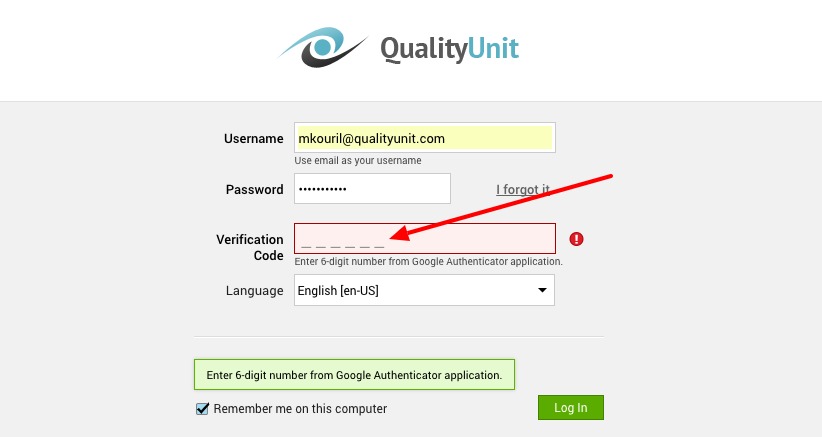
  • When logging in to your account, in addition to your username and password you will be asked to insert a security 6-digit code from Google Authenticator application
  • Google Authenticator generates the security code every 30 seconds
  • You’ll need to rewrite the code from the app into the field ‘Verification Code" in your login screen
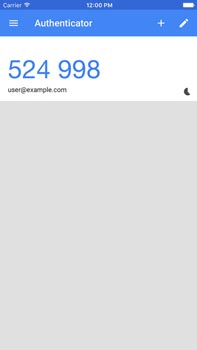
Google Authenticator app
LiveAgent login with 2-step verification

Knowledge base resources

For more detailed information about setting up and using 2-Step Verification, visit our support portal: 2-Step Verification (2FA) - Complete Setup Guide

Frequently asked questions

What is 2-Step Verification?

2-Step Verification (also known as 2 Factor Authentication or 2FA) is a security feature that requires two forms of identification to log into your LiveAgent account: your password and a 6-digit code generated by Google Authenticator app.

How does 2-Step Verification work?

When you enable 2-Step Verification, you'll need to enter your username and password as usual. After that, you'll be prompted to enter a 6-digit security code from your Google Authenticator app. The code changes every 30 seconds for added security.

Why should I enable 2-Step Verification?

2-Step Verification adds an extra layer of protection to your LiveAgent account. Even if someone obtains your password, they won't be able to access your account without the code from Google Authenticator. This helps protect your customer data and prevents unauthorized access.

Is 2-Step Verification mandatory?

No, 2-Step Verification is an optional but highly recommended security feature. While it's not required, enabling it significantly enhances the security of your LiveAgent account and protects sensitive customer information.

More secure than ever

Turn on 2-factor authentication to ensure your customer's data is always secure. Try it today for free. No credit card required.

Learn more

Security privacy policy

Security privacy policy

Trust LiveAgent for top-tier security & privacy. GDPR compliant, 2FA, HTTPS, DDoS protection, & global data centers for ultimate data safety.

5 min read
Security Privacy +3

Help Desk Security features

Help Desk Security features

LiveAgent's help desk security ensures customer protection through IP bans, 2-step verification, HTTPS encryption, multiple data centers, and GDPR compliance, o...

4 min read
Security Data Protection +1
LiveAgent Monthly Updates: July Edition 2025

LiveAgent Monthly Updates: July Edition 2025

Discover July's LiveAgent updates: advanced spoofing protection, new Help Center, improved chat design & bulk attachment downloads!

3 min read
Updates News +2

You will be in Good Hands!

Join our community of happy clients and provide excellent customer support with LiveAgent.

Post Affiliate Pro Dashboard - Campaign Manager Interface