



WordPress SEO Checklist
The WordPress SEO checklist will help you reach the best positions on google and increase organic traffic on your blog page. Ultimate point-by-point guide.
26 min read

This SEO checklist for new websites covers keyword research, domain selection, web platform choice, mobile-friendly design, SSL installation, and social media. It offers tips for site optimization, loading speed, and performance tracking, ideal for beginners and experts.
Are you about to launch a new website? If so, be sure to run it through this Search Engine Optimization checklist first. Having a well-optimized website is critical for achieving high search engine rankings and driving traffic. In this checklist, we will discuss the most important steps that you must take to make your site SEO friendly from day 1.
If you’re just starting out with a new website, it’s important to make sure that you invest the time to optimize it for search engines and take into account ranking factors. The good news is that SEO of a website doesn’t have to be difficult and in most cases can be done fairly quickly.
With a little bit of effort and the help of a website audit checklist, you can make your website more visible to search engines and start driving more organic traffic your way.
This SEO website deployment checklist is designed for business and website owners who are just starting out with a new website. However, even if your website is a few years old, it’s always a good idea to review these steps to ensure that you’re taking advantage of all the latest search engine optimization techniques.

Start your free trial today and see results within days.
Why is it important to perform keyword research?
Unless you conduct proper keyword research, you will not rank for the right search terms. The result will be that your website won’t get enough traffic, which means it won’t convert as well as it could.
How to perform keyword research?
At first, you’ll want to identify the topic of your website. Once you have a general idea of what your site is about, you can begin identifying target keywords that are relevant to your content.
You can also use search engines themselves to find keywords that people are actually using to look for information online. For example, if you want to target the keyword ‘pizza," you should enter it into Google and see what other related keywords show up in the results.
You can also monitor brand mentions and competition keywords to get an idea of what others are targeting. Once you have a target keyword list, you can begin incorporating them into your content and website architecture.
Which tools to use for performing keyword research?
Why is choosing a domain name important?
Whenever you register a domain name, you also acquire the corresponding IP address with which your website will be associated as long as you own it. This is important because search engines use IP addresses to determine where websites are hosted.

How to choose a domain name?
Which tools to use for choosing a domain name?
Why is it important to use a search engine-friendly web platform?
This is a tool you’ll be depending on for years to come – you’ll edit existing pages and add new ones, especially if you have a blog. The platform shouldn’t limit you in any way.
What should you consider when choosing a web platform?
Which web platforms are search engine friendly?
Some of the most popular SEO-friendly web platforms include:
Why is it important to use SEO-friendly themes?
SEO-friendly themes are designed with search engines in mind. They typically have built-in features that help improve your site’s ranking in Search Engine Results Pages (SERPs) like optimized code and metadata.

How to pick SEO-friendly themes and plugins?
There isn’t a specific theme that will cause you to rank higher or one that will harm your SEO strategy. Instead, consider factors such as:
Check reviews, opinions, and success stories about a specific theme before making a decision.
Which themes and plugins are SEO-friendly?
Why is it important to plan your site structure?
When you plan your site structure, you are creating a roadmap. By including a clear hierarchy of pages and using keyword-rich titles and descriptions, you can improve your site’s ranking in SERPs.

How to plan your site structure?
Planning your website’s structure and organizing its content is a very time-consuming process, but one that is well worth the effort. Start by creating a list of pages you want on your site, then make a hierarchy starting with the home page and working down to individual ones.
Tip: A page should be no more than three clicks deep into your site.
Which tools to use for planning your site structure?
Why is it important to prioritize intuitive navigation?
Well-organized and intuitive navigation is crucial for a website’s SEO. Make sure your menu items are easily accessible and all pages can be reached from the main menu. Also, use clear labels for your navigation buttons so that your visitors know where they are heading.
Navigation menu items that are visible and easily accessible encourage visitors to explore your website. If they can’t find what they are looking for, they will leave frustrated and most likely never return.
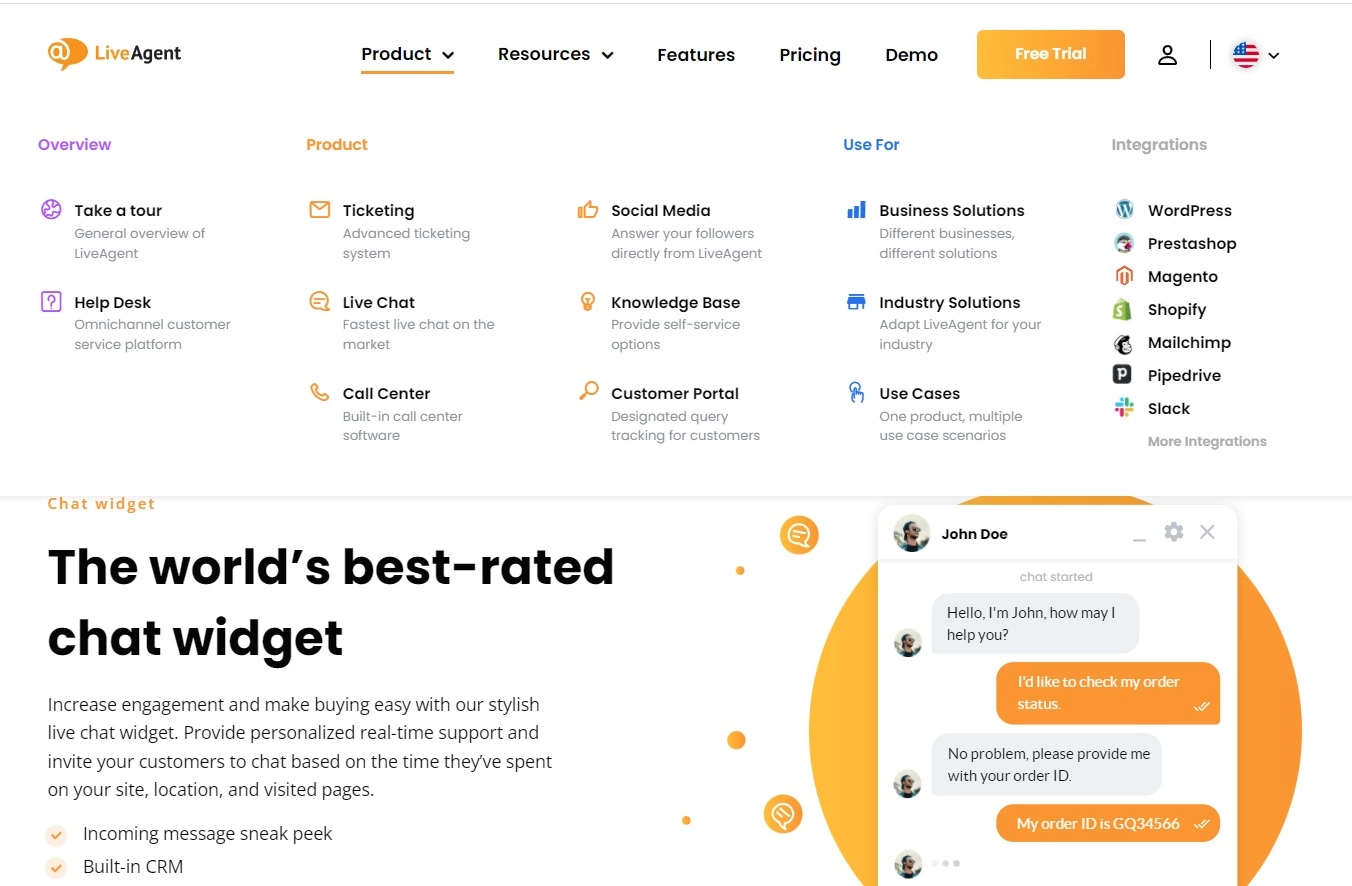
How to design intuitive navigation?
There is no one-size-fits-all answer to this question. However, there are a few things you can do to make your navigation more user-friendly.
Tip: Think all the time about your visitors’ behavior (what they click, how they interact), and don’t forget to add, e.g., social profiles to drive traffic to your social media pages.
Which tools to use for designing intuitive navigation?
Why is it important to optimize page URLs?
Having URLs that are short, concise, and keyword-rich will boost your site’s SEO ranking. Including keywords in your page URLs can help Google and other search engines better understand what your pages are about. This, in turn, can help your website rank higher in SERPs.
How can I optimize page URLs?
You should start by checking if your Content Management System (CMS) allows you to change the URL structure. If it does, make sure to set up 301 redirects from your old URLs to the new ones.
If your CMS doesn’t allow you to change the URL structure, there are still a few things you can do:
Which tools to use for optimizing page URLs?
Why is mobile-friendly design important?
From the very beginning, you must pay attention to the responsiveness of your site to ensure seamless user experience and facilitate effective website maintenance in the long run. The number of people browsing the web on their phones and tablets is increasing, so you don’t want to lose any potential clients by having a website that doesn’t look good on smaller screens.
Google has stated that they will be giving priority to mobile-friendly sites in their SERPs. This means that if your website doesn’t have a versatile design, it could be penalized and ranked lower than those that do.

How to design a website that is mobile-friendly?
First, make sure that all of your content is readable without having to zoom in. Use large buttons and easy-to-navigate menus and avoid using flash or other plugins that are not supported by most mobile devices. Test your site on various devices to ensure that it works well and looks good.
Which tools to use for designing a mobile-friendly website?
Why is an SSL certificate important?
There’s no excuse nowadays to not use SSL certificate/HTTPS encryption for your website. If you are still using HTTP it’s high time to upgrade.
Google has been giving increasing priority to websites that use SSL certificates, so you should switch your website over to this protocol as soon as possible. In addition to this, switching to SSL will allow you to use Google Analytics on your website and protect it from malware and hackers.
How to switch a website to SSL?
You will need to purchase an SSL certificate from a trusted provider, then install the certificate on your web server. You will also need to update all of your website’s links to use the new protocol.
Which tools to use for switching to SSL?
Why is it important for crawlers to index your website?
Search engine bots find publicly available web pages by indexing them. They keep copies of all the information they find on their servers. Then when a user performs a search, the engine displays relevant results to them.
Simply put, if your website isn’t crawled and indexed, it won’t show up in search engine results pages.
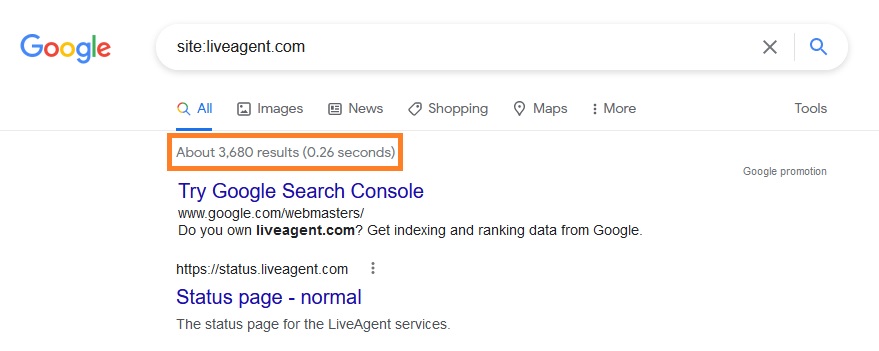
What can be done to help crawlers index your website?
Which tools to use for helping crawlers index your website?
Why is Google Search Console important?
While we are talking about indexing, you must submit your site to Google Search Console to allow search engine crawlers to do this.
It allows you to see how your website performs in Google search results and helps you to diagnose and fix errors that may be preventing your website from ranking high. Additionally, you gain valuable insights into the keywords people use to find your website.
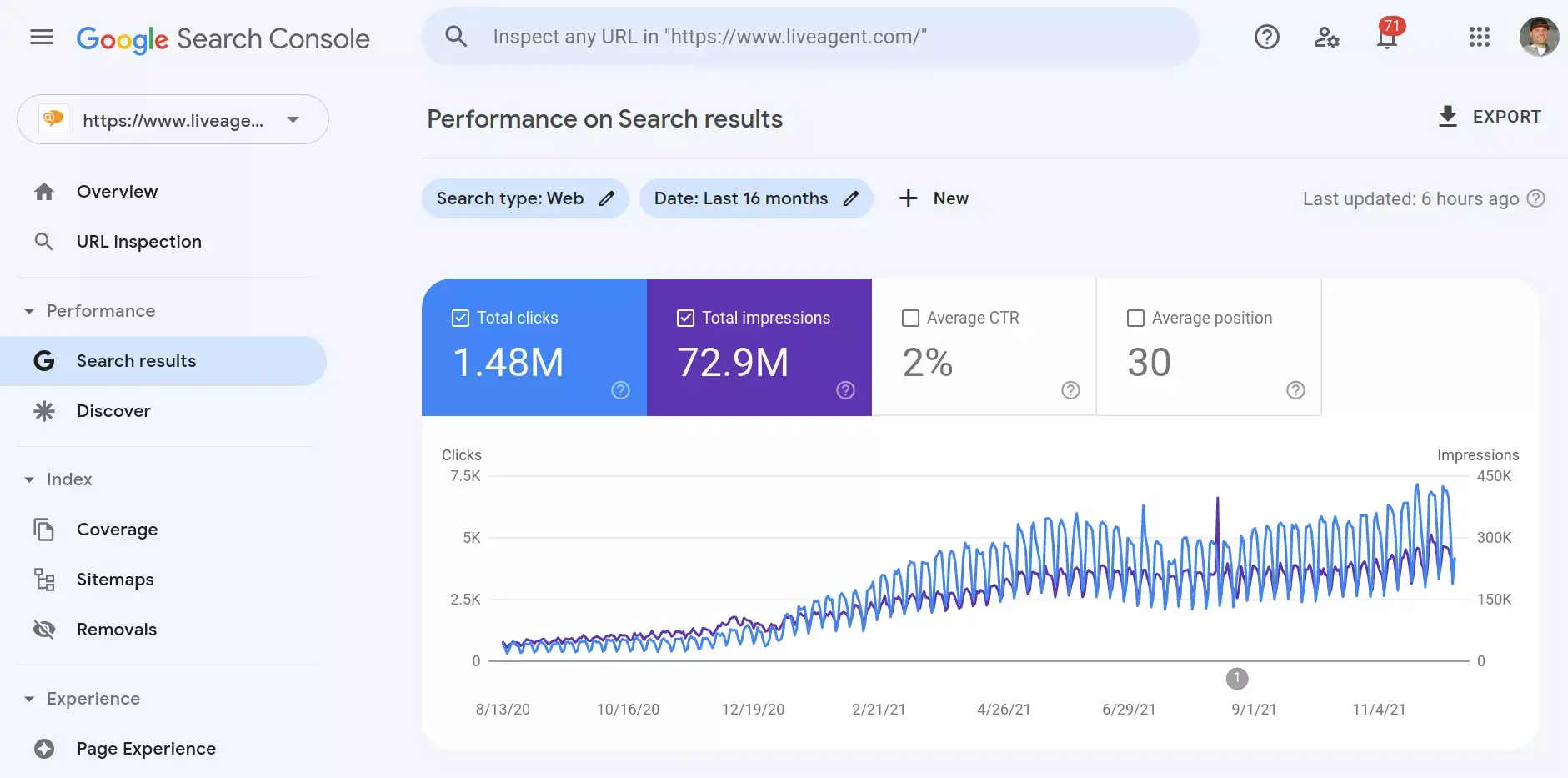
How to submit my website to Google Search Console?
The process of setting up your website in Google Search Console is fairly simple:
Which tools to use for submitting a website to Google Search Console?
Why is setting up a My Business Profile important?
Nowadays, Google My Business is no longer an optional feature but an essential part of any online presence.
Your website is one of your most important marketing tools. By listing it on your Google My Business profile, you make it easy for customers to find and visit. In addition, having a verified website on your profile can, of course, help improve your ranking in SERPs as well.
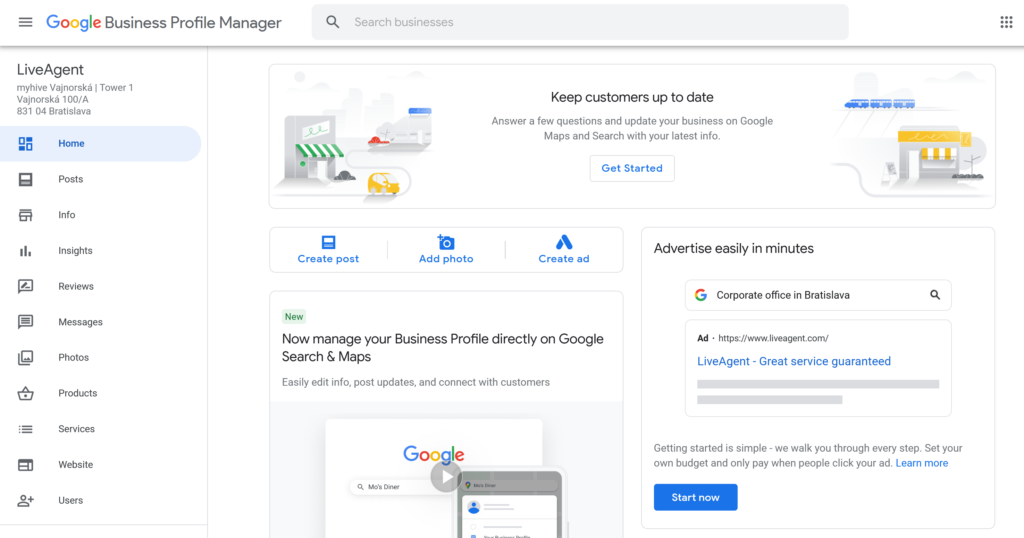
How to set up a My Business Profile?
To list your website on your Google My Business profile, you’ll need to provide the following information:
Make sure to complete every field and include a link to your website. You can also add images and video content to help promote it.
Which tools to use for setting up a Google My Business profile?
Why is the quality of content so important?
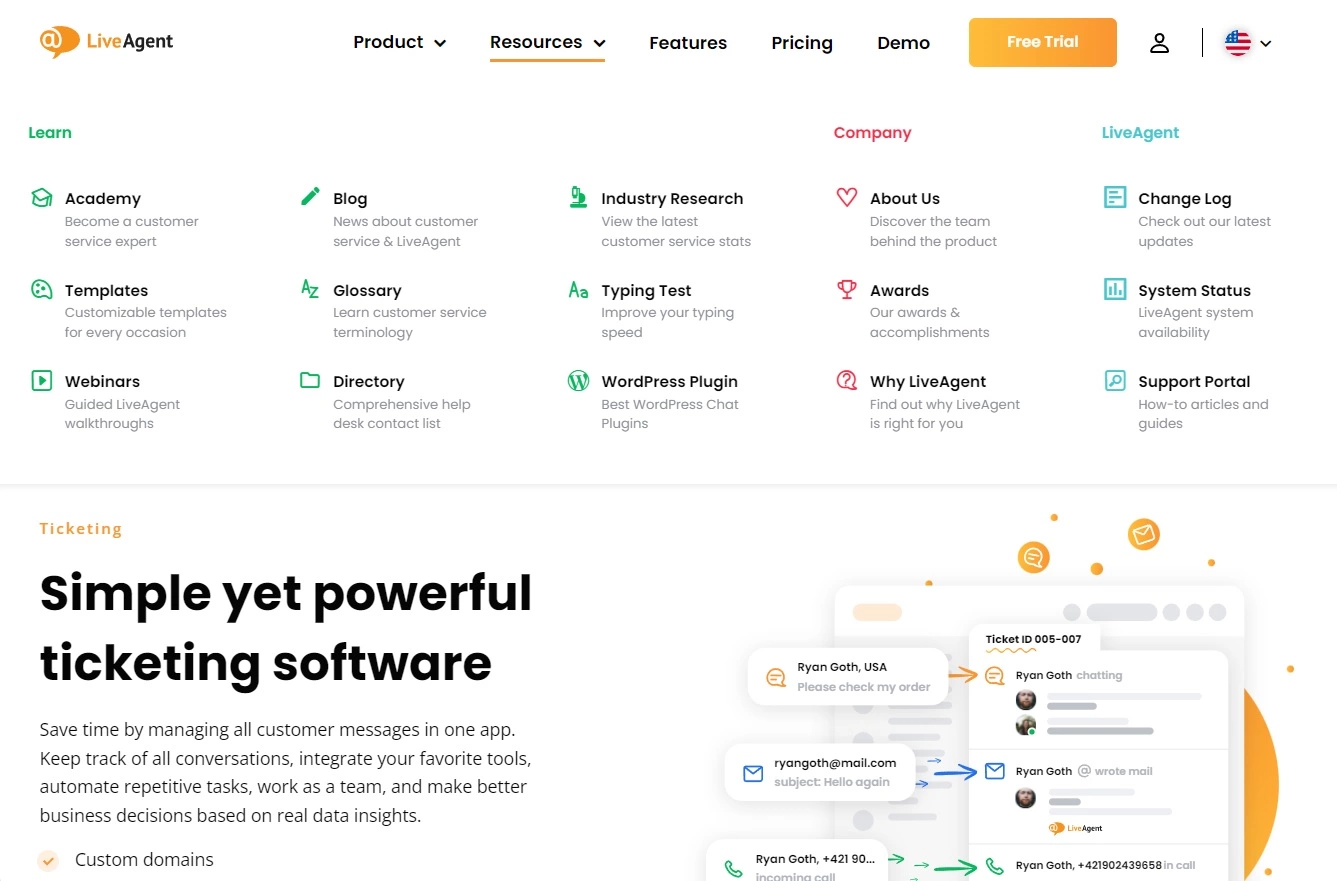
A content strategy is one of the most important aspects of SEO. You need to add relevant content to your website on a regular basis.
In addition to building a professional image around your brand, high-quality pieces of content can also improve your SEO. They will keep visitors engaged and interested in your business.
How can you create high-quality content?
Content ideas vary according to your business and audience, so there is no standard answer to this question. The following are some general tips to remember when creating your content:
It is possible to engage your customers even more and catch their attention. You could add customer reviews, for example, to further convince visitors to convert.
Which tools to use for creating high-quality content?
Why are keywords important?
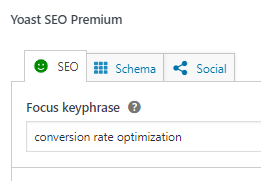
Make sure to target a primary keyword for each page on your website. This will help improve your SEO and make it easier for customers to find the information they’re looking for on your site.
When you target a primary keyword for each page, it tells Google that the page is specifically about that topic. This way, you can increase your chances of ranking higher in search results.
How to find the right keywords?
Which tools to use for targeting primary keywords?
Why is multilingual SEO important?
If you offer your products or services in multiple languages, it’s important to prepare your website for those language versions.
Because it allows you to target foreign audiences who are searching for information about your products or services in their native tongue. Optimizing your website for different languages can help improve your ranking in foreign search engines too.

How to prepare different language versions of a website?
Which tools to use for translating a website?
Why is checking the latest Google updates important?
When it comes to optimizing your website for SEO, it’s important to keep up with the latest Google updates. The good news is that most of the popular web platforms include features that help you stay up-to-date with the latest trends.
You may experience a decrease in traffic if your website isn’t optimized for the current version of Google’s algorithm. By checking the latest Google algorithm updates, you can ensure that your website is configured in a way that improves your SEO and minimizes your risk of being penalized by Google.
How to stay up-to-date with the latest Google updates?
You need to observe the latest Google updates by reading blogs like MOZ, Search Engine Land, and others. Additionally, you should monitor what is working and what isn’t with your website by using Google Analytics or any other analytical tool.
Which tools to use for checking the latest Google updates?
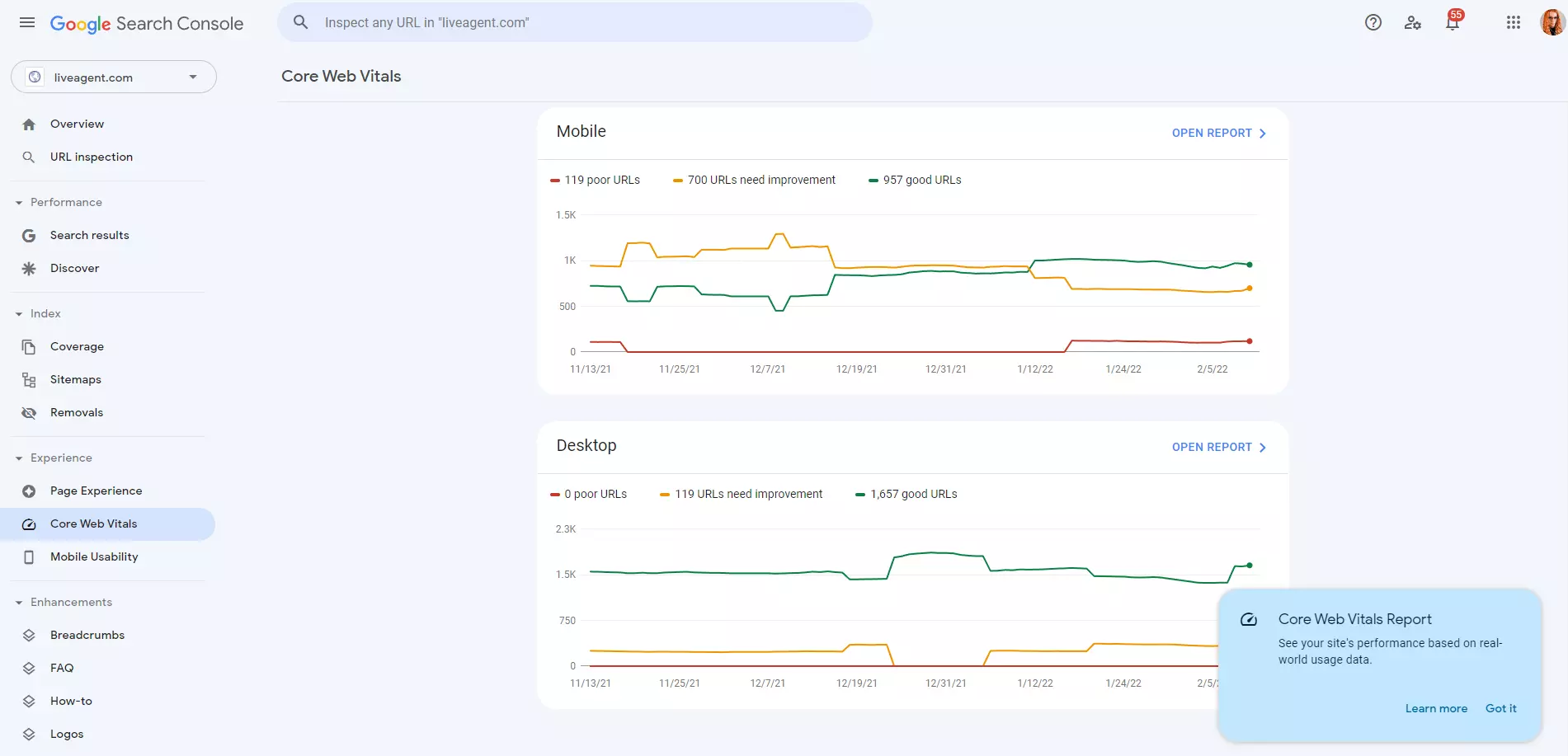
Why is detection of technical SEO errors important?
Regularly check for any errors and fix them as soon as possible.
Technical SEO errors can prevent your website from ranking high in SERPs. In some cases, such errors can even get your website banned by Google, so it’s important to detect and fix them as soon as possible.
How to detect technical SEO errors?
Which tools to use for detecting and fixing technical SEO errors?
Why are original title tags and meta descriptions important?
Well-optimized meta descriptions and title tags are highly valued aspects of the SEO process. To make the most of this, ensure that your website’s title tags and meta descriptions are distinctive.
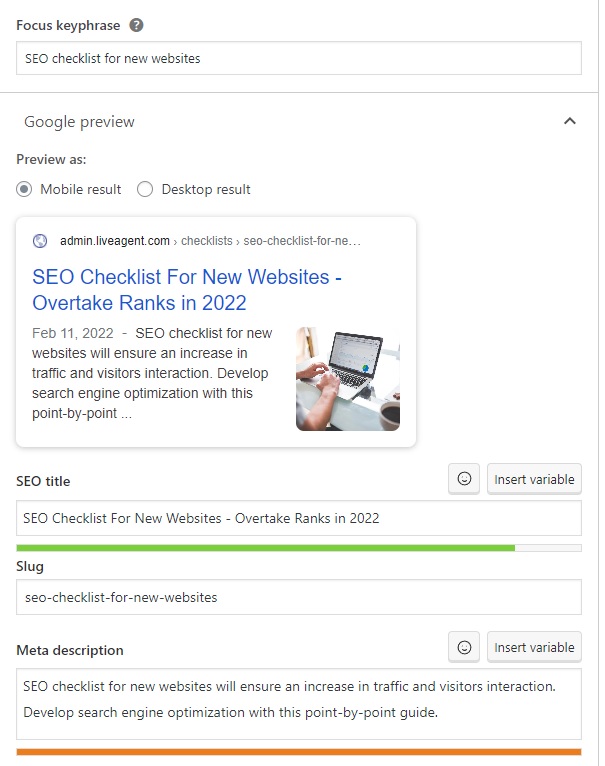
Custom title tags and meta descriptions help you rank higher in search engines. They also help improve click-through rates, which can result in increased quality traffic and conversions.
How to create unique title tags and meta descriptions?
Which tools to use for creating unique title tags and meta descriptions?
Why is checking loading speeds important?
One of the factors that Google takes into account when ranking websites is their loading speed and server response time (how long it takes after a web client makes a request).
A slow server response time can negatively affect the user experience and cause visitors to leave your website, as well as hurting your website’s SEO ranking.

How to improve your website’s loading speed?
Once you have identified that there is an issue with your website’s loading speed, there are a few actions you can do to improve it.
Which tools to use for checking your website’s loading speed?
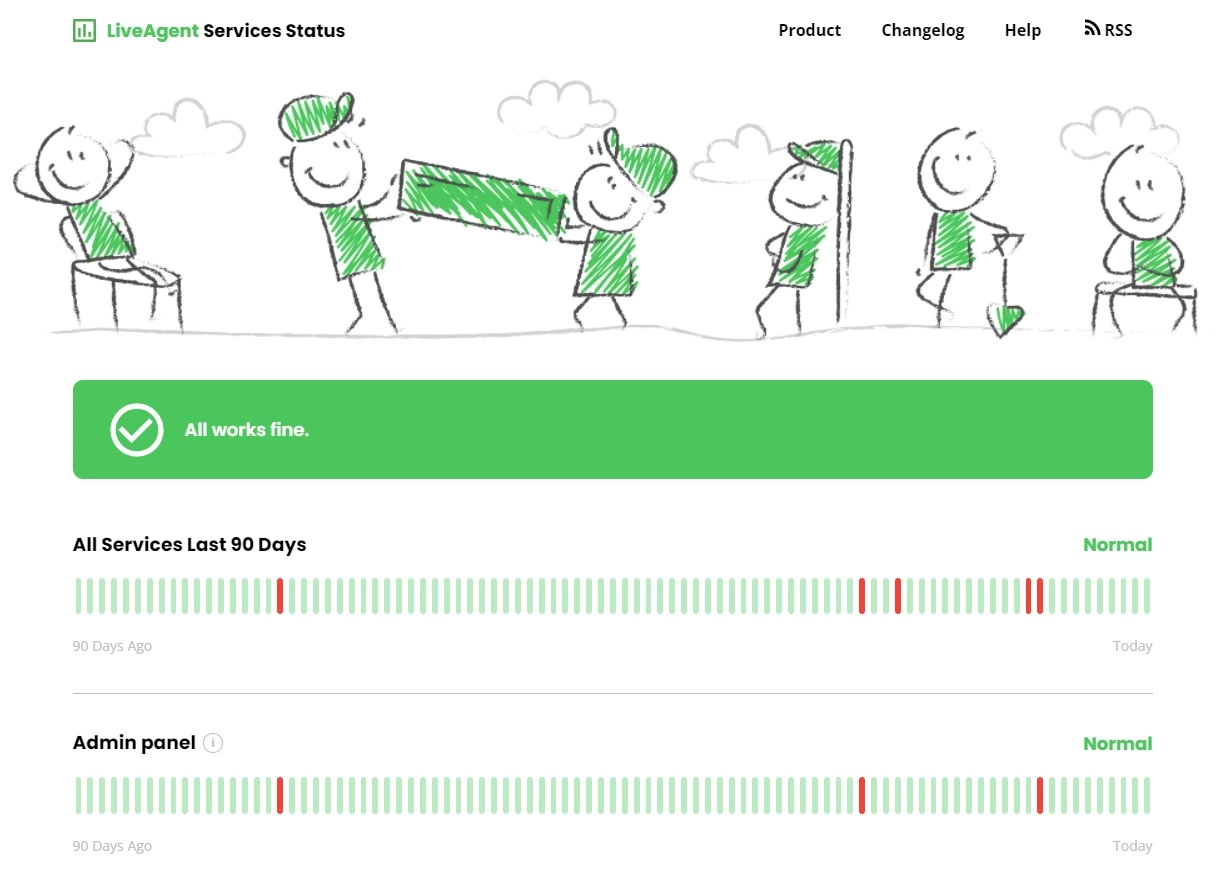
Why is high uptime important?
The uptime of your website refers to its availability and accessibility.
Downtime is something that occurs occasionally during system maintenance. No visitor who visits your domain can access your website when it is down. This can result in penalties from search engines, making you invisible to users. It poses a real problem, but you can prevent it to some extent.
What can be done to ensure a high uptime?
There are a few things you can do to ensure high uptime of your site:
Which tools to use for ensuring a high uptime?
Why is link building important?
By linking one page of your site to another, you create inbound links. Outbound links are those that direct to other websites.
WordPress internal linking is important because it helps increase your website’s authority and visibility. Quality backlinks tell search engines that your website is a credible source of information.
How to link to other pages?
There are a few ways to link to other pages on your website. You can use an anchor, which is a link (hidden in the text) that leads to another page. Another way to do this is by using the URL of the page you want to link to. You can also create a hyperlink, which is a special type of link that will open in a new window.
Which tools to use for linking to other pages?
Why is tracking the performance of a website important?
Maintaining your website’s health is essential for good search engine optimization.
What is the best way to track the performance of a website?
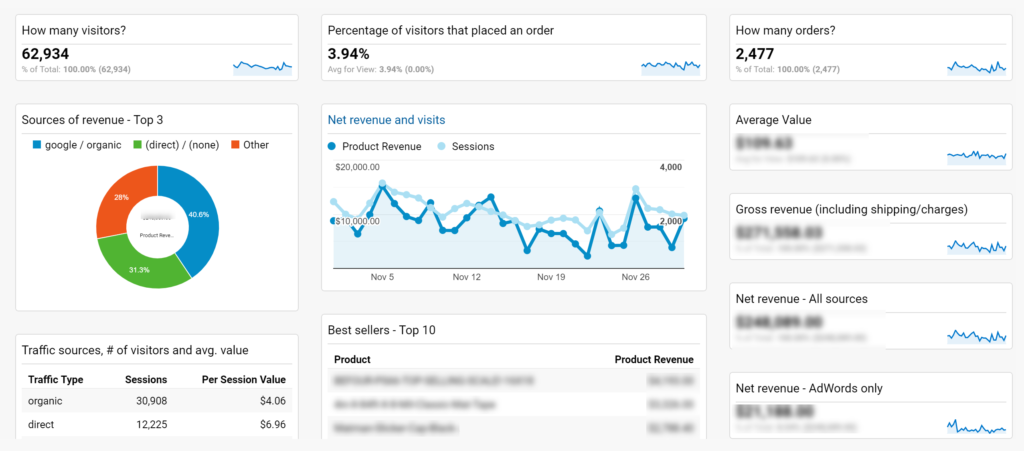
There are a number of different ways to track the health of your website in terms of its performance, but one of the most efficient is through Google Analytics. This free service provides you with a wealth of information about your website performance, including:
Google Analytics is a powerful tool, and it’s essential to make use of it if you want to improve your website’s SEO. Be sure to set up an account and add a tracking code to your website so that you can start monitoring your site’s performance.
Which tools to use for tracking website performance?
Why are social media important for SEO?
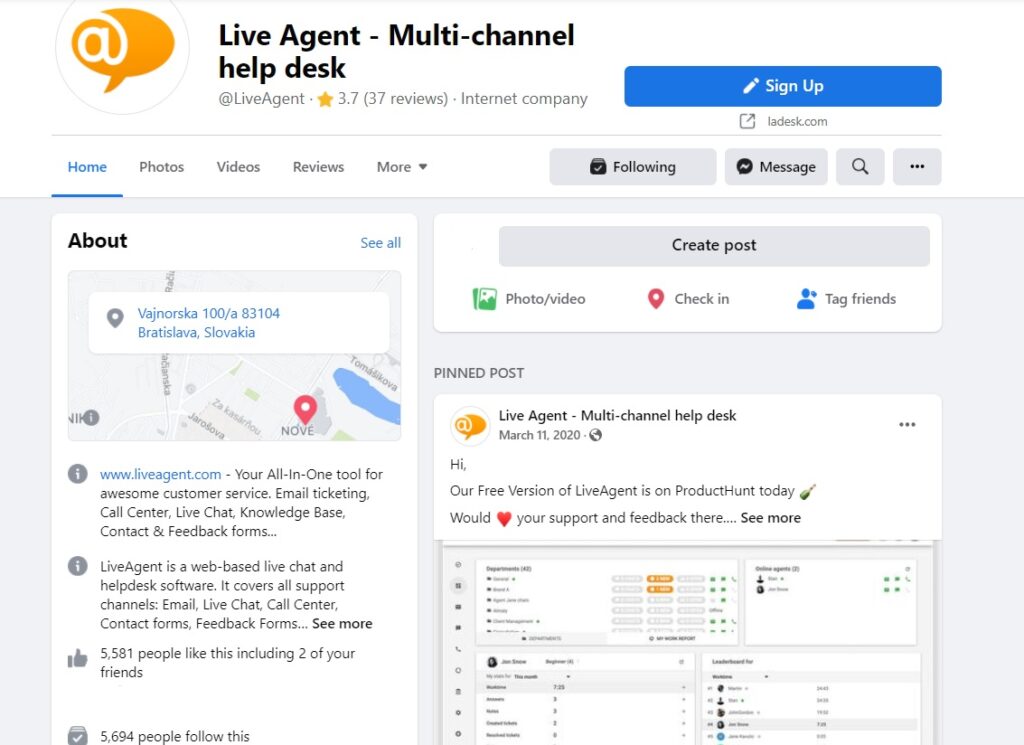
Social media are important when it comes to SEO and can have a huge impact, especially on new websites.
Interacting with users and publishing regular content on social media will help you build brand trust online (which helps with SEO). Social media can also boost SEO by gaining natural links.
How to handle social media visibility to improve SEO?
Share an interesting piece of content on your social media. It may be passed on to other users and, as a result, appear in external sources, such as forums.
Link building is a crucial aspect of effective positioning, so getting links this way improves SEO. Make use of that and try to give as many opportunities as possible to interact with your followers (post engaging content, use videos, have fun with this creative process).
Regularly respond to their questions, comments, and opinions. You can use social media support software that collects all the interactions into one inbox so you can manage them all from one place. As a result, staying in touch with your customers will be easier.
What are the best tools for being visible on social media?
The WordPress SEO checklist will help you reach the best positions on google and increase organic traffic on your blog page. Ultimate point-by-point guide.

Launch your website seamlessly with our comprehensive checklist. From goals to compliance, cover all essential steps for success!

Ensure a seamless WordPress launch with our comprehensive checklist. Optimize design, speed, security, and SEO for a flawless website debut.
Join our community of happy clients and provide excellent customer support with LiveAgent.

Cookie Consent
We use cookies to enhance your browsing experience and analyze our traffic. See our privacy policy.