


Ticket Triage
Ticket triage is how support teams log, categorize, prioritize, and route tickets. See the 7-step process, priority matrix, and AI automation tips.
7 min read
Customer support
Help desk
+2

Learn how ticket triage works: the step-by-step process, the impact-urgency priority matrix, routing rules, automation levels, and the metrics that prove it’s working.
Every support team knows the Monday morning queue. A hundred new tickets, each one feeling urgent to the person who submitted it. Password resets sit next to production outages. Billing questions land in the same bucket as security incidents. Without a system, agents pick tickets at random or grab whatever looks easiest. The result is predictable: critical issues fester, SLAs break, and the team burns out.
Ticket triage is the discipline that prevents this. It is the structured process of reviewing, categorizing, prioritizing, and routing incoming support requests before anyone starts solving them. Done well, it turns a chaotic queue into a manageable workflow. Done poorly, it is the hidden source of most service desk failures.
This guide covers the full ticket triage process: what it is, why it matters, the step-by-step workflow, the priority matrix that drives consistent decisions, how automation changes the equation, and the metrics that show whether your triage is working.
Ticket triage is the set of steps a service desk takes to handle a support request between the moment it arrives and the moment the right agent begins working on it. The term borrows from emergency medicine, where triage nurses assess patients at intake and decide who gets treated first. In a support context, the triage agent or system answers three questions for every ticket:
The answers determine everything that follows. A ticket correctly categorized as a billing dispute goes to the finance queue, not the engineering team. A ticket correctly prioritized as P1 gets an immediate response, while a P4 feature request waits for the next sprint. A ticket correctly routed to the agent with the right skills gets resolved in one touch instead of bouncing between three people.
The triage process sits at the core of Incident Management within ITIL frameworks. It applies equally to IT service desks handling network outages, customer support teams managing product complaints, and internal operations teams processing employee requests. The taxonomy changes by context, but the underlying logic stays the same: log, categorize, prioritize, route, monitor, and close.
The most common mistake teams make is treating triage as an informal skill that agents pick up through experience. When every agent applies their own judgment, two identical support tickets can get different priorities depending on who reviews them. That inconsistency is what structured triage eliminates.
Unstructured ticket handling creates a predictable set of failures. SLA breaches become routine. High-impact incidents sit unaddressed while low-priority requests consume senior agent time. Tickets bounce between queues because the first assignment was wrong. The downstream costs are significant: one analysis of MSP operations found that triage errors cost the average service provider between $80,000 and $120,000 annually in wasted labor and missed SLA penalties.
The benefits of a structured triage process fall into four categories.
When triage works, critical tickets surface immediately. An agent does not need to scan a queue of 200 items to find the one that matters — the system has already flagged it. First response time drops because the team is not spending cognitive energy on sorting. They are spending it on solving.
Every misrouted ticket creates a handoff. A handoff means the ticket goes back into a queue, waits for a new agent, and gets re-read from scratch. The real cost of a handoff is not just the time spent reassigning — it is the delay in resolution and the friction the customer feels when they get asked the same questions by a second person. Proper triage routes tickets to the right team on the first attempt.
A triaged queue tells a story. You can see where demand concentrates, which categories generate the most volume, and which priority levels dominate the backlog. That data supports staffing decisions, shift planning, and process improvements. Without it, managers operate on instinct.
Agents who spend their day sorting through a chaotic queue burn out faster than agents who work from a structured, prioritized list. When tickets arrive pre-categorized and pre-prioritized, the agent’s cognitive load shifts from “what should I work on next” to “how do I solve this specific problem.” That shift matters for retention.
Effective ticket triage follows a repeatable sequence. Each step builds on the last, and skipping any one of them creates downstream problems that compound as the ticket moves through the lifecycle.
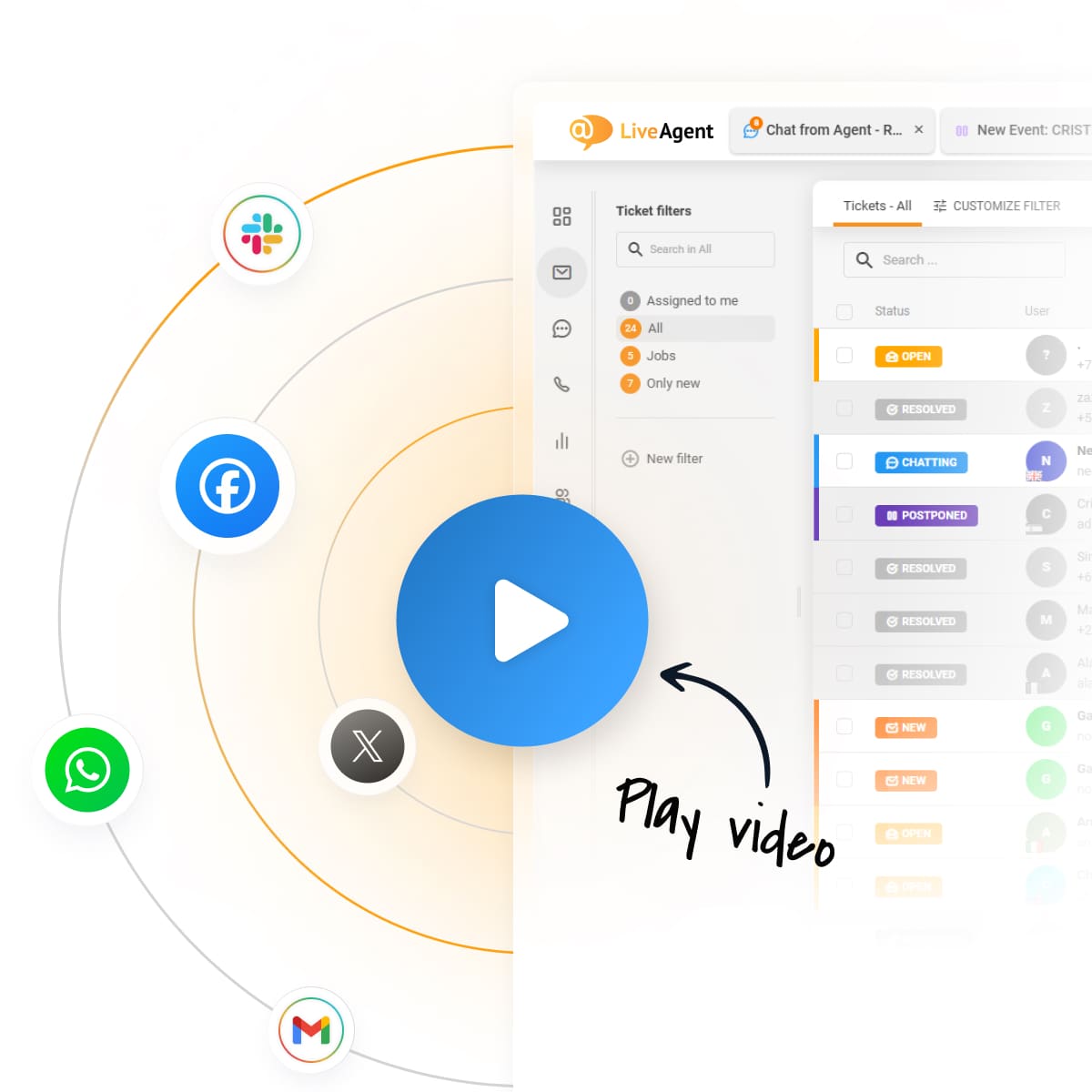
Every support request must enter a single service management platform. Phone calls, emails, chat messages, and portal submissions all create a ticket record. The goal is to eliminate orphaned requests that live in personal inboxes or Slack threads where nobody can track them.
Centralized logging is the foundation of every other triage step. If a request does not create a ticket, it does not get categorized, prioritized, or routed — it disappears. This is why help desk software that consolidates channels into one queue is not a nice-to-have. It is a prerequisite for triage to function at all.
The quality of triage depends on the quality of the information captured at submission. A ticket that says “my computer is broken” gives the triage agent nothing to work with. A ticket that includes the affected system, the error message, the number of users impacted, and the business function at risk gives the triage agent everything they need.
Structured submission forms are the most effective way to capture this data. Required fields for category, impact level, and affected asset force the submitter to provide context before the ticket enters the queue. That context is what automation and routing rules act on.
Categorization is the step where the ticket gets mapped to a type in the service catalog. Common categories include:
A well-designed taxonomy is essential for effective categorization. If categories are too broad, every ticket looks the same and routing becomes guesswork. If categories are too granular, agents spend more time choosing the right label than solving the problem. Most teams find that 30 to 80 categories strike the right balance, depending on the complexity of the services they support.
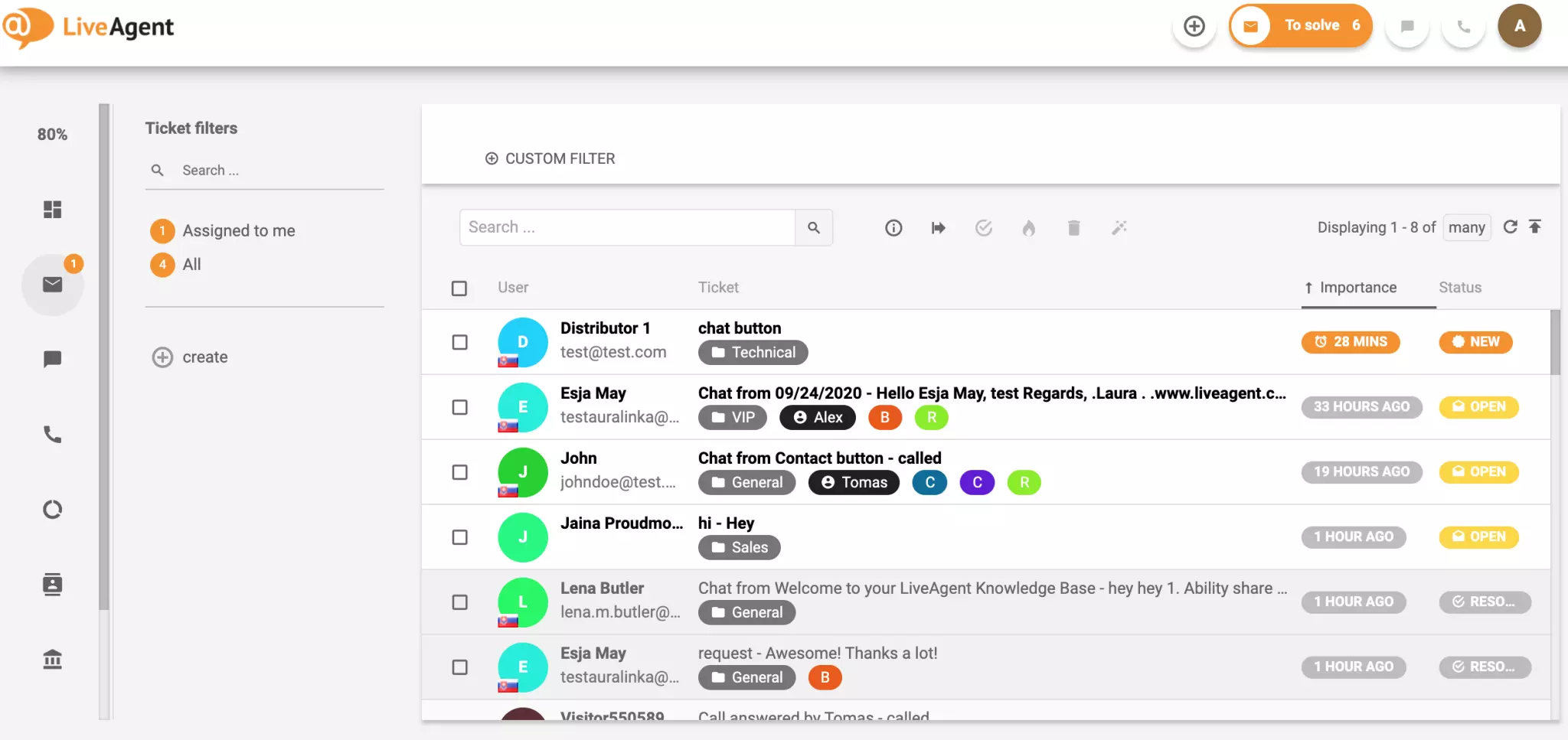
Modern help desk platforms handle categorization automatically. An AI-powered ticket triage and categorization system reads each incoming ticket, understands what the customer is reporting, and assigns the correct category tag without human intervention. The team opens the queue and already knows whether they are looking at a bug report, a general question, or a cancellation request.
Prioritization is where triage creates the most value and where subjectivity causes the most damage. The standard framework is the impact-urgency matrix, which assigns ticket priority based on two objective factors:
The matrix produces four standard priority levels:
| Priority | Label | Criteria | Target response time |
|---|---|---|---|
| P1 | Critical | High impact and high urgency (system down, security breach, all users blocked) | Immediate (under 15 minutes) |
| P2 | High | High impact or high urgency (major feature broken, significant workaround needed) | Under 2 hours |
| P3 | Medium | Medium impact and urgency (individual user blocked, workaround exists) | Under 24 hours |
| P4 | Low | Low impact and low urgency (cosmetic issues, general questions, feature requests) | Under 48 hours |
The single most important rule of prioritization is to never let the submitter set their own priority. Users will mark every ticket as urgent. The triage agent or system applies the matrix, not the person who submitted the request.
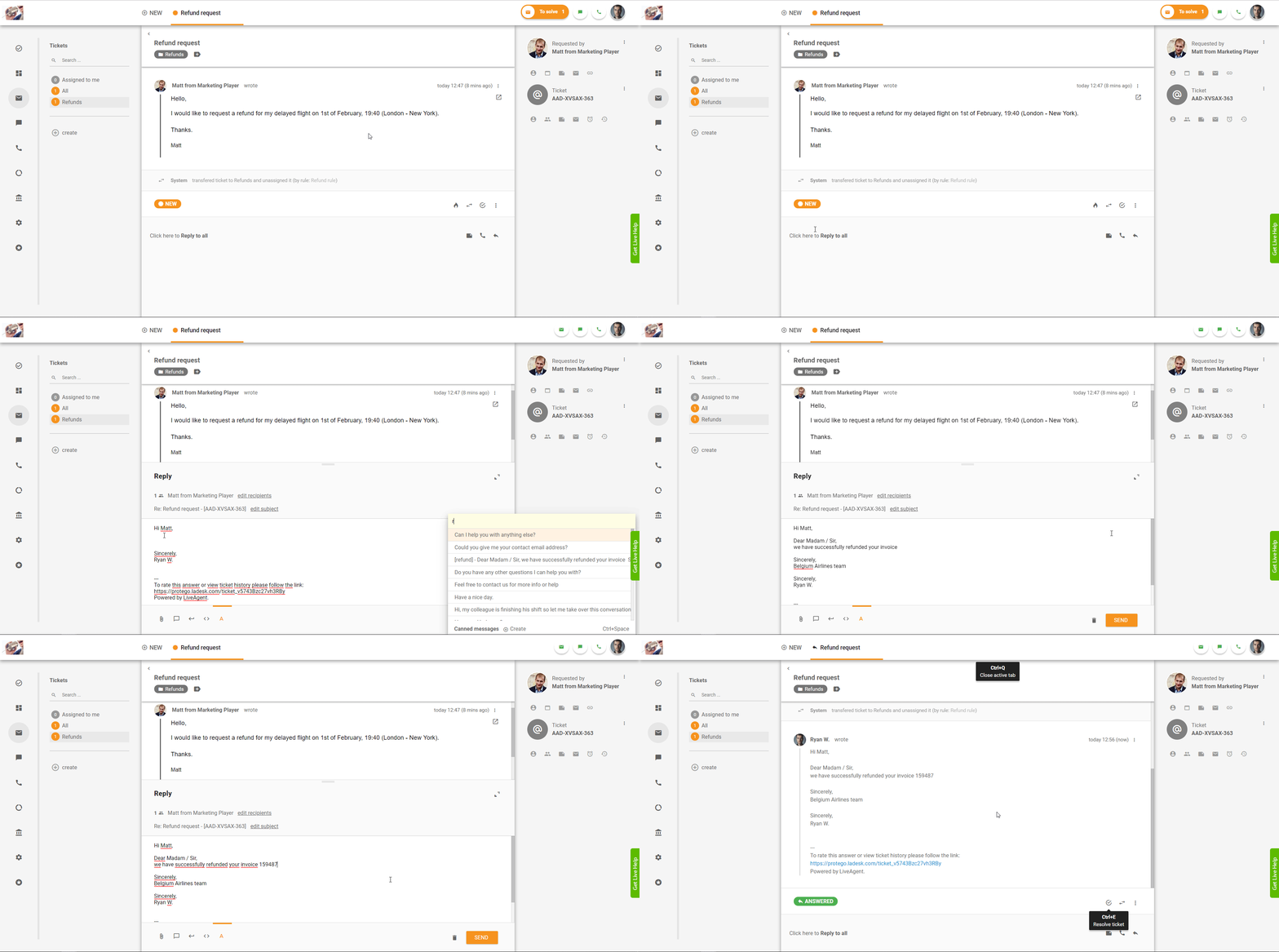
Routing assigns the categorized and prioritized ticket to the right team or agent. The routing decision considers category, priority, agent skill set, current workload, and any special handling rules such as VIP customer tiers.
Good routing prevents the single most expensive failure mode in ticket management: reassignment. Every time a ticket moves between teams, the resolution clock resets. The new agent has to read the full history, re-establish context, and often re-ask questions the customer already answered. First-touch routing accuracy is one of the strongest predictors of overall service desk performance.
Automation rules make routing reliable. A rule that says “if category equals billing AND priority equals P1, route to senior finance team” fires instantly and consistently — no dispatcher has to remember it, and no judgment call is required. Automated ticket distribution applies these rules as soon as the ticket arrives.
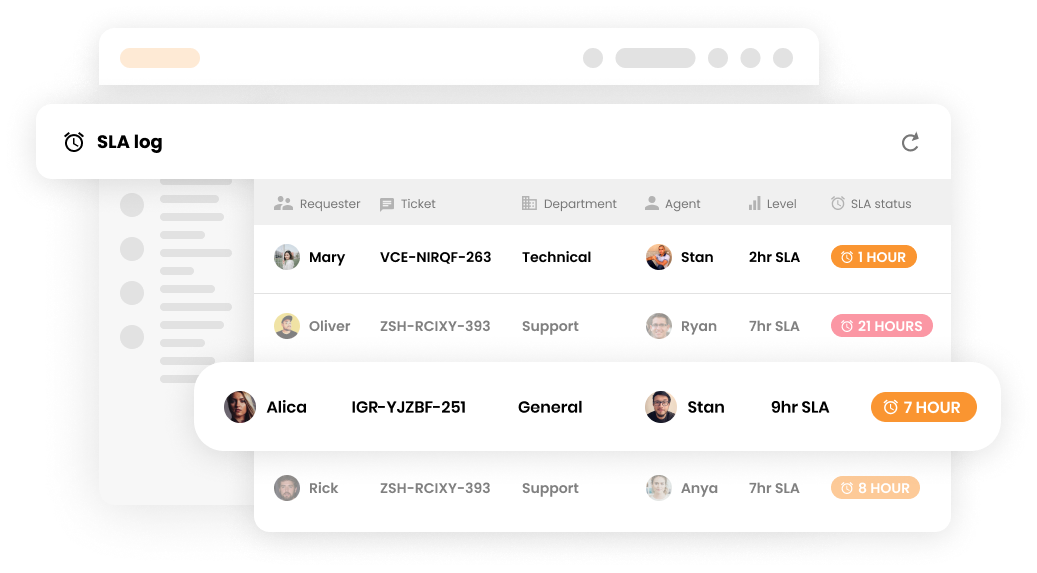
Once a ticket is assigned, the SLA clock starts. Every priority level has a target response time and a target resolution time. The triage process does not end at assignment — it continues through monitoring.
When a ticket approaches its SLA deadline, the system should escalate automatically. Escalation can mean notifying the assigned agent, alerting a team lead, or reassigning the ticket to a higher tier. The key is that escalation is triggered by the clock, not by someone noticing that a ticket has been sitting too long.
The final step in the triage lifecycle is closure. When the ticket is resolved, the agent documents the solution, confirms the resolution category, and closes the record. That closure data feeds back into the triage process. If a particular category consistently generates escalations, the routing rules may need adjustment. If a particular priority level consistently misses SLA targets, the staffing model may need revision.
This feedback loop is what separates a triage process that improves over time from one that stays static. Every closed ticket is a data point that can refine the next triage decision.
The impact-urgency matrix deserves deeper treatment because it is the engine of consistent prioritization. Without it, teams default to “whoever is shouting loudest” prioritization, and that approach reliably routes the wrong work to the wrong people.
Impact is not a feeling. It is a count. The question is: how many people, systems, or revenue streams are affected?
Urgency is about time sensitivity. The question is: how fast does this need a fix?
The matrix only works if every triage agent applies it the same way. Post it visibly. Include it in onboarding. Audit priority assignments regularly and correct drift. When a new agent assigns P1 to a password reset because the user sounded upset, that is a training opportunity, not a failure. The goal is consistency over time.

The latest tips and deals delivered straight to your inbox.
Manual triage has a ceiling. An agent can review and categorize maybe 30 to 60 tickets per hour before fatigue sets in and accuracy drops. For teams handling hundreds or thousands of tickets per day, that ceiling is the bottleneck.
Automation removes the ceiling. It operates at three levels of sophistication.
Rule-based automation uses keyword matching and conditional logic to make triage decisions. A rule might say: if the ticket subject contains “password” or “reset,” assign category “Account Access” and route to Tier 1 support. These rules are fast, predictable, and easy to configure. They work well for high-volume, low-complexity ticket types where the keywords are consistent.
The limitation of rule-based automation is coverage. Rules only work for the scenarios you anticipate. A ticket that uses unexpected language falls through the cracks and lands in the default queue, where a human has to sort it manually.
AI-powered triage uses natural language processing to understand ticket content, not just match keywords. A ticket that says “I can’t get into my account, the login page just spins” does not contain the word “password,” but an AI triage engine recognizes it as an account access issue and categorizes it accordingly.
AI ticket triage and categorization systems read the full conversation history of each ticket, evaluate it against defined category criteria, and assign the correct tag. They improve over time as they process more tickets and learn from corrections. The output is a ticket that arrives in the queue with category, priority, and routing already determined, so the agent can start solving immediately.
The most advanced level closes the loop entirely. The AI not only categorizes and prioritizes the ticket but also suggests a response, links relevant knowledge base articles, and in some cases resolves the ticket automatically. A password reset request, for example, can be handled end-to-end without any human involvement. The agent only sees the ticket if the AI cannot resolve it with high confidence.
This level of automation is where the 80/20 rule becomes achievable: automate roughly 80% of routine, repetitive tickets so agents can focus on the complex 20% that require human judgment.
Build your taxonomy before you need it. A categorization system designed in the middle of a crisis will be inconsistent. Define your categories, priorities, and routing rules before ticket volume forces the issue. Start with broad categories and refine them as patterns emerge.
Centralize all intake channels. Every support channel — email, chat, phone, portal, Slack — must feed into the same triage queue. If tickets arrive in multiple places, some will be missed and none will be prioritized consistently.
Set clear SLAs and attach them to priority levels. Every priority level needs a defined response time and resolution time. Those SLAs must be visible to the team and enforced by the system. When a ticket breaches its SLA, escalation should be automatic, not dependent on someone noticing.
Train agents on the priority matrix, not just the tool. The best triage software in the world will not fix inconsistent priority assignments if agents do not understand the matrix. Training should include real examples: here is a ticket, here is the correct priority, here is why. Run calibration sessions where multiple agents triage the same set of tickets and compare results.
Audit triage quality regularly. Pull a random sample of 50 to 100 tickets each week and review the triage decisions. Were the categories correct? Were the priorities consistent with the matrix? Track error rates over time. If category accuracy drops below 90%, something is wrong with either the taxonomy or the training.
Use automation for the routine, save humans for the complex. The highest-ROI automation targets are high-volume, low-complexity ticket types: password resets, account unlocks, status inquiries, common how-to questions. Automating these frees up agents for tickets that require investigation, empathy, and creative problem-solving.
Close the feedback loop. Every resolved ticket is a data point. Use closure data to refine the triage rules. A process that does not learn from its own output is not a process — it is a habit.
Letting users set their own priority. Users reliably mark every ticket as urgent. The fix is simple: strip the user’s priority selection and replace it with the triage agent’s assessment using the impact-urgency matrix. If your submission form includes a priority field, it should be labeled “user-reported severity” and treated as one input among many, not the final determination.
Over-categorizing. A taxonomy with 200 categories sounds precise but creates paralysis. Agents spend too long choosing the right label and still get it wrong. Start with 20 to 40 categories and add new ones only when a clear pattern of misrouted tickets demands it.
Routing by availability instead of skill. The temptation is to assign tickets to whoever is free. This optimizes for queue-clearing speed, not resolution quality. The fix is skill-based routing: match tickets to agents based on category expertise, not just current workload.
Treating triage as a one-time setup. Ticket patterns change. New product features create new categories. Seasonal spikes change priority distributions. The fix is a quarterly triage review: audit the taxonomy, check SLA compliance by category, review routing accuracy, and adjust rules based on what changed.
Ignoring the handoff cost. Every reassignment is a failure of triage. Teams that track reassignment rate as a metric can see when routing rules are breaking down. Set a reassignment rate target — under 5% is a good goal — and investigate every ticket that bounces.
The most significant shift in ticket triage over the past two years is not the priority matrix or the taxonomy. It is the introduction of AI that can read, understand, and act on ticket content in real time.
Traditional rule-based automation requires someone to anticipate every ticket pattern and write a rule for it. AI-based triage learns from historical data. It recognizes that “I can’t log in,” “the system keeps kicking me out,” and “my credentials aren’t working” are all the same category, even though they use different words. It applies the correct priority based on the content, not just the subject line.
The practical impact of AI triage on operations is measurable. Teams that implement AI-powered triage and categorization report:
The AI does not replace human judgment. It handles the routine sorting so humans can apply judgment to the tickets that genuinely need it. The combination of AI categorization with human oversight produces better outcomes than either approach alone.
You cannot improve what you do not measure. These six metrics tell you whether your triage process is working.
Time to triage. How long does it take from ticket submission to the moment category, priority, and assignee are set? For manual triage, target under 15 minutes. For automated triage, target under 1 minute. A rising time to triage means the queue is backing up at the intake stage.
First response time. How long does it take for an agent to acknowledge the ticket after triage is complete? This metric is partially downstream of triage quality — if triage assigns the wrong priority, fast responses go to the wrong tickets.
Routing accuracy. What percentage of tickets are resolved by the first team they are assigned to? This is the inverse of the reassignment rate. Above 90% indicates the categorization and routing rules are working; below 80% indicates a structural problem.
SLA compliance rate. What percentage of tickets meet their response and resolution targets? Break this down by priority level. If P1 compliance is high but P3 compliance is low, the team may be over-prioritizing low-urgency tickets at the expense of medium-urgency work.
Backlog growth. Is the number of open tickets increasing, decreasing, or stable? A growing backlog despite stable ticket volume suggests that triage is not surfacing the right work or that resolution capacity is insufficient.
Reopen rate. What percentage of resolved tickets are reopened by the customer? A high reopen rate suggests tickets are being closed without actual resolution, which can be a downstream effect of routing tickets to agents who lack the skills to solve them properly.
Ticket triage is not a nice-to-have process reserved for enterprise service desks. It is the foundation that determines whether every other part of your support operation works. Log every request in one place, capture the context agents need, apply a consistent priority matrix instead of trusting the loudest voice in the queue, and route by skill rather than availability. Layer automation on top once those foundations are solid, starting with the routine, high-volume tickets and working up to full end-to-end handling.
Teams that get this right see faster response times, fewer reassignments, better SLA compliance, and agents who spend their day solving problems instead of sorting them. If you’re still triaging manually or relying on static keyword rules, that’s the gap AI-powered triage and categorization is built to close.
Share this article
Lilia is a content manager at LiveAgent. Passionate about customer support, she crafts engaging content that highlights the power of seamless communication and exceptional AI-powered service.

Ticket triage is how support teams log, categorize, prioritize, and route tickets. See the 7-step process, priority matrix, and AI automation tips.

Learn how to build an impact x urgency ticket triage priority matrix, tie it to SLA targets, track the right metrics, and avoid common rollout mistakes.
Jira Service Management, Zendesk, ServiceNow, BoldDesk, InvGate, HaloITSM, and LiveAgent compared on AI triage, routing, setup time, and pricing to help you pic...