Jira vs Zendesk vs ServiceNow vs LiveAgent: which ticket triage tool wins in 2026?
Seven platforms, one question: which one actually gets tickets to the right person on the first try? We compared Jira, Zendesk, ServiceNow, BoldDesk, InvGate, HaloITSM, and LiveAgent on AI, routing, setup time, and price.
If your support team still sorts tickets by hand in 2026, you are leaving hours of productive time on the table every single day. Ticket triage — the process of capturing, classifying, prioritizing, and routing incoming requests — has moved from a nice-to-have automation to the backbone of any serious help desk operation. The question is no longer whether you should automate triage, but which tool does it well enough to trust with your team’s workflow.
This article compares seven platforms that handle ticket triage in meaningfully different ways: Jira Service Management, Zendesk, ServiceNow, BoldDesk, InvGate, HaloITSM, and LiveAgent. We looked at AI capabilities, routing flexibility, setup complexity, pricing, and the types of teams each platform actually serves. The goal is to help you pick the right tool for your specific context, not to crown a universal winner.
What makes ticket triage matter in 2026
Ticket triage sits at the intersection of three trends that have accelerated over the past two years. First, AI classification has matured past the experimental phase: tools now reliably read ticket text, detect intent and sentiment, and populate category, priority, and assignment fields with minimal human correction. Second, customer expectations have hardened — people expect a response in minutes, not hours, and they expect it from the right person on the first try. Third, support teams are leaner than ever, which means every manual click spent sorting a queue is a click not spent solving a problem.
A well-implemented triage system
handles intake, classification, prioritization, routing, and often the first draft of a response. The platforms on this list all claim to do this. How they do it, and who they do it for, varies dramatically.
The platforms at a glance
Jira Service Management
Jira Service Management anchors its triage around queues, JQL-based filtering, and native integration with the broader Atlassian ecosystem. Its AI features, branded as Atlassian Intelligence and the Rovo Service Triage Assistant, can analyze ticket content, suggest request types and priorities, and even rewrite titles and descriptions for clarity. Because JSM shares a backbone with Jira Software, a support ticket can become a development task, bug report, or change request without leaving the system. This makes it a natural fit for teams where support and engineering overlap.
The trade-off is that JSM’s triage is built for structured, ITIL-aligned workflows. It is less suited to high-volume, omnichannel customer support where speed and ease of use matter more than process depth. Setup is moderate — you can configure queues and automation rules in hours, but getting the AI agents tuned to your specific ticket types takes longer.
Zendesk
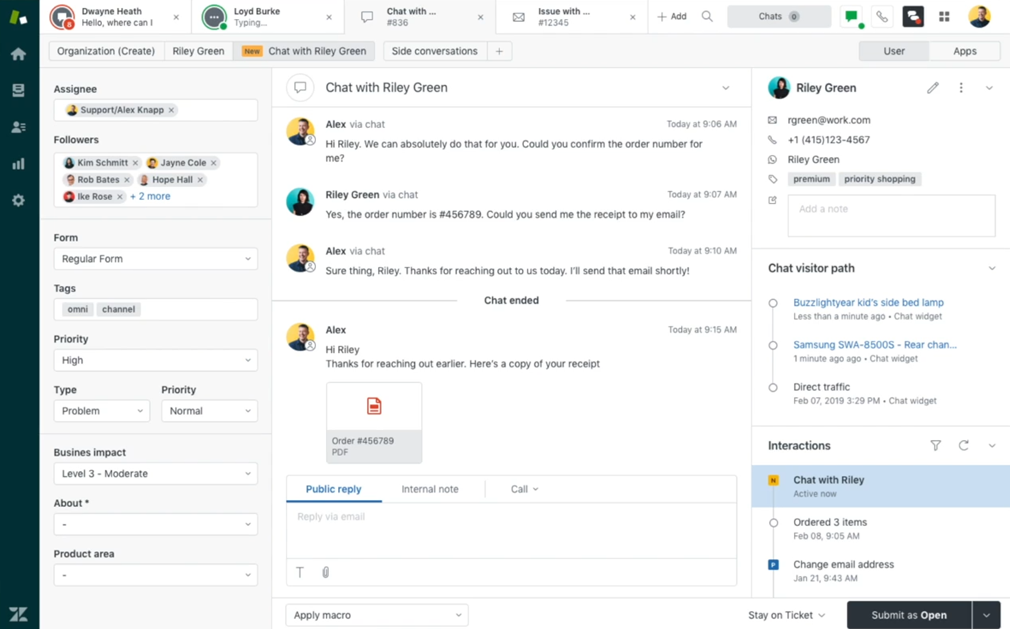
Zendesk approaches triage from the customer experience side. Its Intelligent Triage engine classifies incoming tickets by intent, sentiment, language, and entities, then routes them using skills-based or predictive assignment. The omnichannel intake is best-in-class — email, chat, social, voice, and messaging all feed into a unified workspace where agents see everything in one place.
Where Zendesk shines is in high-volume customer-facing environments. Setting up basic triage views takes hours, not weeks, and the agent interface is deliberately intuitive. The AI can draft replies, suggest macros, and deflect tickets before they reach a human. The downside is that Zendesk lacks native ITIL depth — you will not find complex change management, CMDB integration, or deep developer workflows out of the box. Pricing climbs steeply as you add AI features, and Reddit discussions in 2025-2026 have been mixed on whether the AI value justifies the cost at higher tiers.
ServiceNow
ServiceNow is the enterprise heavyweight. Its triage capabilities are powered by Now Assist, Predictive Intelligence, and agentic workflows that can automatically categorize incidents, assign configuration items, link to major incidents or problems, and route based on CMDB context. The depth is unmatched — if your triage process needs to consider asset dependencies, multi-tier approval chains, and compliance audit trails, ServiceNow handles it.
The cost of that depth is complexity. Implementation takes months, not weeks, and requires dedicated administrators or consultants. Pricing is custom-quoted and significantly higher than the other platforms on this list. ServiceNow is the right choice for large organizations with complex governance requirements, but it is overkill for teams that simply need fast, accurate ticket sorting.
BoldDesk
BoldDesk is a modern, AI-first help desk built by Syncfusion. It offers AI Copilot features that auto-categorize, prioritize, and route tickets on arrival, along with sentiment analysis and duplicate detection. Its pricing is competitive, starting around $8-12 per agent per month, and the interface is clean and fast to deploy.
The trade-off is depth. BoldDesk is strong for customer support and mid-market IT, but it lacks the ITIL process maturity and enterprise governance features of platforms like ServiceNow or even JSM. Its AI features are practical and well-integrated, but the platform is less customizable for complex routing logic than some alternatives. It also supports skill-based and workload-based routing, though some of its more advanced AI capabilities are tied to specific plan tiers, so it is worth checking what each plan actually includes before committing.
InvGate
InvGate Service Management combines a no-code visual workflow builder with an AI Hub that includes an Intelligent Triage Agent and Smart Assignment Agent. The platform is particularly strong at linking tickets to IT assets — when a ticket arrives, InvGate can automatically surface the requester’s hardware and software profile, giving agents immediate context. Its Smart Request Escalation feature monitors tickets post-triage and flags anomalies or SLA breach risks.
InvGate is well-suited to mid-to-large IT teams that want ITIL alignment without the complexity of ServiceNow. Public pricing, around $25-40 per agent per month, is transparent and competitive. The main limitation is that its AI features are less deeply customizable than Halo’s runbooks, and its focus leans toward internal IT rather than external customer support. Beyond triage and assignment, the AI Hub also generates ticket summaries and knowledge suggestions, which cuts down on the time agents spend reconstructing context before they can act on a ticket.
HaloITSM
HaloITSM (and its MSP-focused sibling HaloPSA) offers the most flexible AI triage of any platform on this list. Its Neo agent can use either vector-based matching against historical ticket data or LLM-based instant triage that works from day one with no training data. Halo’s Runbooks allow granular, prompt-level customization of how tickets are categorized, prioritized, and routed. It also features case clustering — automatically grouping related tickets under a single problem record — and smart dispatch based on technician skills, workload, and historical resolution data.
The downside is complexity. Halo’s configuration options are vast, and setting up optimal triage matrices requires experienced administrators. Pricing is higher, around $90-95 per agent per month, but includes all AI features without add-on modules. It is best suited to MSPs and enterprise IT teams that need deep customization and are willing to invest in setup. Halo also supports multi-department operations, customizable approval workflows, and granular SLA matrices, which is real depth for a team that needs it, and real overkill for one that just needs basic queue sorting.
LiveAgent
LiveAgent takes a different approach to triage — one that prioritizes speed, simplicity, and universal applicability. Unlike platforms that force you to choose between customer support and IT service management, LiveAgent’s triage and categorization system
works across both domains without requiring ITIL certification or developer-level configuration.
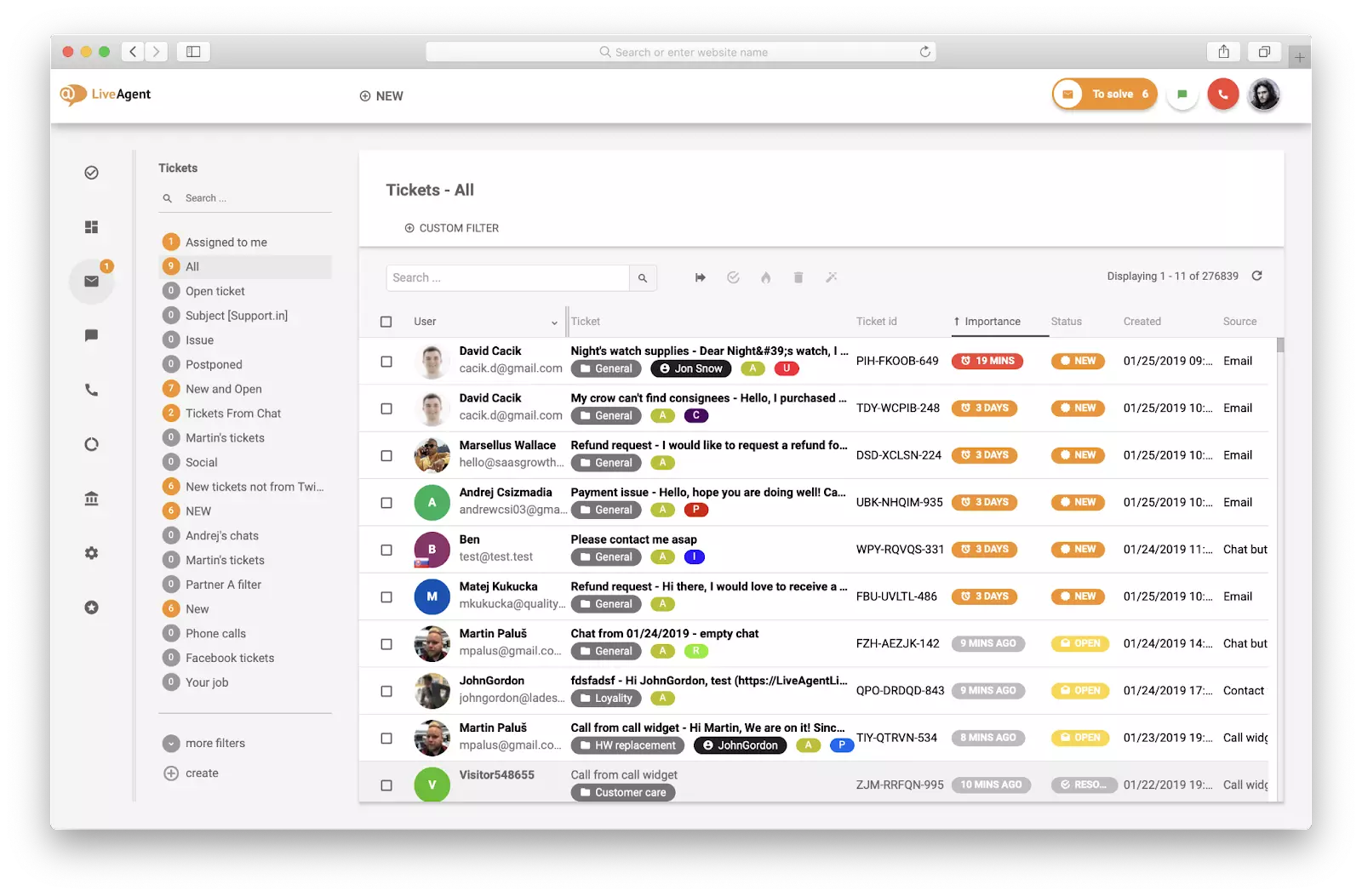
The platform’s triage engine automatically sorts incoming tickets from email, chat, social media, voice, and web forms into configurable categories, then routes them to the right department or agent based on rules you define in minutes. What sets LiveAgent apart is how it handles the human side of triage: agents see a universal inbox with triage capabilities
and clear visual indicators of ticket status, priority, and SLA timers, so nothing gets buried. The automated ticket categorization
learns from your tagging patterns over time, reducing manual sorting without requiring a data science team to train models.
LiveAgent’s pricing is also the most accessible on this list. Plans start at $9 per agent per month with triage and automation features included at every tier, not locked behind premium add-ons. For small to mid-sized teams that need enterprise-grade triage without enterprise-grade complexity, this is a genuine advantage.
Head-to-head comparison
AI classification and automation
AI-powered triage has become the defining feature of this category in 2026. Here is how each platform handles it:
Platform
AI classification
Auto-routing
Sentiment analysis
Duplicate detection
AI response drafting
Jira Service Management
Rovo agent + Atlassian Intelligence
Yes, via automation rules
Yes
Yes
Yes, via AI suggestions
Zendesk
Intelligent Triage
Yes, skills-based + predictive
Yes
Yes
Yes, via macros + AI
ServiceNow
Now Assist + agentic workflows
Yes, CMDB-aware
Yes
Yes, via major incident linking
Yes
BoldDesk
AI Copilot
Yes, rule + skill-based
Yes
Yes
Yes
InvGate
AI Hub Intelligent Triage Agent
Yes, smart assignment
Yes
Yes
Yes
HaloITSM
Neo agent (vector + LLM)
Yes, via Runbooks
Yes
Yes, case clustering
Yes
LiveAgent
Automated rule-based + learning
Yes, rule-based routing
Yes
Yes
Yes, via canned responses + AI
The distinction worth paying attention to is not whether a platform has AI, but how that AI reaches its conclusions. ServiceNow and HaloITSM offer the most sophisticated AI engines — they can consider CMDB relationships, historical patterns, and multi-factor routing logic. Zendesk and BoldDesk lean toward customer-facing AI that prioritizes speed and ease of use. LiveAgent and InvGate occupy a practical middle ground: the AI is effective without being overwhelming to configure, and it works across both IT and customer support contexts.
LiveAgent’s triage automation
is particularly notable for teams that want AI assistance without black-box decision-making. The rules are transparent and adjustable, and the system improves as it learns from your team’s actual tagging behavior, not from a generic model trained on someone else’s tickets.
Routing and assignment
Routing determines whether a ticket lands in the right queue on the first try or bounces between teams while the customer waits. Here is how the platforms compare:
Jira Service Management uses queues, JQL filters, and automation rules. Routing is highly customizable but requires configuration. The native Jira Software link means engineering escalations are seamless.
Zendesk offers omnichannel routing with skills-based and predictive assignment. The “Views” system is intuitive and fast to set up. Agents see everything in a unified workspace.
ServiceNow provides the most sophisticated routing: assignment rules can factor in category, CI, location, caller VIP status, on-call schedules, and workload. The complexity is powerful but requires expertise to configure.
BoldDesk uses rule-based and skill-based routing with AI agent integration. Setup is straightforward, suitable for small to mid-sized teams.
InvGate offers multiple routing methods: round-robin, workload-based, or AI-driven smart assignment that considers skills, workload, history, and outcomes.
HaloITSM features the most granular routing: Runbooks enable load-balancing, round-robin, team skills matching, keyword criteria, and multi-conditional rules.
LiveAgent uses rule-based routing
that is fast to configure and covers all channels. Tickets can be routed by department, agent skill, language, or custom fields. The triage and categorization engine ensures that once a ticket is classified, it reaches the right person without manual intervention.
Setup complexity and time to value
Platform
Setup time
Learning curve
Best for
Jira Service Management
Days to weeks
Moderate
Teams already using Atlassian
Zendesk
Hours to days
Low
Customer support teams
ServiceNow
Weeks to months
High
Large enterprises with dedicated IT
BoldDesk
Hours
Low
SMBs and mid-market
InvGate
Days to weeks
Moderate
Mid-to-large IT teams
HaloITSM
Days to weeks
Moderate to high
MSPs and ITIL-mature organizations
LiveAgent
Hours
Low
Teams of any size that want fast deployment
The time-to-value gap is substantial. LiveAgent and BoldDesk can be configured for basic triage in an afternoon. Zendesk takes a few days. Jira Service Management and InvGate require more planning but offer more depth. HaloITSM and ServiceNow demand a serious investment of time and expertise — the payoff is greater automation, but only if your team has the bandwidth to configure it properly.
Pricing comparison
Pricing structures vary significantly across these platforms. Here is a rough comparison based on publicly available information as of 2026:
Platform
Starting price (per agent/month)
AI features included?
Free tier?
Jira Service Management
~$20-25
Premium/Enterprise plans
Yes (up to 3 agents)
Zendesk
~$19-55+
Higher tiers only
Trial only
ServiceNow
Custom quote ($100+)
Varies
No
BoldDesk
~$8-12
Included in most plans
Limited
InvGate
~$25-40
Included
No
HaloITSM
~$90-95
All-inclusive
No
LiveAgent
$9-69
Included at all tiers
14-day trial
Plans start at $9 per agent per month
, and triage, automation, and AI features are included at every plan level. You do not need to upgrade to an enterprise tier to unlock the features that make ticket triage work. For teams watching their budget, this is a meaningful difference, especially compared to platforms where AI triage requires a premium add-on.
Omnichannel intake
Ticket triage only matters if tickets actually arrive in your system. Here is how the platforms handle multi-channel intake:
Zendesk leads on omnichannel: native support for email, chat, social, voice, SMS, and messaging, all unified in a single agent workspace.
LiveAgent matches Zendesk on channel breadth: email, live chat, social media (Facebook, Twitter, Instagram), voice, and a knowledge base portal all feed into one universal inbox with triage capabilities
.
Jira Service Management covers email, portal, chat, Slack, and Microsoft Teams, but voice and social require third-party add-ons.
ServiceNow supports email, portal, chat, virtual agent, and phone, with strong enterprise integrations but less native social media support.
BoldDesk covers 10+ channels including email, chat, and social, with a clean unified queue.
InvGate covers email, phone, chat, and portal; SMS and social are less strongly supported.
HaloITSM covers email, telephony, and portal; chat and social are present but narrower than Zendesk or LiveAgent.
The right choice depends entirely on your context. Here is a practical breakdown by use case.
Choose Jira Service Management if your support and engineering teams already work in the Atlassian ecosystem. Tickets that need developer attention can flow directly into Jira Software without integration headaches. You value structured ITIL workflows and are comfortable investing time in queue configuration and automation rules. The Rovo AI agent is genuinely useful for bulk triage of emailed requests.
Choose Zendesk if you run a high-volume customer support operation across multiple channels. Speed and agent experience matter more to you than ITIL process depth. You want AI that classifies and routes tickets out of the box with minimal configuration. Be prepared for pricing to climb as you scale, especially if you need advanced AI features.
Choose ServiceNow if you are a large enterprise with complex governance requirements, multi-department service workflows, and a CMDB that drives your IT operations. You have the budget and timeline for a months-long implementation and the staff to manage it. No other platform matches ServiceNow’s depth for enterprise ITSM, but that depth comes at a real cost in money and complexity.
Choose BoldDesk if you are a small to mid-sized team that wants AI-powered triage without the complexity or cost of enterprise platforms. You value quick deployment and a clean interface. Your needs are primarily customer-facing support rather than deep ITIL processes.
Choose InvGate if you are a mid-to-large IT team that wants ITIL alignment with a visual, no-code approach. Asset-linked triage is important to you — you want tickets to automatically surface hardware and software context. You value transparent pricing and strong automation without the complexity of ServiceNow.
Choose HaloITSM if you are an MSP or enterprise IT team that needs the most flexible and customizable AI triage available. You have historical ticket data you want the AI to learn from, or you want prompt-level control over how triage decisions are made. You are willing to invest in setup to get the most automated triage experience possible.
Choose LiveAgent if you want a platform that handles ticket triage across both customer support and IT contexts without forcing you into one mold. You value fast deployment — setting up triage rules
in hours rather than weeks — and you want AI-assisted categorization without black-box complexity. You need omnichannel intake that matches the best in the industry, and you want triage features included at every pricing tier rather than locked behind premium upgrades.
LiveAgent’s triage and categorization system gives teams the automation they need without the overhead they do not. The rules are transparent, the learning is practical, and the unified inbox means agents always know what to work on next. For most teams that are not operating at the extreme ends of the spectrum — pure enterprise ITSM or pure high-volume customer support — LiveAgent offers the best balance of capability, simplicity, and cost.
Join our newsletter
The latest tips and deals delivered straight to your inbox.
What to test in a demo or trial
No comparison article can replace hands-on testing with your own ticket data. When you evaluate these platforms, run a trial with 100-500 of your actual historical tickets and measure:
Classification accuracy: how often does the AI get the category right?
Priority accuracy: does it correctly distinguish urgent from routine?
Routing accuracy: do tickets reach the right team on the first attempt?
Time saved: how many manual clicks does the platform eliminate?
Agent experience: do your agents find the interface intuitive?
The platform that scores highest on your real tickets, not a vendor’s demo dataset, is the right one for your team.
Share this article
Lilia is a content manager at LiveAgent. Passionate about customer support, she crafts engaging content that highlights the power of seamless communication and exceptional AI-powered service.
Lilia Savko
Copywriter
Frequently asked questions
Ticket triage is the process of capturing, classifying, prioritizing, and routing incoming support requests to the right team or agent. It is the first step in the support workflow and determines how quickly a customer or employee gets a response. Modern triage systems use AI to automate much of this process, reducing manual sorting and improving response times.
AI ticket triage uses natural language processing to read the content of incoming tickets, including the subject line, description, and any attached context, and make decisions about what the ticket is about, how urgent it is, and who should handle it. Some platforms use rule-based automation, some use machine learning models trained on historical data, and some use large language models that can classify tickets from day one without training.
It depends on what "best" means. HaloITSM and ServiceNow offer the most sophisticated and customizable AI engines, suitable for enterprises with complex workflows. Zendesk and BoldDesk offer the fastest, most intuitive AI for customer support. LiveAgent offers practical, transparent AI-assisted triage that works across both IT and customer support contexts without requiring deep technical expertise to configure. The right choice depends on your team's needs and technical capacity.
Yes. LiveAgent includes a comprehensive triage and categorization system that automatically sorts incoming tickets from all channels, assigns them to the right department or agent, and prioritizes them based on configurable rules. The system learns from your team's tagging patterns over time, and all triage features are included at every pricing tier.
For most platforms, no, but it helps with some. Zendesk, BoldDesk, and LiveAgent are designed to be usable without any ITIL background. Jira Service Management and InvGate are more comfortable if you understand ITIL concepts, but they do not require certification. ServiceNow and HaloITSM are the most ITIL-aligned and benefit most from having someone on the team who understands ITIL frameworks.
Pricing varies widely. LiveAgent and BoldDesk start at $9 and $8 per agent per month respectively, with triage features included. Jira Service Management and InvGate run $20-40 per agent per month. HaloITSM costs around $90-95 per agent per month with all features included. ServiceNow requires a custom quote and is typically the most expensive by a significant margin. The key variable is whether AI triage features are included in the base price or require a premium add-on.
The 10 best ticketing systems in 2026: pricing, pros & cons compared
We compared 10 ticketing systems on price, features and real drawbacks — from free open-source tools to enterprise ITSM. Side-by-side pricing table and a framew...
Ticket Triage: A Complete Guide to Categorization, Prioritization & Routing
Learn how ticket triage works: the step-by-step process, the impact-urgency priority matrix, routing rules, automation levels, and the metrics that prove it's w...
17 min read
Ticket Triage
Help Desk
+2
Cookie Consent We use cookies to enhance your browsing experience and analyze our traffic. See our privacy policy.