



Best VoIP Softphone Apps for Mac in 2026
Explore the best VoIP softphone apps for Mac in 2026, like CounterPath Bria Teams Pro, ZoiPer, and Linphone. Assess based on ease of use, functionality, and use...
17 min read
VoIP
Softphone
+3

Compare the top softphone VoIP apps and platforms of 2026 on price, features, call quality, and business fit, and find out which option delivers the best value.
Businesses are moving away from desk phones at a rapid pace. The global VoIP market is projected to grow from $135 billion to $236 billion by 2028, and softphones are at the center of that shift. A softphone lets your team make and receive calls from any device — desktop, laptop, tablet, or smartphone — without the cost and clutter of hardware.
But choosing the best softphone voip solution is not a one-size-fits-all decision. Some tools are lightweight SIP clients for solo users. Others are full-featured business platforms with built-in call centers, CRMs, and support ticketing. The price gap between these options can be enormous, and so is the value you get for your money.
This guide compares the top softphone voip applications in 2026 across price, features, call quality, and business fit. We looked at standalone SIP clients, unified communications platforms, and all-in-one help desk solutions with integrated softphone capabilities. At the end, one option delivers the strongest combination of value and functionality: LiveAgent.
A softphone is a software application that turns a computer, tablet, or smartphone into a telephone. Instead of using a physical desk phone connected to a landline, a softphone routes calls over the internet using VoIP (Voice over Internet Protocol) technology.
The process is straightforward. Your voice is converted into digital packets, transmitted over your internet connection, and reconstructed on the other end. All you need is a device, a headset, and an internet connection. The softphone connects to a VoIP provider or SIP trunk that handles the actual call routing.
For businesses, this means you can equip an entire team with phone capabilities without buying a single piece of hardware. It also means that remote workers, traveling salespeople, and support agents can take calls from anywhere with the same professional phone presence.
If you are evaluating your broader telephony setup, LiveAgent’s guide to the best VoIP phone systems and integrations covers the infrastructure side of the equation in detail.
Before comparing individual apps, it helps to know which criteria actually matter for your business. Here are the dimensions we used to evaluate each option.
A softphone is only as good as its calls. Look for HD audio codec support (Opus, G.722), echo cancellation, noise reduction, and jitter buffering. Stability matters just as much as clarity — dropped calls during a sales conversation or support ticket lose revenue and trust.
Your team may use a mix of Windows, macOS, iOS, and Android. The best softphone voip solutions offer native apps on all four platforms. Browser-based options add flexibility but may sacrifice some call quality.
Pricing varies dramatically. Some tools are free and open-source. Others charge a one-time license fee per user. The most common model is a monthly subscription per user, which can range from $10 to $60+ depending on included features.
The real cost comparison, however, should account for what else you are already paying for. If you use a separate help desk, CRM, live chat, and call center tool, the combined monthly bill often exceeds what an all-in-one platform costs.
A softphone that connects to your CRM, ticketing system, and collaboration tools saves hours of manual data entry per week. Direct integrations with Salesforce, HubSpot, Microsoft Teams, and Google Workspace are common among business-grade options. If you need to understand how VoIP integrations work across different platforms, LiveAgent’s VoIP phone systems and integrations overview provides a thorough breakdown.
TLS and SRTP encryption are table stakes for any business softphone. If you operate in healthcare, finance, or legal, look for HIPAA compliance, GDPR readiness, and SOC 2 certifications.
Call routing, IVR (interactive voice response), call queuing, recording, transcription, and analytics separate serious business tools from basic dialers. For teams handling more than a handful of calls per day, these features are non-negotiable.
| Softphone | Best for | Starting price | Call center | Ticketing | Live chat | Free tier |
|---|---|---|---|---|---|---|
| LiveAgent | All-in-one support + calling | $9/agent/month | Yes | Yes | Yes | Free plan available |
| RingCentral | Large enterprise UCaaS | $20/user/month | Add-on | No | No | 14-day trial |
| Zoom Phone | Existing Zoom users | $10/user/month | Add-on | No | No | No |
| Zoiper | Budget standalone SIP | Free / $49.95 one-time | No | No | No | Yes (limited) |
| Bria | Professional SIP client | $2.95/month (Solo) | No | No | No | Free (Solo) |
| Linphone | Open-source security | Free | No | No | No | Yes |
| MicroSIP | Lightweight Windows SIP | Free | No | No | No | Yes |
| 3CX | Self-hosted PBX | Free (self-hosted) | Yes | No | No | Yes |
| Dialpad | AI-powered calling | $15/user/month | Add-on | No | No | 14-day trial |
LiveAgent is not just a softphone. It is a complete customer support platform that includes a fully functional VoIP call center, ticketing system, live chat, knowledge base, and social media integration — all in one product. This is what makes it the best softphone voip choice when you consider total cost of ownership.
LiveAgent starts at $9 per agent per month. That gets you the entire platform: call center with softphone support, unlimited ticket history, live chat, email ticketing, and a knowledge base. Compare that to buying a standalone softphone like RingCentral ($20/user/month) plus a separate help desk like Zendesk ($19/agent/month) plus a live chat tool. You are looking at $40+ per user monthly, with more logins, more contracts, and more training.
The free plan is also genuinely useful for small teams getting started. You get one chat button, one phone number, basic ticketing, and call recording without entering a credit card.
LiveAgent works with any standard SIP softphone client. If your team already uses MicroSIP, X-Lite, Zoiper, Linphone, or Bria, you can connect it to the LiveAgent call center in minutes. The platform handles call routing, queue management, IVR, and recording while the softphone client handles the actual audio.
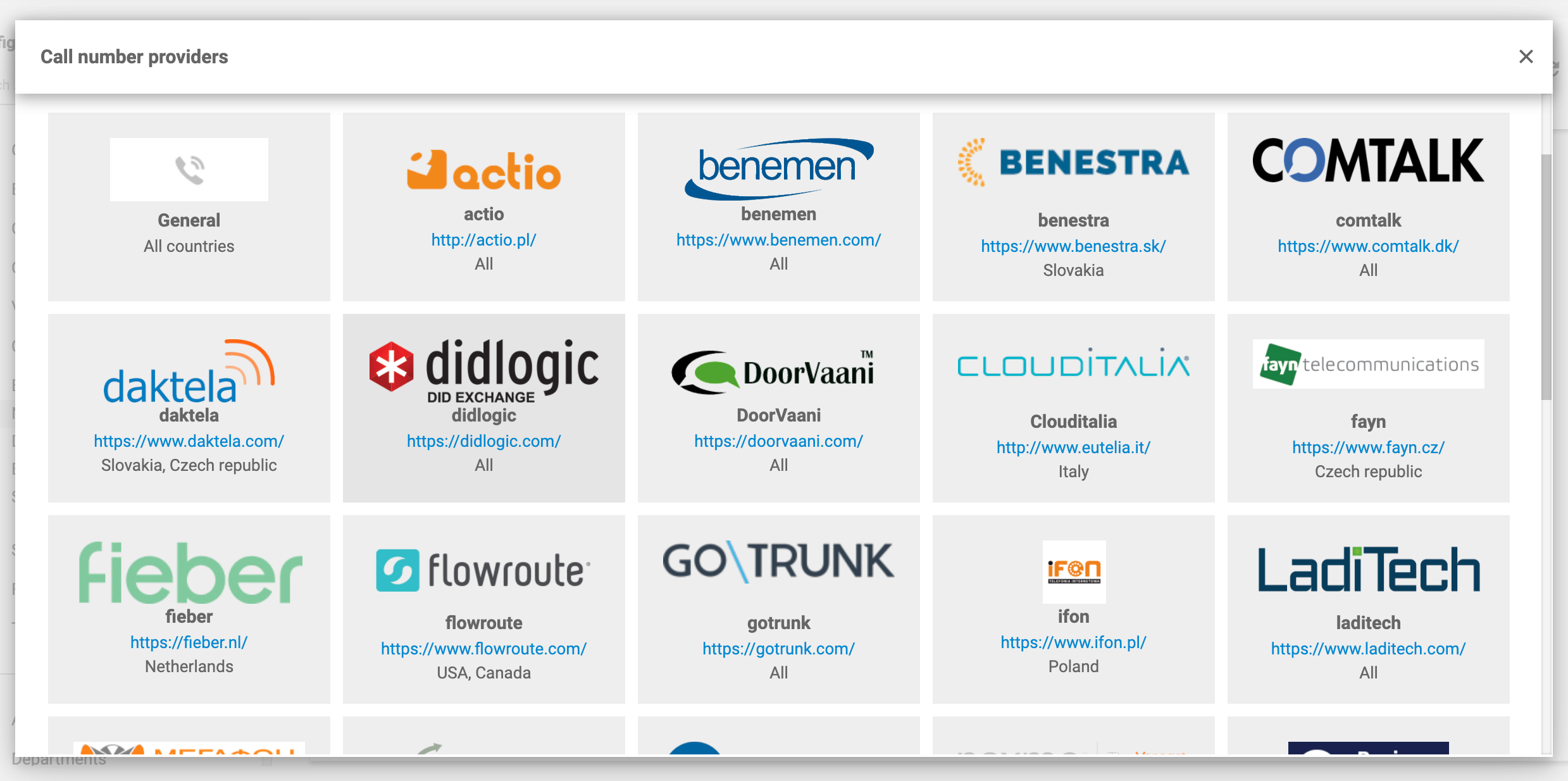
LiveAgent’s softphone features page walks through the compatible clients and setup process. Support for Linphone integration is built in, and the platform works with most SIP-based clients.
Most softphones stop at dialing and receiving calls. LiveAgent includes a full call center with:
Every call automatically creates or updates a support ticket. Agents see the full conversation history — calls, emails, chats, and social messages — in one timeline. This means no more switching between five different apps to understand a customer’s issue.
When you compare the best softphone voip options purely on calling features, tools like RingCentral and Zoom Phone are competent. But business communication does not stop at the call. After the call ends, you need to log notes, create follow-up tasks, track resolution time, and report on agent performance. With standalone softphones, all of that requires separate tools.
LiveAgent eliminates the gap. The same platform that handles the call also handles everything that happens after it. For a customer support team, this is not a minor convenience. It is the difference between a five-minute resolution and a fifteen-minute one.
If you are still mapping out how your VoIP setup should connect to your business tools, LiveAgent’s breakdown of VoIP phone systems and integrations covers the technical and strategic considerations.
Start your free LiveAgent trial

The latest tips and deals delivered straight to your inbox.
RingCentral is the most frequently cited name in business VoIP, and for large organizations, it earns its reputation. The RingEX platform combines voice, video, team messaging, and fax into one application. With over 200 third-party integrations, it connects to Salesforce, Microsoft 365, Google Workspace, and Slack.
The softphone experience is polished. The desktop and mobile apps are clean, call quality is consistently high, and the admin portal gives IT teams granular control over call flows, user permissions, and analytics.
The downside is cost. Plans start at $20 per user per month and climb quickly once you add video meetings, advanced analytics, and additional phone numbers. There is no free tier beyond a 14-day trial. For a 20-person team, the annual cost is over $4,800 before any add-ons.
RingCentral also does not include help desk ticketing, live chat, or a knowledge base. If customer support is a core part of your business, you will need separate tools for those functions, which adds to the monthly bill.
Zoom Phone makes sense if your team lives in Zoom for meetings. It extends the familiar Zoom interface into a full cloud phone system with call routing, voicemail transcription, and auto-attendants. Pricing is competitive at $10 per user per month, making it one of the more affordable UCaaS softphones.
Call quality is excellent, and the integration with Zoom Meetings is seamless. Users can elevate a phone call to a video meeting with one click. The mobile app mirrors the desktop experience closely.
The limitations appear when you need more than basic call handling. Advanced call center features like skills-based routing, predictive dialing, and workforce management require add-on licenses. Like RingCentral, Zoom Phone is purely a communications tool. It does not offer ticketing, live chat, or customer management features.
Zoiper is one of the most widely used standalone SIP softphones, and its cross-platform support is hard to beat. It runs on Windows, macOS, Linux, iOS, and Android, with a consistent interface across all platforms. The free version supports basic voice calling with one SIP account. The Pro version ($49.95 one-time fee) adds video calling, call transfer, and CRM integration.
For solo users or small teams that already have a SIP provider and only need a dialer, Zoiper is a practical choice. The interface is clean, setup is straightforward, and the noise reduction and echo cancellation keep calls clear.
However, Zoiper is purely a dialer. It does not route calls, manage queues, record conversations, or generate tickets. If you need a business phone system rather than just a phone app, Zoiper alone is not enough. You will need to pair it with a PBX or a platform like LiveAgent that handles the call management layer.
Bria, developed by CounterPath, is the industry standard for professional SIP softphone use. It supports HD audio and video, team messaging, screen sharing, and presence indicators. The Solo free tier gives you a single VoIP account with standard quality calling. Paid plans unlock multiple accounts, advanced codecs, and provisioning tools for IT administrators.
Bria is popular among enterprises that manage their own PBX and need a reliable, well-supported client. The interface is less modern than some competitors, but stability and call quality are consistently strong.
The pricing model is subscription-based, starting at $2.95 per month for Solo and scaling up for Teams and Enterprise plans. Like other standalone SIP clients, Bria does not include call routing, ticketing, or any customer support tools beyond the call itself.
Linphone is a fully open-source softphone that supports voice, video, instant messaging, and conferencing. It runs on Windows, macOS, Linux, iOS, and Android. Security is a standout feature: TLS and SRTP encryption are included in the free version, and recent releases have added post-quantum encryption capabilities.
The interface has improved significantly in version 6.0, with a modern Qt-based design and a configuration wizard that simplifies setup. Adaptive video streaming adjusts quality based on network conditions, which helps on unreliable connections.
Linphone is free in every sense of the word, but it is a SIP client, not a business phone system. It connects to whatever SIP provider or PBX you use and handles the call. Everything else — routing, queuing, recording, analytics — must come from another system. For privacy-conscious individuals and developers, Linphone is excellent. For business teams, it is a component, not a complete solution.
LiveAgent’s Linphone integration guide shows how to use Linphone as the softphone client within a managed call center environment.
MicroSIP is the definition of lean. At roughly 10 MB, it is an open-source SIP softphone for Windows that uses minimal RAM and CPU. It supports TLS and SRTP encryption, multiple SIP accounts, and the G.729 codec. The portable version runs without installation, making it a favorite among IT professionals who need a quick, reliable dialer.
For basic calling on Windows, MicroSIP is genuinely excellent. It does one thing — placing and receiving SIP calls — and does it with zero bloat. The tradeoff is that it is Windows-only, has no video support, and offers no business features beyond the call itself.
MicroSIP works well as the softphone client paired with a platform like LiveAgent that handles the call management, routing, and ticketing. On its own, it is not a business solution.
3CX offers a full PBX platform with integrated softphone clients for Windows, macOS, iOS, and Android. The self-hosted version is free for up to 10 users, which makes it attractive for IT-managed teams that want complete control over their phone system.
The softphone experience is tightly integrated with the 3CX PBX. Features include presence, click-to-call, video conferencing, and live chat. The web client eliminates the need for desktop installation in some scenarios.
The learning curve is steeper than cloud-based alternatives. Self-hosting means you are responsible for server maintenance, security updates, and troubleshooting. For businesses without dedicated IT staff, the total cost of ownership can exceed what a managed cloud platform would cost.
Dialpad differentiates itself with AI. Real-time transcription, sentiment analysis, and post-call summaries are built into every plan. For sales teams that need to analyze call patterns and coach reps, these features are genuinely useful.
The softphone app itself is modern and responsive. Google Workspace integration is tighter than most competitors, and the mobile app handles call handoff between WiFi and cellular networks well.
Pricing starts at $15 per user per month. The AI features add value, but the core calling functionality is comparable to what you get with RingCentral or Zoom Phone. As with those platforms, Dialpad does not include ticketing, live chat, or knowledge base functionality.
The right choice depends on the gap between what you need and what you already have.
Choose LiveAgent. You get a softphone-compatible call center, ticketing, live chat, and knowledge base in one platform. The per-agent price is lower than buying separate tools, and the unified interface means your team works faster. Learn more about how VoIP phone systems integrate with help desk software .
Zoiper or Bria are the best standalone softphone voip options. Zoiper costs less upfront. Bria offers more professional features and better enterprise support. Both connect to any standard SIP provider.
RingCentral provides the broadest feature set, the most integrations, and the strongest compliance certifications. The price reflects that scope, but large organizations with dedicated telecom budgets will find the value there.
Linphone is the best free, open-source softphone. It supports modern encryption standards and runs on every major platform. Pair it with a PBX or a managed call center platform for business use.
3CX gives you full control over your phone system at no software cost for up to 10 users. The softphone clients are well-integrated, and the feature set is comprehensive. Be prepared for the IT overhead of maintaining your own server.
When you have narrowed down your infrastructure needs, LiveAgent’s VoIP phone systems and integrations guide can help you evaluate how different setups connect to your customer support workflow.
Choose LiveAgent if you want the best value for money and a platform that handles calls, tickets, chat, and knowledge base in one place. It is the only option that combines a full call center with a complete help desk at a price that undercuts standalone alternatives.
Choose RingCentral if you are a large enterprise that needs the most extensive integration catalog and compliance certifications, and you already have separate tools for customer support.
Choose Zoom Phone if your team already uses Zoom for meetings and you want a straightforward, affordable cloud phone add-on.
Choose Zoiper if you need a budget-friendly standalone SIP softphone and already have a PBX or VoIP provider.
Choose Bria if you need a professional-grade SIP client with team collaboration features and enterprise provisioning.
Choose Linphone if you prioritize open-source software and strong encryption, and you are comfortable managing your own telephony infrastructure.
Choose MicroSIP if you need a lightweight, no-frills SIP client for Windows and nothing more.
Choose 3CX if you want to self-host your PBX with integrated softphone clients.
Choose Dialpad if AI-powered call analytics and transcription are your top priority.
For most businesses evaluating the best softphone voip, the decision comes down to whether you want a phone app or a platform. If you want a phone app, there are many competent options. If you want a platform that turns every call into a tracked, manageable customer interaction, LiveAgent is the clear winner on both price and quality.
Share this article
Explore the best VoIP softphone apps for Mac in 2026, like CounterPath Bria Teams Pro, ZoiPer, and Linphone. Assess based on ease of use, functionality, and use...

Discover LiveAgent's top-rated softphone software for B2B & B2C businesses, offering SIP-based VoIP support for seamless, reliable communication from anywhere. ...

LiveAgent's hosted call center software supports softphones for VoIP calls from devices, enhancing customer support. Compatible with popular clients like MicroS...
Cookie Consent
We use cookies to enhance your browsing experience and analyze our traffic. See our privacy policy.