



Sipcall
Sinch offers global VoIP solutions, including voice, video, SMS, and API integration for diverse industries. Easily integrate Sinch with LiveAgent to manage mul...
4 min read


Sinch offers global VoIP solutions, including voice, video, SMS, and API integration for diverse industries. Easily integrate Sinch with LiveAgent to manage multi-channel customer communication efficiently. Integration is free with LiveAgent plans.
Sinch is a global VoIP provider that offers rich customer communication options. It can handle global customer voice calls, data calls, and even video calls. Texting is not omitted either, you can manage text messages, rich SMS, and even Facebook Messenger and Instagram via API.
Sinch lets you select from various number types such as virtual long numbers, shortcodes, and toll-free numbers. Sinch also offers additional great features like flash calling, voice verification, or SMS verification. Its solutions are suitable for use in various businesses – healthcare, financial, retail, travel, and media amongst many others.
Use Sinch as your VoIP service provider and start attending to your customers from a unified multi-channel ticketing system, where you can keep track of every communication channel. Sinch can make a great addition to your LiveAgent call center. Use the Rest API integration with LiveAgent to forward all of the calls coming to your Sinch number into the LiveAgent call center.
LiveAgent can help you manage conversations with customers and provide the best customer service. Our call center is connected with other channels, which means you can handle anything your customers throw at you and keep track of every inquiry from one place.
The call center is also supported by great features like custom IVR trees, custom chat buttons, unlimited call recordings, or automatic callback. Check out the full list of call center features.
Set up your call center today and provide great customer support over phone with LiveAgent.
The integration with Sinch is included in one of our plans so there are no additional charges. You can simply connect your Sinch number with LiveAgent and start managing customer calls.

The latest tips and deals delivered straight to your inbox.
The Sinch integration is easy thanks to an in-built plugin. All you have to do is provide information to LiveAgent. Follow the guide below to learn how to do it.
The next step is to go to your Sinch account and open the Apps section on the left panel. Click on Create a new app. Name it and provide a short description of the app. When you’re done, you’ll be able to see the new app in the list of apps.
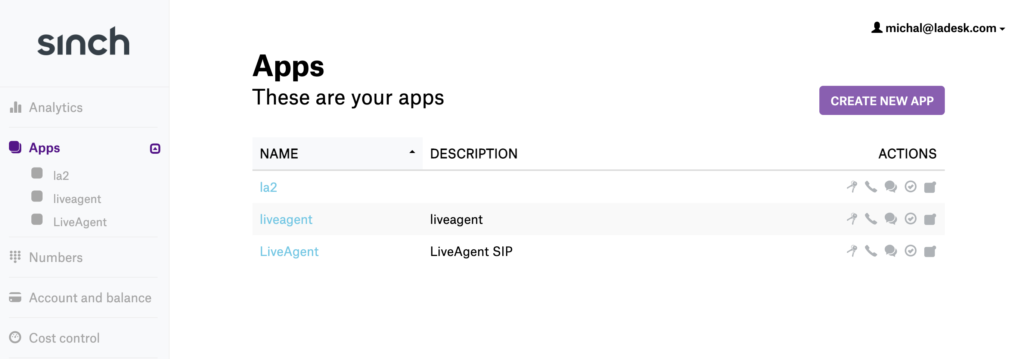
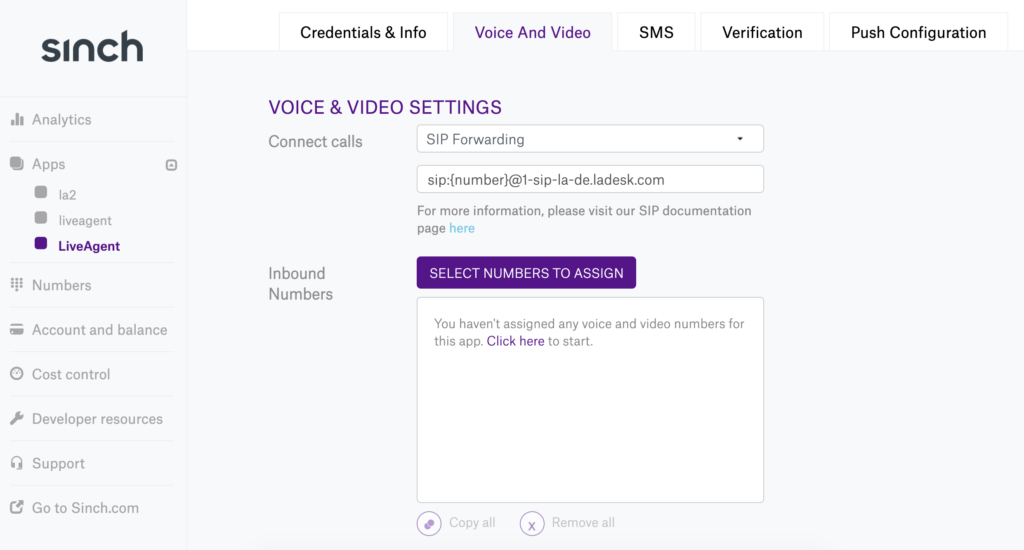
Click on the app to configure it and go to the Voice and Video section. Select Callback URL to SIP forwarding and input Host data from the first step in this format: “sip:{number}@your.asterisk.host”.
Assign the Sinch number you have available for this app and click on Update Voice & Video settings. If you don’t have a Sinch number yet, there is an option to rent one.
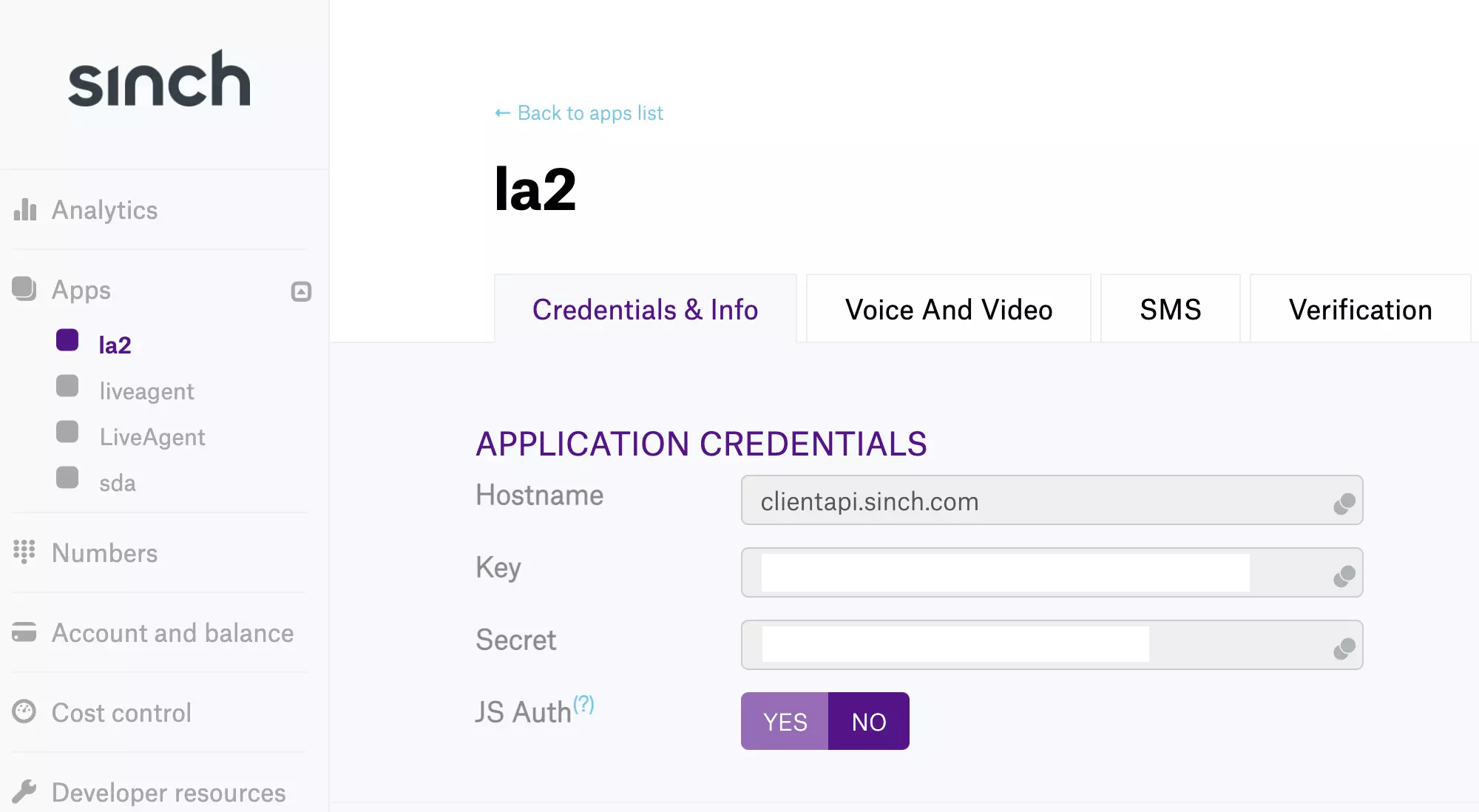
Now create a second app and name it. Use the Key and Secret of this app for SIP authentication in LiveAgent. You will also need your Sinch username and password for the next steps.
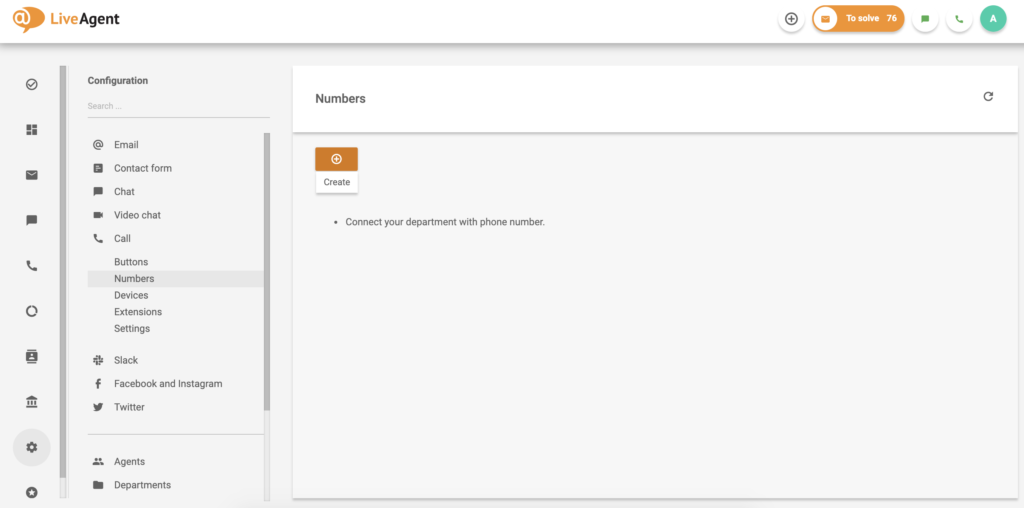
Open LiveAgent and go to Configuration > Call > Numbers. Click on the orange button to Create a new number. In the new window, find and select Sinch from the list of VoIP providers.
The last step is to configure the integration. Provide your Sinch username, password and phone number, as well as the key and secret from the second step. You can also select the department the calls will route to, name the number and provide a prefix. When you’re done click on Add and your Sinch number will be connected to LiveAgent.
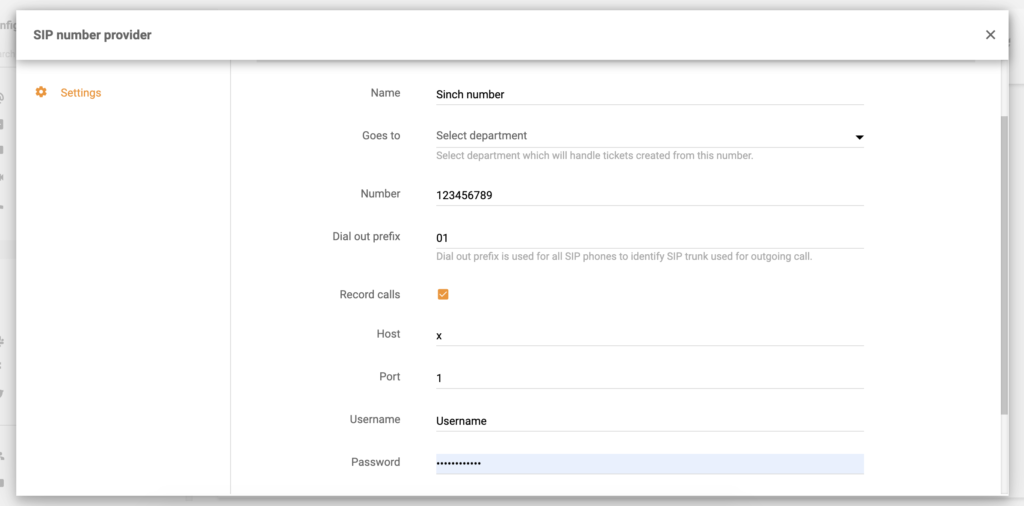
Configure Sinch number
You’ve successfully finished integrating Sinch with LiveAgent. Feel free to look around our call features page to see how you can utilize the LiveAgent call center. Make sure to have a look at our Academy page to learn tips & tricks regarding phone support.

Sinch offers global VoIP solutions, including voice, video, SMS, and API integration for diverse industries. Easily integrate Sinch with LiveAgent to manage mul...
Xinix offers cost-effective telecom solutions, including VoIP and mobile services, with a focus on customer satisfaction. Integrated with LiveAgent, Xinix numbe...
SendMyCall is a VoIP provider offering virtual and toll-free numbers, PBX systems, and call management. It integrates with LiveAgent for efficient call center m...
Cookie Consent
We use cookies to enhance your browsing experience and analyze our traffic. See our privacy policy.