



Sipcall
Sinch offers global VoIP solutions, including voice, video, SMS, and API integration for diverse industries. Easily integrate Sinch with LiveAgent to manage mul...
4 min read


Peoplefone, a Swiss VoIP provider, offers stable and cost-effective communication solutions like SIP-TRUNK and virtual PBX. It integrates with LiveAgent call center software to enhance customer relationships and services across Europe.
Founded in Switzerland in 2005, Peoplefone is a VoIP provider now active in six other countries: Germany, Austria, France, Poland, Slovakia, and Lithuania. Our services are used by more than 200,000 business customers. In order to offer them the best possible support, we collaborate with a network of 2,000 installation partners across Europe.
Our system platform was built in-house and is continuously developed and optimized. This enables us to offer our customers quality, stability, and new communication solutions at a good price-performance ratio. Whether it is our SIP-TRUNK offer, which is certified by most telephone system manufacturers, MICROSOFT TEAMS Direct Routing, or our virtual PBX Peoplefone HOSTED – every customer will find a tailor-made solution with us.
In the Bilanz Telekom Rating, Peoplefone has achieved top positions as a fixed network VoIP provider for Swiss companies since 2013 – including winning 1st place five times.
Learn more at: https://www.peoplefone.com
If you’re looking for a VoIP provider to connect with your LiveAgent call center , Peoplefone is a great choice. LiveAgent’s call center will handle your calls and tickets, while Peoplefone will provide the rest. Laptop or smartphone microphones and speakers are everything you need to establish a starter call center. You might require other hardware if you want to improve your call quality later on.

Even though some people prefer digital customer experiences, others crave a deeper personal connection with the brands they interact with. Call centers are a great way to improve your customer relationships, sell products, gain new customers and service users, or provide general customer services.
With the fall of traditional call centers and the rise of call center software like LiveAgent, it’s easy to provide these types of experiences for your customers without breaking the bank. Call centers are now accessible to all types of businesses, big or small.
LiveAgent makes managing and running a call center easier for businesses with the help of its advanced features. For example, you can create custom IVR (Interactive Voice Response) trees, that will automatically route your customers to the right departments and agents.
The best part? LiveAgent’s IVR feature does all the work and creates a hassle-free experience for your customers. All they have to do is listen to the IVR menu, and press the appropriate dial pad key (like press 1 for sales) to be connected with the right person for the job.
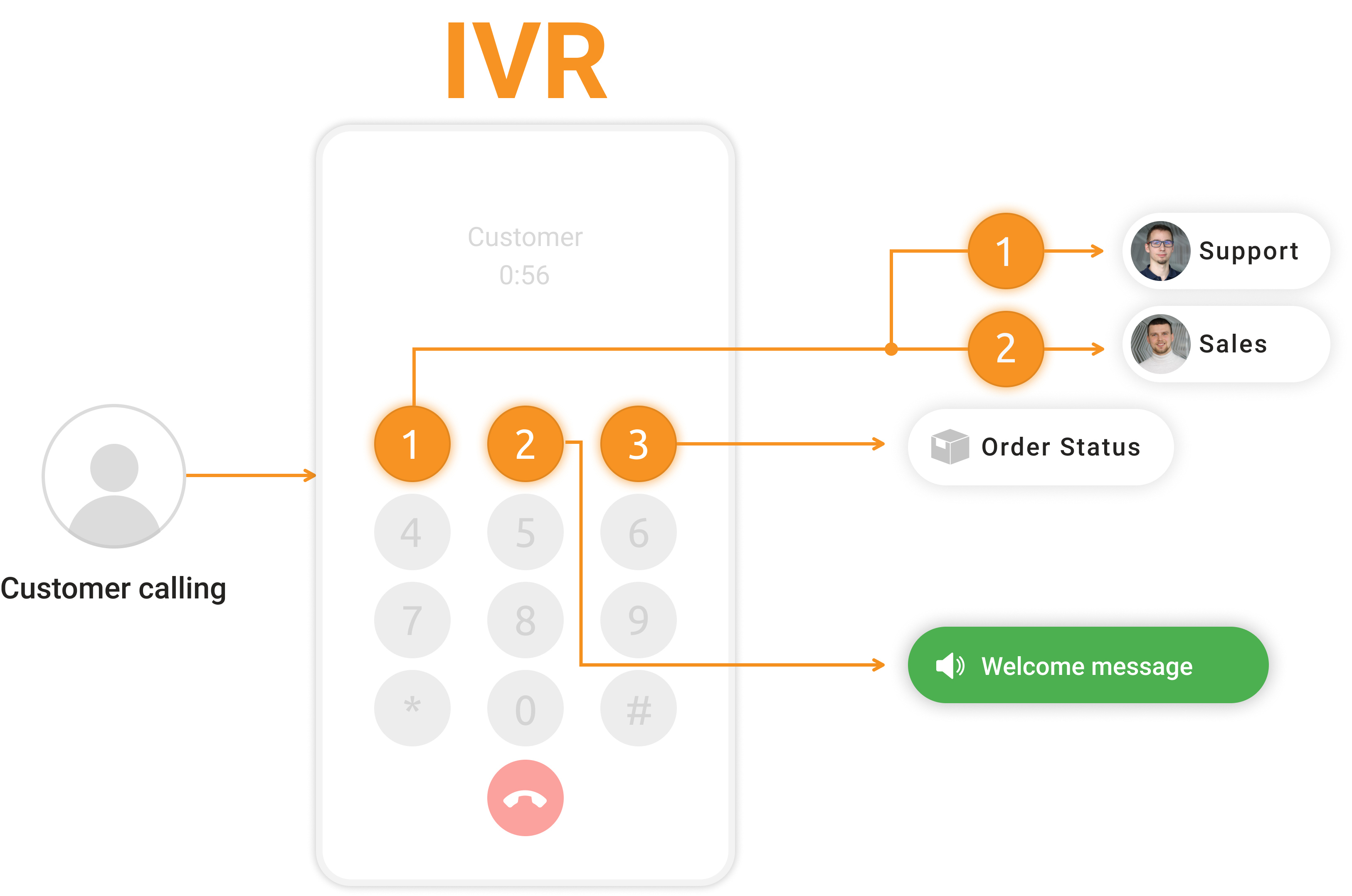
Did your customer connect to the wrong department by accident? The solution is simple, use call transfers to route the customer to one of your colleagues and save their time.
Have a hard time remembering what your customers said? No worries, LiveAgent records all incoming and outgoing calls and stores them inside the system. If you need to refresh your memory, simply locate the ticket and listen to the full call recording. Call recording can also be used for training new agents and showing them the correct responses to customer calls. Want more information about our call center’s features? Check out our Call Center feature page that has all the information about LiveAgent’s call center capabilities.

The latest tips and deals delivered straight to your inbox.
If you want to create your LiveAgent call center with Peoplefone as your VoIP provider, follow this simple guide.
Open LiveAgent and go to Configuration > Call > Numbers. Click on the orange Create button at the top.
Select Peoplefone from the list of VoIP providers.
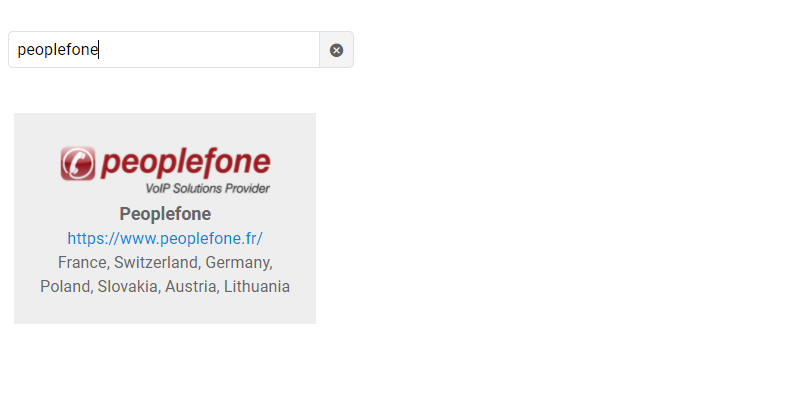
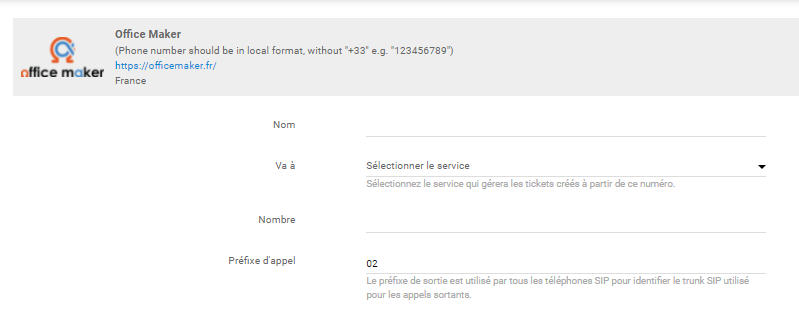
The phone number is in LiveAgent and ready for use. If you prefer, you can add more Peoplefone phone numbers or add numbers from other VoIP providers.

Are you looking for more information about establishing and running a call center? If you’re interested have a look at the LiveAgent academy for more information regarding call centers and other topics from the world of customer support.
Curious about what else can LiveAgent do? Check out the video below to see the full tour of our customer support software.

Sinch offers global VoIP solutions, including voice, video, SMS, and API integration for diverse industries. Easily integrate Sinch with LiveAgent to manage mul...
iFON, a European telecommunications company since 2004, offers VoIP services. LiveAgent partners with iFON for free VoIP integration to enhance productivity and...
Sipgate and LiveAgent offer seamless, free VoIP integration for call centers, enhancing user experience without extra fees. Easily manage online, enjoy cost eff...
Cookie Consent
We use cookies to enhance your browsing experience and analyze our traffic. See our privacy policy.