



Xero
Xero is an accounting platform that integrates with LiveAgent to manage bills, payments, invoices, and more. The integration via Zapier simplifies billing manag...
3 min read


Automate billing with InvoiceBerry & LiveAgent via Zapier. Easy invoicing, expense tracking, multi-currency features for small businesses.
InvoiceBerry is an invoicing and expense tracking software suitable for small business owners, freelancers and solopreneurs. It focused on providing easy-to-use invoicing capabilities for their clients, as well as easier expense tracking. You can create your first invoice in less than 60 seconds. InvoiceBerry can also help you send invoices, create reports, manage clients, track payment, and use multi currency features for your invoicing and tracking.

Start your free trial today and see results within days.
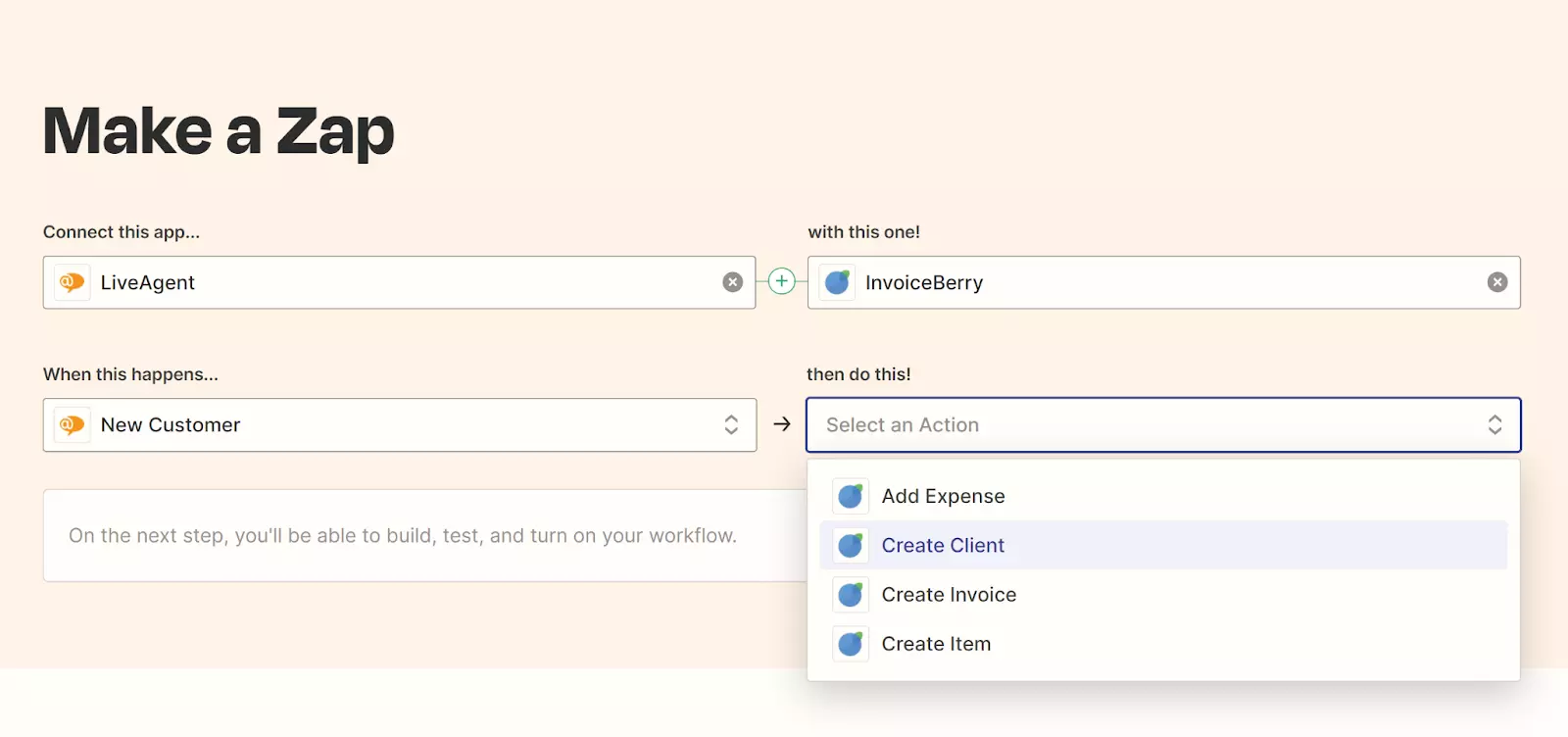
The integration between LiveAgent and InvoiceBerry is perfect for automating your billing processes in customer service . This integration can be customized and created via Zapier – a third party integration service that allows you to create custom workflows for many different scenarios and use cases. Zapier allows you to integrate InvoiceBerry with LiveAgent and choose what happens when you add a new customer in LiveAgent. Every time you add a new customer in LiveAgent, InvoiceBerry can either create a new invoice, create a client, or create an item. The choice is yours, but you can also use Zapier to create more than just one integration.
The latest tips and deals delivered straight to your inbox.
InvoiceBerry and LiveAgent can be integrated thanks to the Zapier service. If you don’t have a Zapier account, you need to create it first. Once you do, you can choose which apps you will be using with your Zapier account. Make sure to add both LiveAgent and InvoiceBerry into your list. When you do, you can create your first workflow.
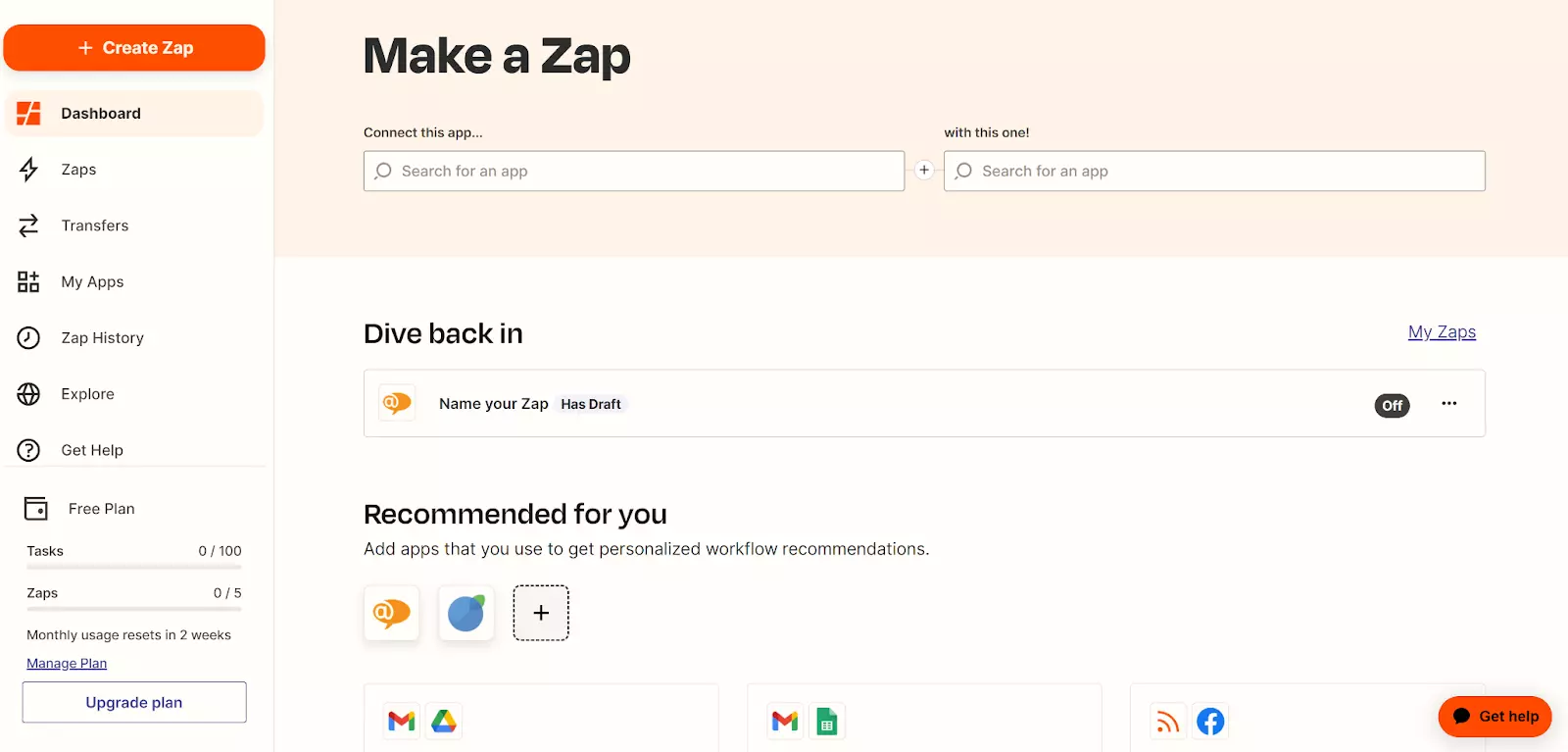
Choose LiveAgent and InvoiceBerry in whatever order you prefer, and then select what action you would like to get done with the integration workflow. You can choose from multiple options and customize the workflow for your use case, or even create multiple workflows. Once you select what you need, confirm your selection and you’re done.
No problem! LiveAgent offers a 30-day free trial where you can test the InvoiceBerry integration!
Xero is an accounting platform that integrates with LiveAgent to manage bills, payments, invoices, and more. The integration via Zapier simplifies billing manag...

Streamline billing with LiveAgent's software, integrating ChargeDesk, Braintree, and 2checkout for automated invoicing. Try a free trial to enhance your eCommer...
Integrately connects over 600 apps to automate workflows, enhancing efficiency and saving time. Integrate LiveAgent with email marketing, billing, CRM, etc., to...
Join our community of happy clients and provide excellent customer support with LiveAgent.

Cookie Consent
We use cookies to enhance your browsing experience and analyze our traffic. See our privacy policy.