



Gmail Integration
Integrate Gmail with LiveAgent for seamless customer service via a multi-user dashboard. Easily set up and manage emails through native or Zapier integration, e...
5 min read


Google Contacts integration enables you to conveniently manage your contacts from LiveAgent. Simply integrate it via Zapier to streamline contact management and enhance workflow.
Google Contacts is a free service that stores and manages contacts , phone numbers, addresses, and more. It stores both basic contact information and extended information such as physical addresses, departments , employers, and job titles. Google Contacts is great for sorting and filtering contacts. Contacts are automatically imported from your Gmail address book and can be edited to include additional information. This service works very well with other Google apps and it creates a seamless workflow.

Start your free trial today and see results within days.
Google Contacts is a platform that allows you to store important contact information. It can be utilized for company customers and clients.
Your contact list from Gmail can be easily transferred into the LiveAgent ticketing system which will handle all of your communication. You can use the integrations to automatically receive notifications about new customers, or customer groups. Many of these actions can be also done manually as well, such as updating, finding, or adding contacts to groups, or creating conversations.
You can add new customers, fill in their info, add data, create notes, see their tickets and create a better workflow experience with other app integrations. Try importing your Google Contacts into LiveAgent today and manage your clients from your help desk.
While the integration is available via Zapier service, you can also import some contact information from Gmail. If you connect your Gmail email account with the LiveAgent help desk system , LiveAgent will extract basic contact information such as email addresses and names from existing email communication. This information is then stored in LiveAgent contacts.
The latest tips and deals delivered straight to your inbox.
Zapier is a service that can easily connect two apps with varied resulting integrations. You can choose your own type of integration via a trigger and an action in two apps.
To get started, create a Zapier account and proceed to the LiveAgent + Google Contacts integrations page .
There are multiple custom options to choose from, so this guide may not go through each detailed option. The process generally stays the same, so you don’t need to worry about not being able to finish it on your own.
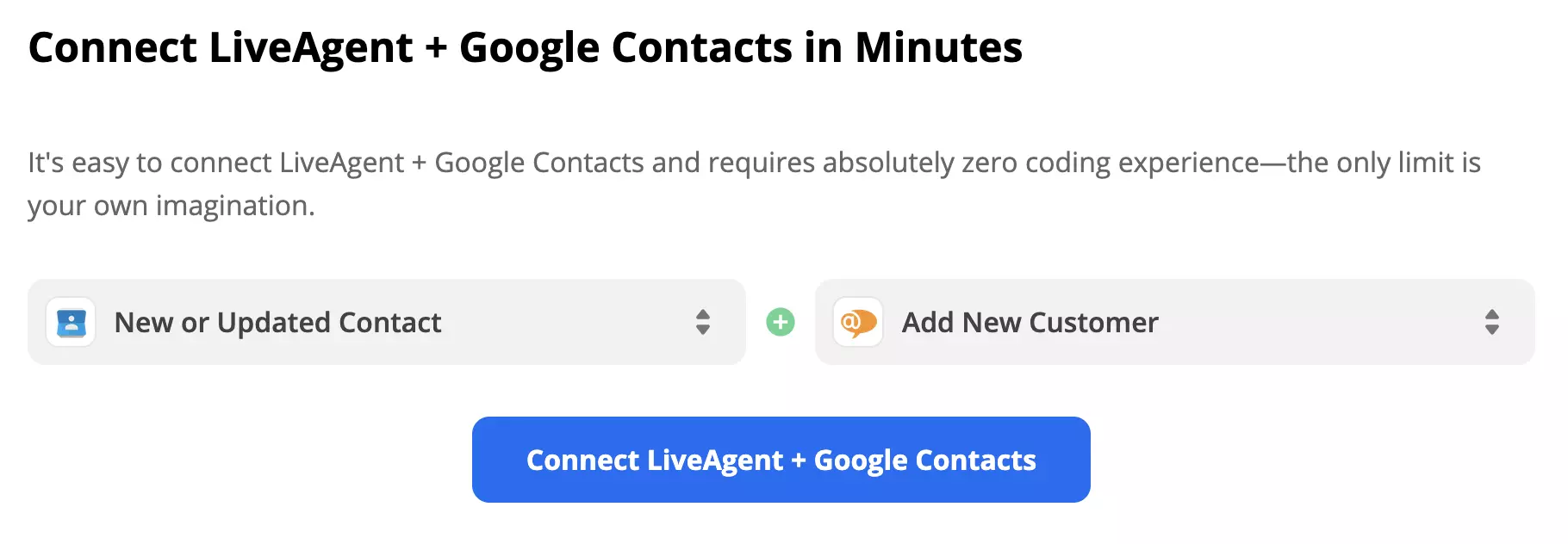
Scroll down the page and find the trigger and action selection. Look through the options and decide what kind of integration you would like to create. You can pair multiple options and make it custom. Make your pick and click the blue Connect button. In this guide, we’re showing an example with the Google Contact trigger New or Updated Contact and the LiveAgent action Add New Customer.
Next, log in and provide Zapier access to your Google data. Test the trigger and continue to the next step which is setting up the action.
Fill out the required fields and test the integration. Zapier can also help you with its handy guide if you run into any trouble.
Your integration is finished once you’ve completed a successful test. Turn on the Zap. Feel free to return to the page and create more Zaps with different actions and triggers for different results and uses.
You’re done and your integration is finished. Feel free to browse through all possible Zapier integration combinations, and create more connections when you need to.
Access and update your contacts directly from LiveAgent’s platform, ensuring accurate and up-to-date information with LiveAgent’s Google Contacts Integration.
Have a look at what LiveAgent can do by watching the tour video below, or browse through features and integrations pages to get the full picture of LiveAgent’s capabilities.

Your business contacts are safe with us. Try LiveAgent ticketing system and improve your help desk.
Integrate Gmail with LiveAgent for seamless customer service via a multi-user dashboard. Easily set up and manage emails through native or Zapier integration, e...
Integrate Google Sheets with LiveAgent via Zapier to create, share, and track spreadsheets seamlessly. Boost your team's productivity!
Integrate Google Forms with LiveAgent via Zapier to manage forms, create responses, and receive notifications without switching apps. Enjoy seamless data collec...
Join our community of happy clients and provide excellent customer support with LiveAgent.

Cookie Consent
We use cookies to enhance your browsing experience and analyze our traffic. See our privacy policy.