



Reassign
Learn about ticket reassignment in LiveAgent, its benefits, challenges, and best practices. Boost efficiency and customer satisfaction!
2 min read
Customer support
Help Desk software
+1


LiveAgent’s responsibility feature assigns and tracks support ticket ownership, automating transfers and notifications. It enhances transparency, efficiency, and customer satisfaction. Sign up for a 14-day free trial to experience improved agent workflows.
LiveAgent’s responsibility feature is a help desk task manager that keeps track of which department and which agent is responsible for resolving each support ticket. In situations where a ticket needs to be transferred from one agent to another, the help desk ticketing tool seamlessly transfers the responsibility along with the ticket. This automated transfer process facilitates smooth handoffs and ensures an uninterrupted support experience for the customer, enhancing customer satisfaction and agent productivity.
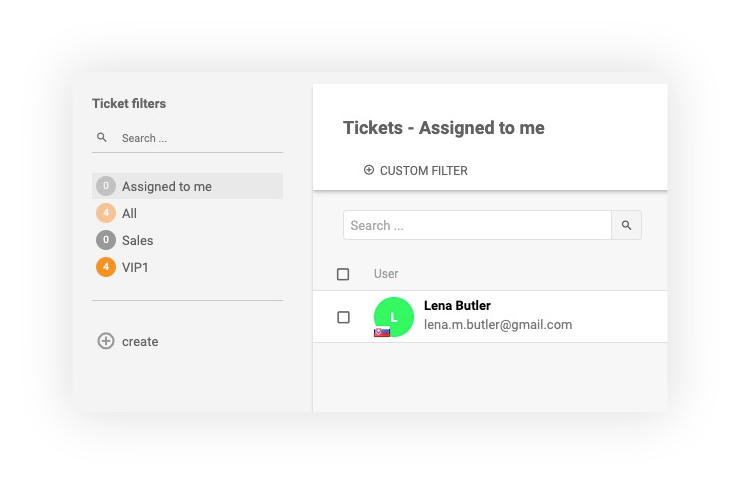
If you are a solopreneur and are the sole administrator and agent of your account, all tickets will be automatically assigned to you.
If you have multiple support agents in your customer ticketing system, all tickets will be unassigned by default. If you want to automatically assign incoming tickets to a specific agent, you can create an automatic rule. If you want to assign tickets manually, you can click on the transfer button.
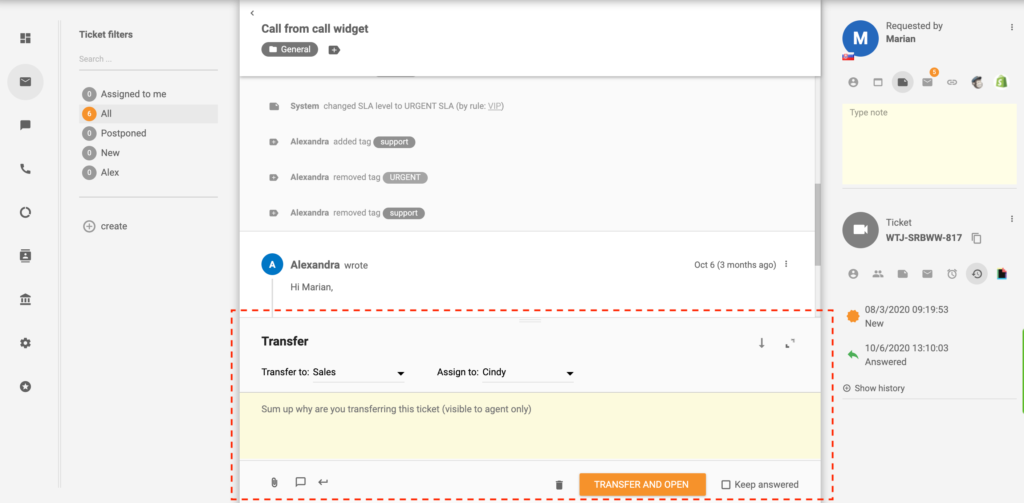
The ticket ownership/responsibility can be changed by either:
Remember, if a ticket gets transferred to a different department, it won’t be automatically assigned to an agent within that department. The ticket will only be transferred to their department, and one of the agents within that department has to assume responsibility by answering it or assigning it to another agent.
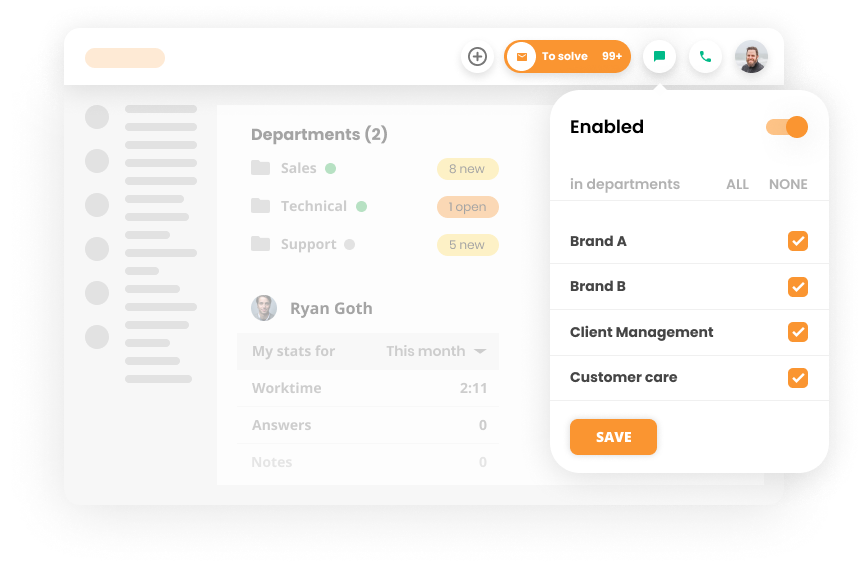
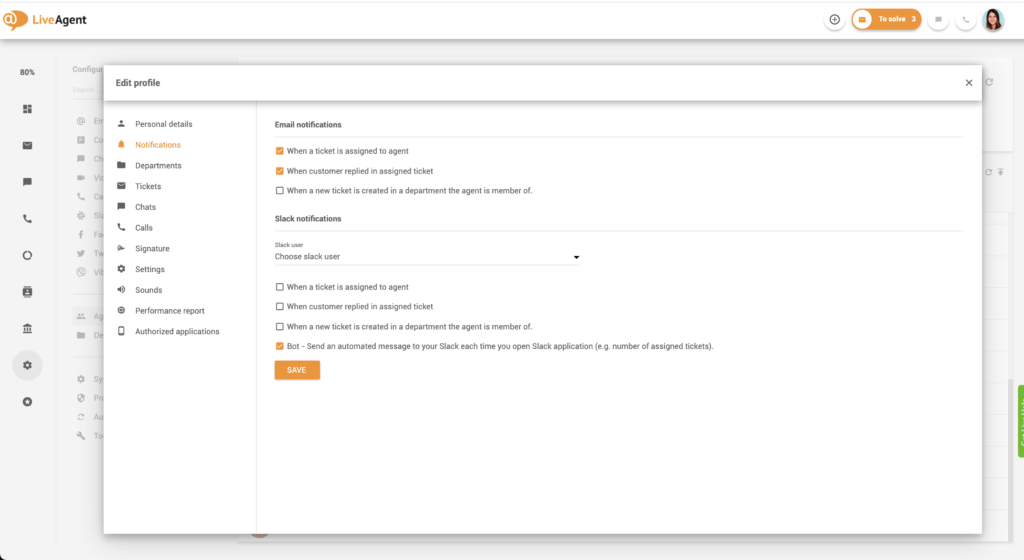
If you want to notify your agents about their new ticket responsibilities, you can set up automatic email notifications. They’ll receive an email notification whenever:
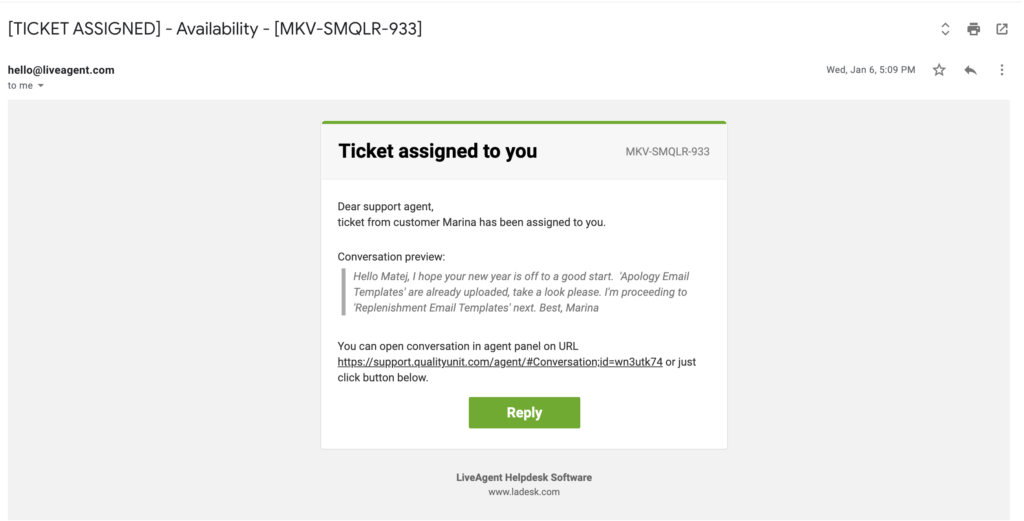
You can receive in-app notifications every time a new ticket is assigned to you if you set up your To Solve Button accordingly. Simply:


Providing customer service on the go? You can still receive mobile push notifications whenever:
If you have already integrated Slack with LiveAgent, you can also receive Slack notifications about new ticket responsibilities. Your agents can receive new Slack notifications whenever:
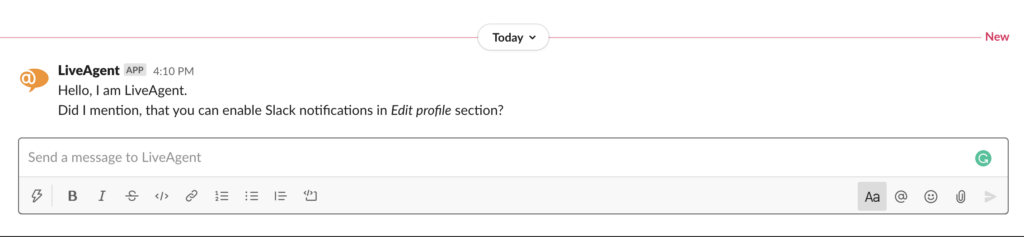
Having a responsibility feature in place is important because it helps you identify which agent/department is responsible for resolving each ticket. In addition to that it:
With a responsibility feature in place, you’ll never hear the classic excuse ‘I didn’t know it was my responsibility’ again.
If a ticket’s ownership changes, the change will be displayed in the detailed ticket view (to ensure clear responsibility for ticket handling). Both admins and agents can see these changes whether they happen automatically or manually.

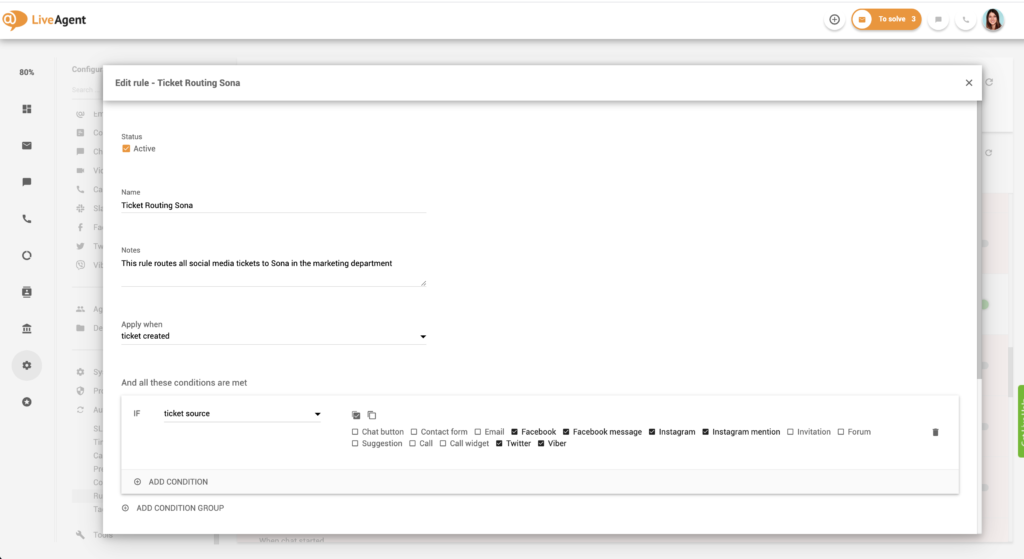
Having clear ticket responsibilities eliminates confusion, guessing, and assuming. When each agent knows which tickets are their responsibility, there’s little room for errors. Having responsibilities in place ensures there won’t be any forgotten or unanswered tickets that everyone assumes ‘were taken care of".
When each agent knows exactly which tickets they need to answer, they can really focus on their work, which improves their efficiency and workflows. Instead of having to figure out which ticket needs to be answered or prioritized, they can stick to the tickets that they’re responsible for and leave the rest be.
Because each agent knows exactly which ticket they need to answer, they don’t waste time looking for work. As such, ticket response times improve and directly impact customer satisfaction. In turn, happier customers affect sales and positive word-of-mouth.
When each agent knows exactly what they need to do, they gain a sense of ownership and responsibility for each ticket. This enables them to get invested and ’emotionally involved’ in the resolution of each ticket. This empowers them even further and pushes them to provide the best service possible in an organic way.
Need more help with this feature? Check out these detailed guides:
Take advantage of our responsibilities feature and let the system automatically assign tickets to the agents that are best equipped to answer them. Try it today. Start your 30-day free trial , no credit card required.
Discover the power of responsibility in customer service with LiveAgent! Embrace accountability, resolve queries promptly, and exceed customer expectations.
Learn about ticket reassignment in LiveAgent, its benefits, challenges, and best practices. Boost efficiency and customer satisfaction!
Define roles for agents in LiveAgent to boost productivity and optimize service. Explore agent, admin, and owner roles. Try free now!

The To Solve Button in LiveAgent alerts agents to high-priority, unresolved tickets tied to SLAs. It enhances customer satisfaction and efficiency by managing t...
Join our community of happy clients and provide excellent customer support with LiveAgent.
