



Chat Tool
Boost customer support with LiveAgent's advanced chat tool! Enjoy real-time communication, screen sharing, and a free 30-day trial today.
3 min read
Customer support
Live Chat
+2

Boost ROI by 105% with LiveAgent’s multilingual, customizable proactive chat invitations. Enhance customer experience and increase conversions with targeted, automated chat invitations. Try it free today!
Do you have a problem with a high bounce rate on your website? Or perhaps, you are wondering how to improve your customer service? Providing proactive customer care might be the answer.
Did you know that “Proactive chat invitations can produce 105% ROI and millions of dollars in positive business benefits?”
Proactive chat invitations can simply assist website visitors during different customer journey stages by inviting them to live chat with your agents.
LiveAgent is an advanced system that ensures it only invites visitors to chat with your support agents when you have enough available live chat representatives online.

For instance, you can invite customers to chat throughout the checkout process. As a result, you can build their purchase confidence, improve their shopping experience, and convert them into paying customers. All of this, by simply giving them an option to chat with a live agent.
Create multiple proactive chat invitations to target different kinds of customers. Even though proactive chat invitations are automated, you should always strive for a personalized experience. Create a chat invitation button for new customers as well as returning. Use a unique welcome message for different pages on your website.
Are you operating in more than one country? Or perhaps, you need to provide multilingual customer service/support. In either way, LiveAgent allows you to customize a proactive chat button for each language, which you can also assign to the correct department for an efficient workflow.
Wondering what languages LiveAgent offers? Check out LiveAgent’s Multilanguage feature.
LiveAgent’s proactive chat invitations allow you to set preferred URLs to ensure maximum engagement for customers. You can target customers at strategic URLs/Pages, for instance:
A lot of companies usually wait around 30 seconds before they approach the customer. Let the customer browse a little and reach out to them afterwards.
Although automation is a helpful feature, keep in mind that human interaction creates a difference. Therefore, try to make the message more personal. Don’t sound like a robot. Also, if you’re curious what is video chat, it’s a form of communication that allows for both visual and audio interaction, often used in professional settings to enhance remote collaboration.
Another great function is the ability to identify a returning and new customer. You can customize the chat invitation button for both types of customers.
LiveAgent offers multiple design options for your proactive chat invitations:
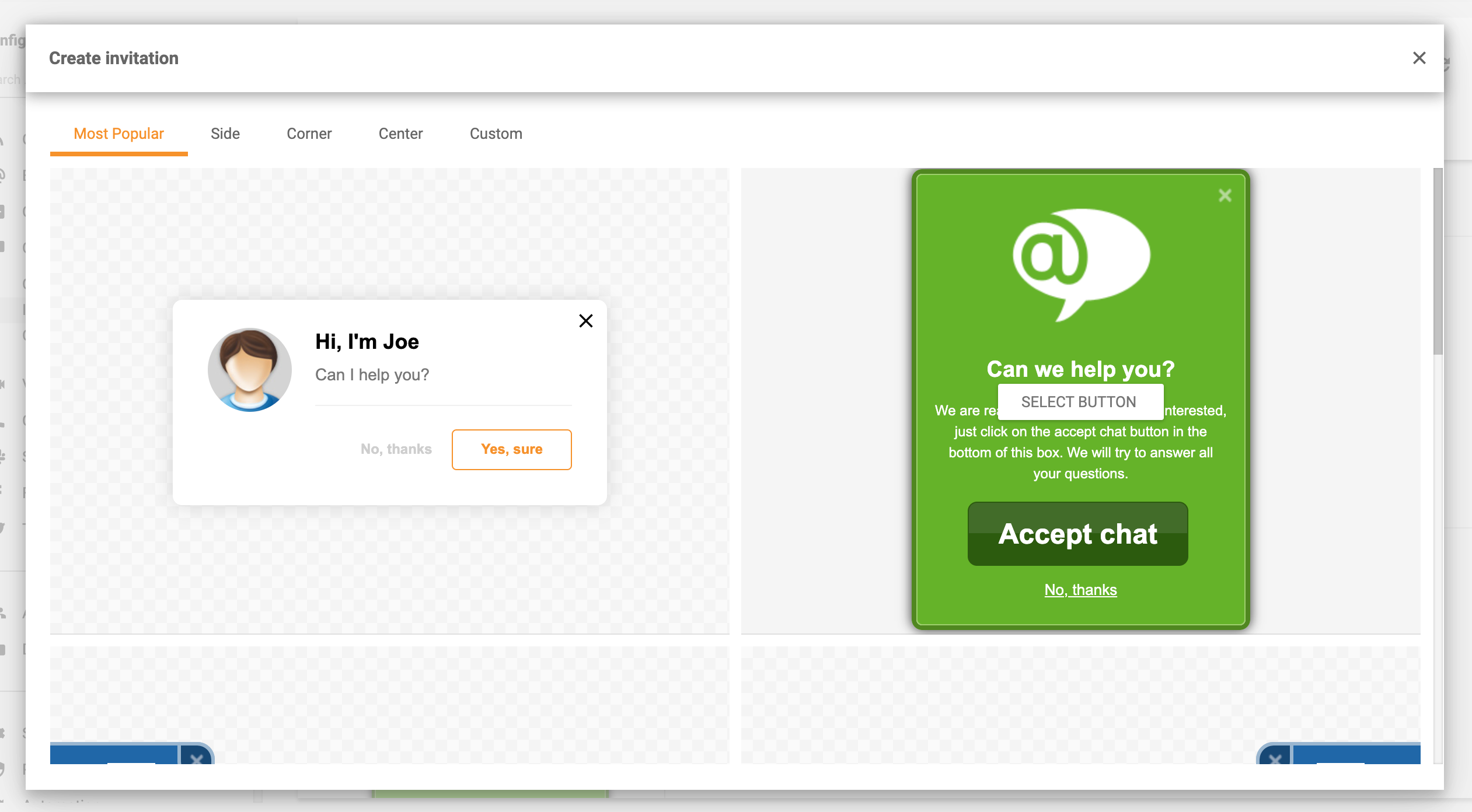
To view all design options, head to the Proactive invitation gallery.

The latest tips and deals delivered straight to your inbox.
You can customize the following elements:
When using proactive chat software, placing online chat invitation should act as an option, thus do not force it. It can become easily annoying, and the customer may decide to leave your website for a competitor. So if the customer decides to decline the chat, do not send chain messages to engage with them. They will let you know if they need your assistance.
If you are unsure when, where, or how to proactively reach out to your customers, just test it out and see. But a good rule is to let the customer browse a little, preferably 30 seconds. After that, simply introduce yourself and let the consumer know that you are there to assist them if they need you. By testing it out, you will discover your customer’s preferences. Perhaps, you will find out that you only need to use the proactive online chat at specific URLs, such as checkout or pricing page.
Here is a step-by-step guide for implementing a proactive live chat invitation.
Not sure what welcome messages to use? Here are Proactive Live Chat Invitation Templates to Copy & Paste.
Would you like to learn more? Check out the 25 best chat plugins for WordPress.
Boost customer support with LiveAgent's advanced chat tool! Enjoy real-time communication, screen sharing, and a free 30-day trial today.

LiveAgent's real-time chat tool enhances customer interaction with instant responses, boosting satisfaction and conversions. Features include mobile chat, file ...
LiveAgent's live chat software enhances customer service with real-time communication, customizable chat buttons, proactive invitations, and integration with ex...
Cookie Consent
We use cookies to enhance your browsing experience and analyze our traffic. See our privacy policy.