



Ticketing system features
LiveAgent's ticketing system brings together essential ticketing feature elements such as mass actions, audit logs, and integrated communication channels, which...
20 min read
Companies
Contacts
+1

LiveAgent’s mass actions let your support team bulk-delete or tag tickets, streamlining workflow and boosting productivity. Try it free!
Mass actions, also commonly known as bulk actions or bulk editing, is a help desk software feature that allows you to perform system actions at scale. Taking a mass action, such as deleting multiple tickets at once instead of manually deleting individual tickets, would illustrate this concept.
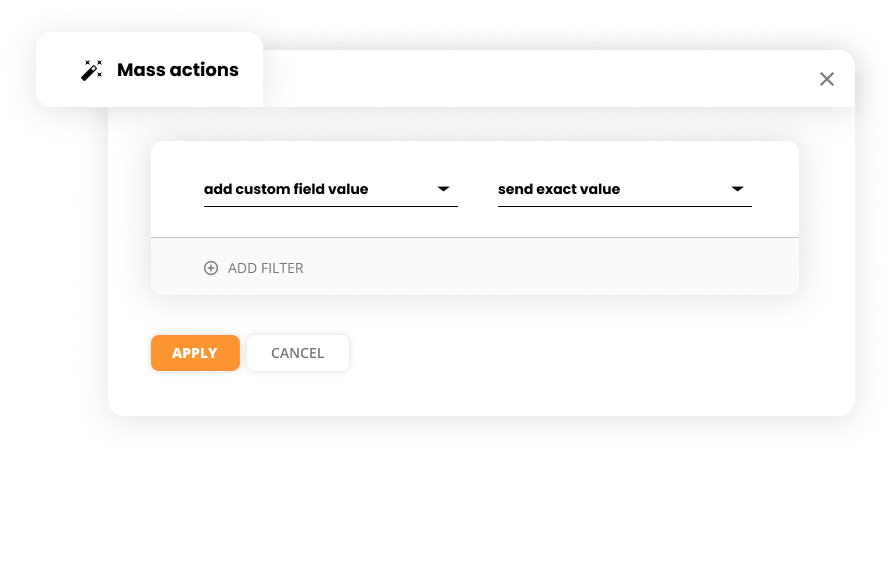
Mass actions are generally present in all service ticketing software, as they speed up agent workflow and can save companies a lot of time in the long term. Moreover, they also prevent agent burnout.
Generally, mass actions are used to resolve, transfer, or delete multiple tickets at once. The LiveAgent feature, however, is not limited to these actions.
*Deleted tickets can be restored
**Purged tickets cannot be restored

Start your free trial today and see results within days.
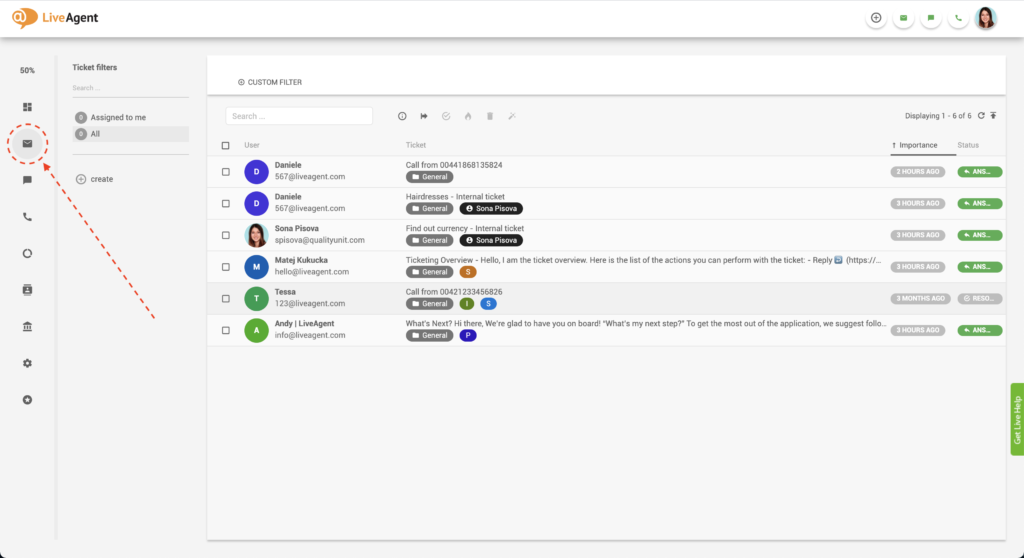
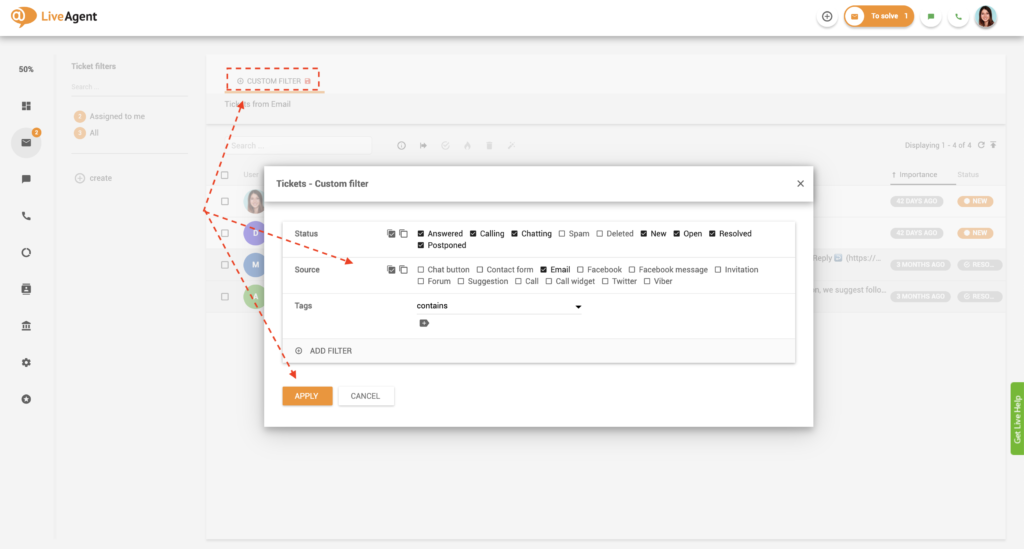
Optional: Click on Custom filter and select the ticket status, source, tags, and any other additional filters to single out the tickets that you want to perform the mass actions to. Click Apply.

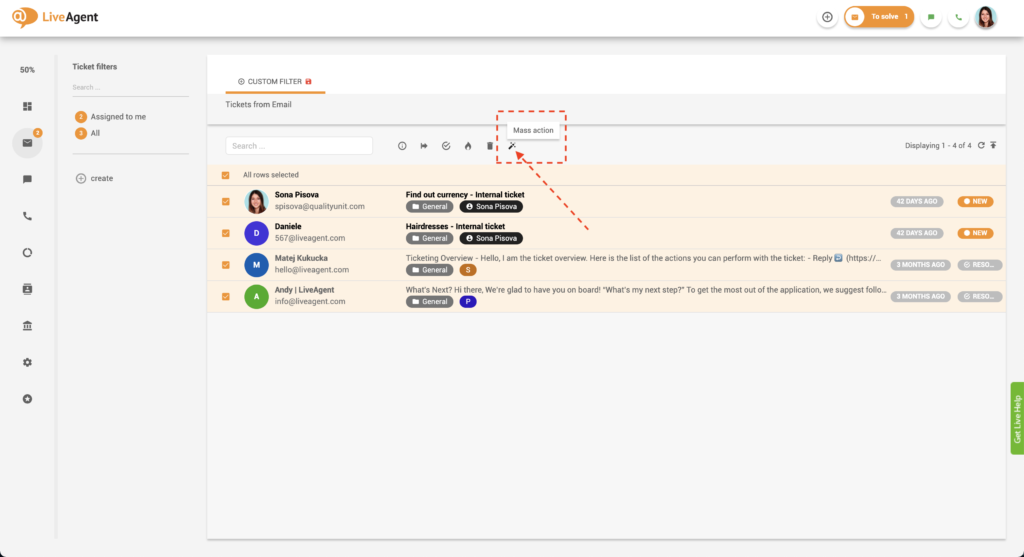
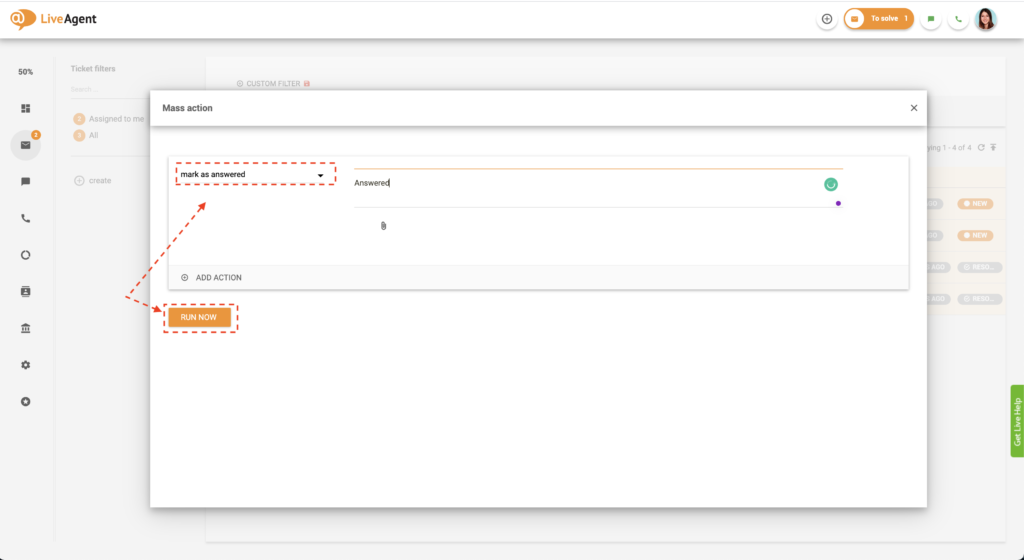
Select the desired mass action from the list box. In this example, we’re marking all tickets as answered.
Click on Run now.
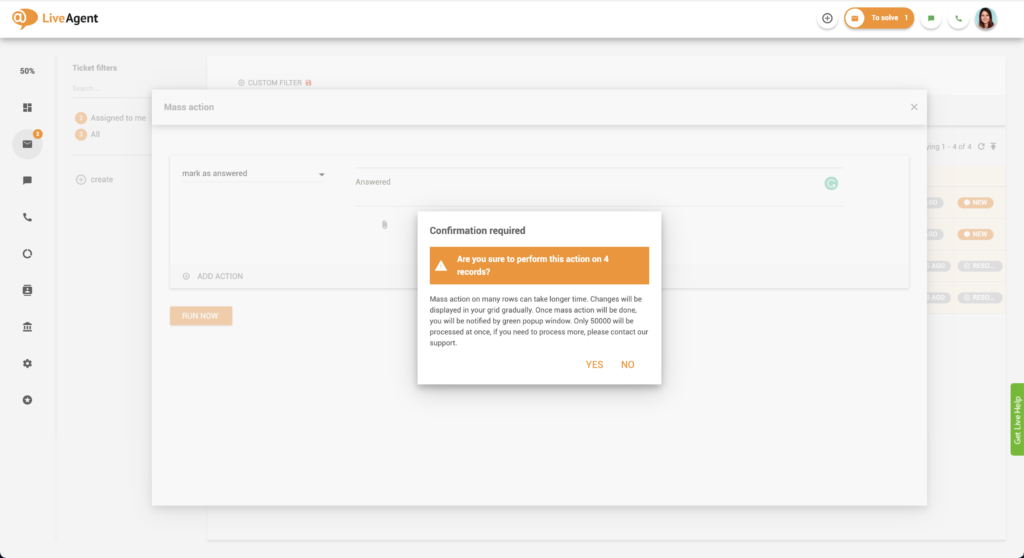
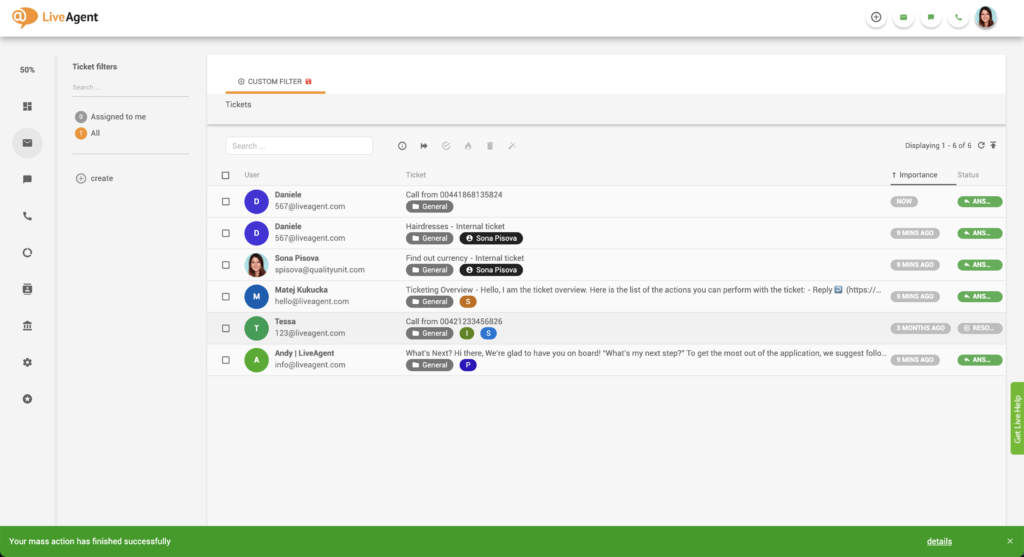
Once the mass action is executed, the system will automatically alert you with a green pop-up notification at the bottom of your screen. Alternatively, if there is an error running the mass action, the system will only alert you with a red error message in your LiveAgent dashboard.
The latest tips and deals delivered straight to your inbox.
LiveAgent can process 50,000 rows of mass actions at once. However, please note that this can take some time. As changes happen, they’ll be displayed in your grid gradually.
If you need to process more than 50,000 tickets at once, please contact our support via email, live chat, or phone.
Let’s say you received several spam emails. Instead of marking each ticket as spam separately, you can do it in bulk via mass actions.
Another excellent mass action example could be adding tags to tickets. Let’s say you weren’t so diligent about tagging your tickets’ sources but now want to go back and tag all tickets from specific channels so you can filter them better in the future. Manually adding tags to every ticket in your help desk would be highly time-consuming. Mass actions can take care of that in a matter of seconds (or minutes depending on the volume of tickets you’re processing).
Postponing tickets with mass actions is great when you need to reach out to a specific set of customers after a certain amount of time has elapsed. The reason for postponing the ticket could be that you need to send a follow-up email or remind them of an upcoming event, sale, deadline, or whatever else you can think of. It can be an excellent tool for both customer service departments and salespeople.
In our last example, we’ll discuss resolving tickets that your customers have stopped responding to. If the customer hasn’t responded to your messages after some time has elapsed, you can probably resolve the ticket. This quick monthly help desk maintenance can reduce the number of open tickets and the number of queries your agents have to think about on an ongoing basis.
Mass actions are all about helping you and your support team. The feature can help you improve your workflow tremendously. You can say goodbye to manual, repetitive tasks that take up a lot of time and require a lot of clicking. Instead, mass actions will automate the whole process and free up your agent’s time so they can focus on more important things, like building and nurturing customer relationships.
As a result, you will spend more time resolving customer problems and less time on administrative tasks, which will lead to increasing customer satisfaction, loyalty, and value.
Freeing your agents from manual and repetitive tasks prevents burnout and inefficiency. Nobody likes to be a robot and do meaningless tasks. Instead, most support agents want to feel like they’re making a difference in someone’s day by helping them resolve problems. Mass actions can therefore help you keep your agents happy, engaged, and devoted to their jobs. Additionally, this will increase the profitability of your business.

Use our mass actions feature to resolve multiple tickets at once, add tags, request follow-ups, and more.
LiveAgent's ticketing system brings together essential ticketing feature elements such as mass actions, audit logs, and integrated communication channels, which...

LiveAgent's multiple ticket tabs let agents handle several customer queries at once for maximum efficiency. Try it free for 30 days!
Tags in LiveAgent help organize help desk tickets, enhancing agent efficiency and response times, leading to better customer satisfaction and revenue. They can ...
Join our community of happy clients and provide excellent customer support with LiveAgent.

Cookie Consent
We use cookies to enhance your browsing experience and analyze our traffic. See our privacy policy.