Valentine's Day promotion background
14.Feb - 13.Mar 2026

Valentine deal

AI UNLOCKED
For new and existing customers for 3 months
Contact Groups

Contact Groups

Contact Groups Contacts Management Segmentation

What are contact groups?

Contact groups are segments of customers that share something in common. The commonality could be similar interests, working in the same company, being in the same timezone, speaking the same language, using the same types of products, or having the same subscription level tiers.
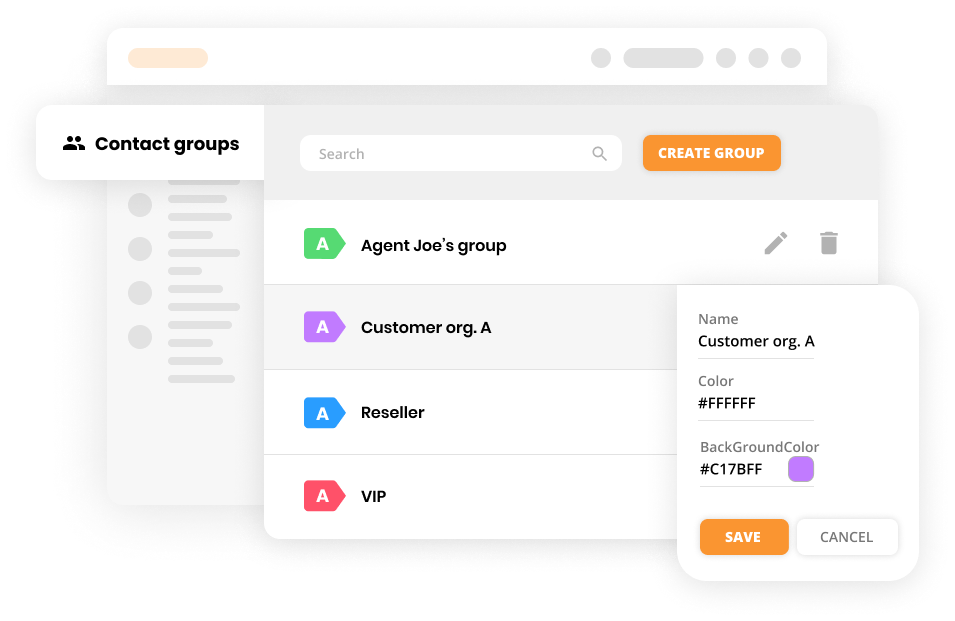
Contact groups mockup

What can you do with contact groups?

Adding your contacts to groups enables you to segment your customers, making managing your help desk workflow easier. Creating contact groups is also great for marketing and sales, as it allows you to provide more personalized content for each group. On top of that, both newcomers and current employees will find your service ticketing software simple and easy to use.
Contact groups allow you to:

  • Sort your business Contacts
  • Add multiple Contacts to one group
  • Assign multiple Contact groups to one Contact
  • Assign specific Rules
  • Assign specific Time Rules
  • Assign specific SLA Rules
  • Browse Tickets, Contacts, and Companies by Contact groups

How to create contact groups in LiveAgent

  1. Log in to LiveAgent
  2. Click on Customers
  3. Click on Contact groups
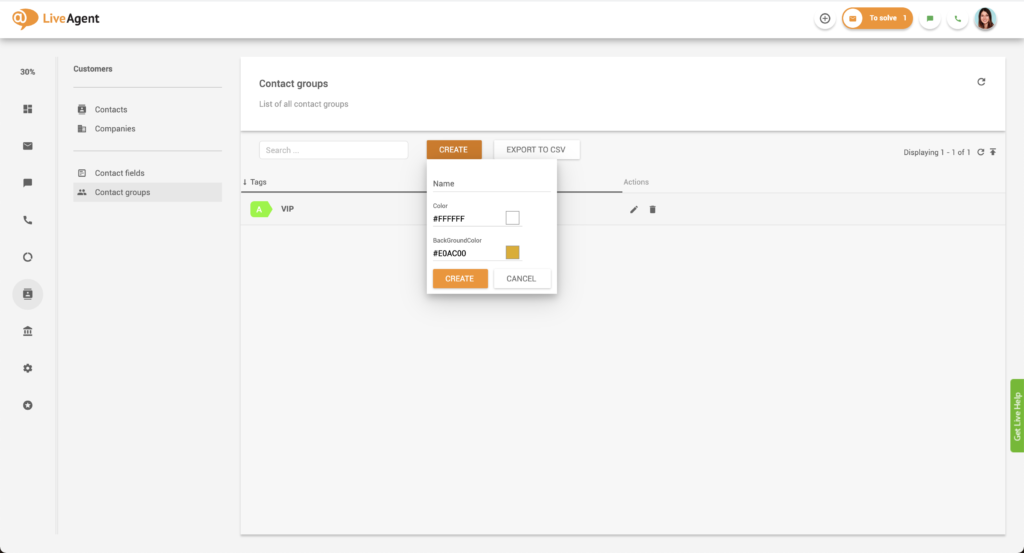
  4. Click on the orange Create button
  5. Name your customer group
  6. Select a text color and a background color for the customer segment tag
  7. Click on Create
Create contact group

How to add customers to contact groups

  1. Log in to LiveAgent
  2. Click on Customers
  3. Select a customer of your choice
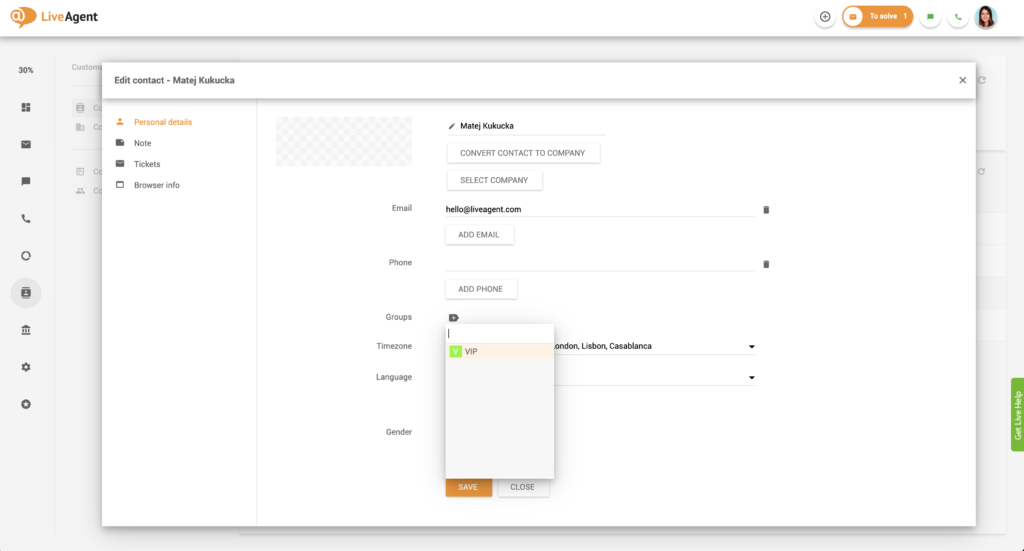
  4. Find the Groups field and click on the tag
  5. Select the group you want to add them to
  6. Click Save
Add customer to contact group

How to edit or delete existing contact groups

  1. Log in to LiveAgent
  2. Click on Customers
  3. Click on Contact groups
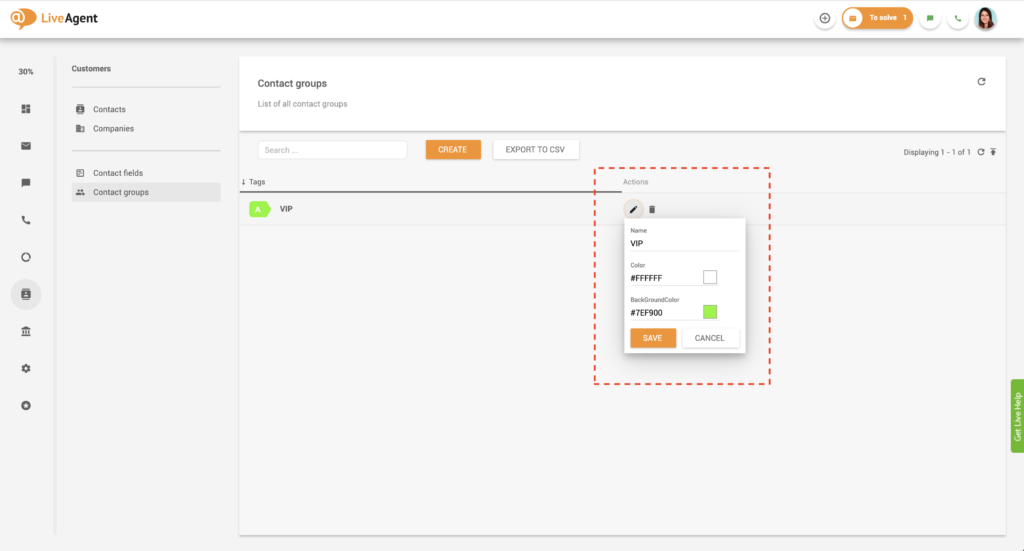
  4. Select the contact group you want to edit by clicking on the edit button
  5. Edit the contact group name, tag color, or text color
  6. Click Save
  7. Optional: Select the contact group you want to delete by clicking on the delete button
Edit contact group

How can I benefit from grouping customers together?

Improved workflow

Creating ticket routing workflows that take customer segments into account is highly effective and productive. For example, by routing tickets from specific customer groups (such as VIPs or resellers) straight to their respective account managers, you improve response times, first contact resolution rates, and above all, customer satisfaction. You also eliminate any confusion or ticket stagnation.
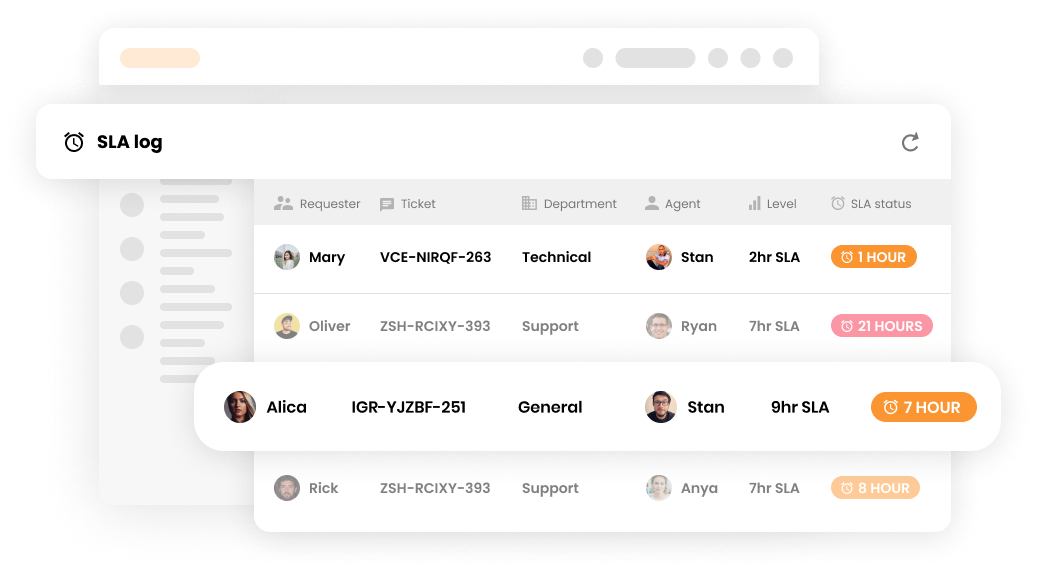
SLA log in customer support software

Increased engagement

Customer groups are also great for marketing and sales segmentation. For example, you could create a LiveAgent rule that will send out uniquely personalized and pre-formatted follow-up emails to each customer group. Personalized messaging like this will improve customer engagement, which will drive revenue and generate more sales.
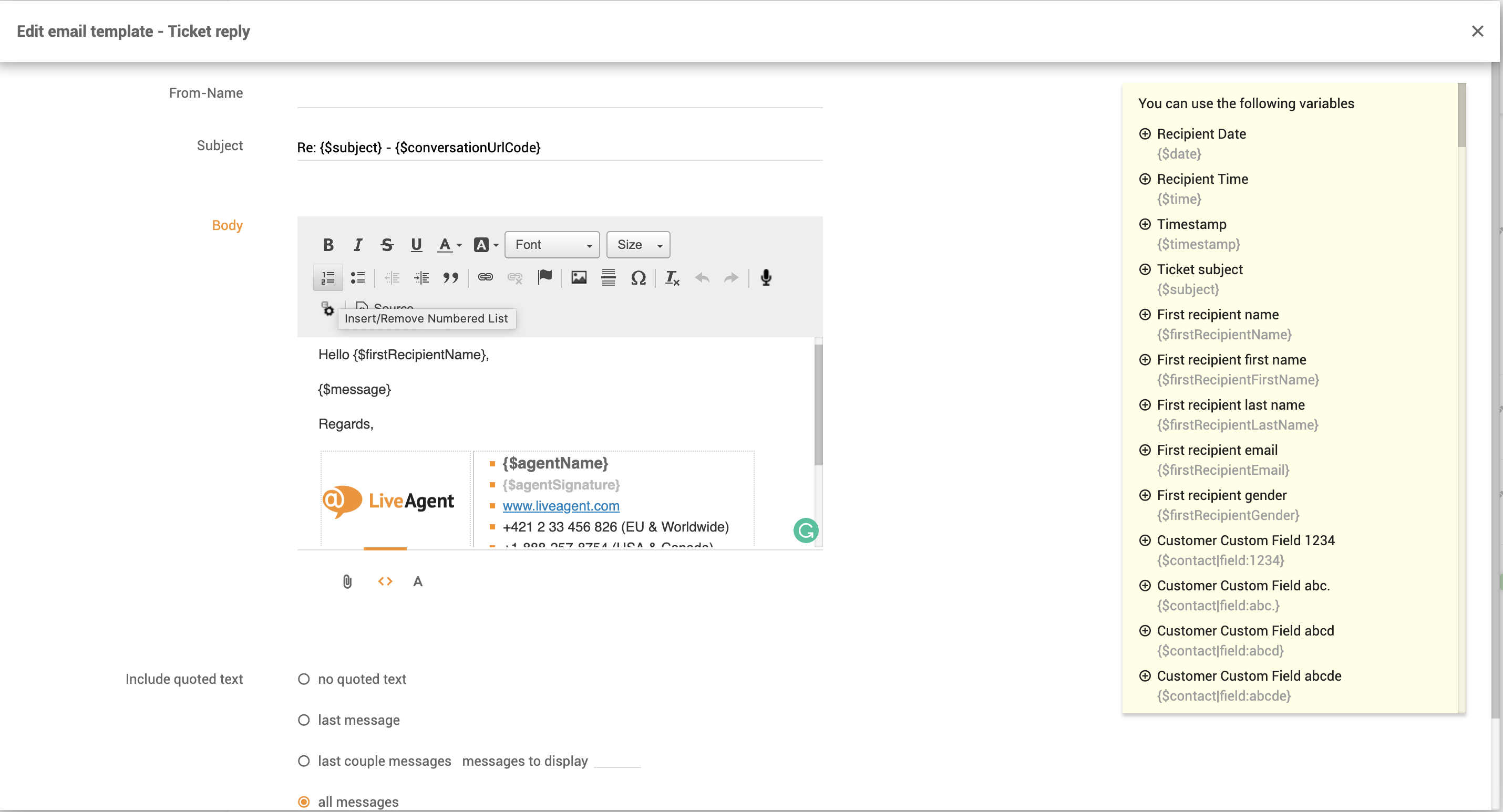
Email template customization

Easier ticket filtering

Customer groups can also help you locate tickets within your help desk’s universal inbox. Having tools that make ticket filtering easy is always helpful, as you won’t have to remember specific details about each ticket you’re trying to locate. Instead, all that you have to remember is their customer group, which makes it significantly easier.
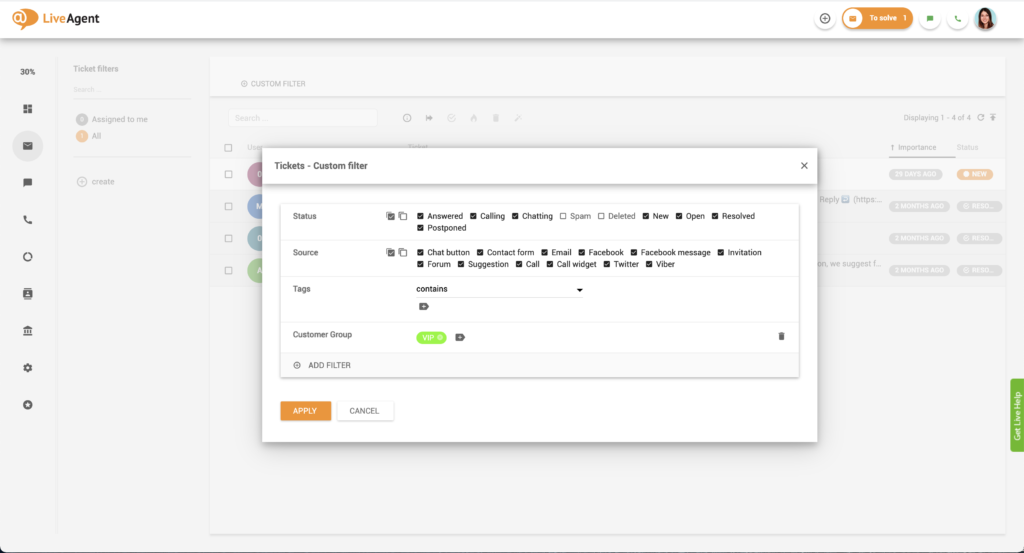
Contact group filtering

Use case: Using contact groups to answer VIP customers faster

Let’s say you want to create a VIP group and prioritize answering their queries. To do that, you can either set up a rule that will trigger anytime one of these particular customers submits a support ticket. You can do this by routing their tickets to a specific department or changing their ticket SLA levels, so your agents answer their messages faster. In either case, you will need to find the contact group in the rule settings.
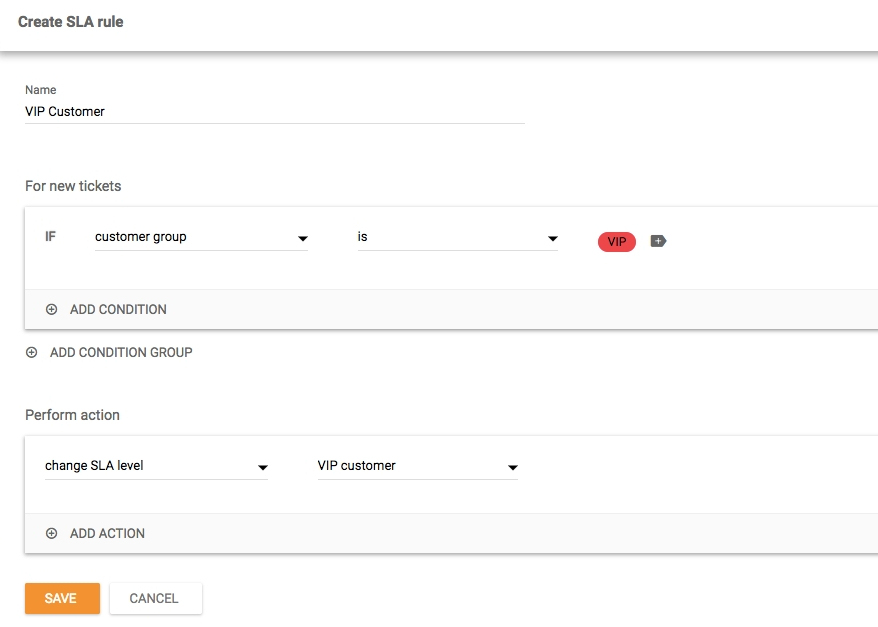
Contact group SLA

Knowledge base resources

Thumbnail for LiveAgent Product Tour

Ready to create unique contact groups?

Discover how easy it is to segment customers and provide personalized service with our 30-day free trial . No credit card required.

Frequently asked questions

What are contact groups?

Contact groups are segments of customers that share something in common. The commonality could be similar interests, working in the same company, being in the same timezone, speaking the same language, using the same types of products, or having the same subscription level tiers.

What can you do with contact groups?

Adding your contacts to groups enables you to segment your customers, making managing your help desk workflow easier. Creating contact groups is also great for marketing and sales, as it allows you to provide more personalized content for each group.

How can I benefit from grouping customers together?

Creating ticket routing workflows that take customer segments into account is highly effective and productive. For example, by routing tickets from specific customer groups (such as VIPs or resellers) straight to their respective account managers, you improve response times, first contact resolution rates, and above all, customer satisfaction. You also eliminate any confusion or ticket stagnation.

Ready to create unique contact groups?

Discover how easy it is to segment customers and provide personalized service with our free 30-day trial. No credit card required.

Learn more

Google Contacts
Google Contacts

Google Contacts

Google Contacts integration enables you to conveniently manage your contacts from LiveAgent. Simply integrate it via Zapier to streamline contact management and...

4 min read
Contact Fields - Help Desk Customer Information Management

Contact Fields - Help Desk Customer Information Management

LiveAgent's contact fields store detailed information about contacts, like name, email, and job position. Create unlimited custom fields to enhance sales, marke...

5 min read
Contact Fields Customer Management +1
Contacts - Help Desk Contact Management

Contacts - Help Desk Contact Management

Help desk contacts in LiveAgent store essential customer information for personalized marketing and service. Create custom fields to manage data like language p...

5 min read
Contacts Customer Management +1

You will be in Good Hands!

Join our community of happy clients and provide excellent customer support with LiveAgent.

Post Affiliate Pro Dashboard - Campaign Manager Interface