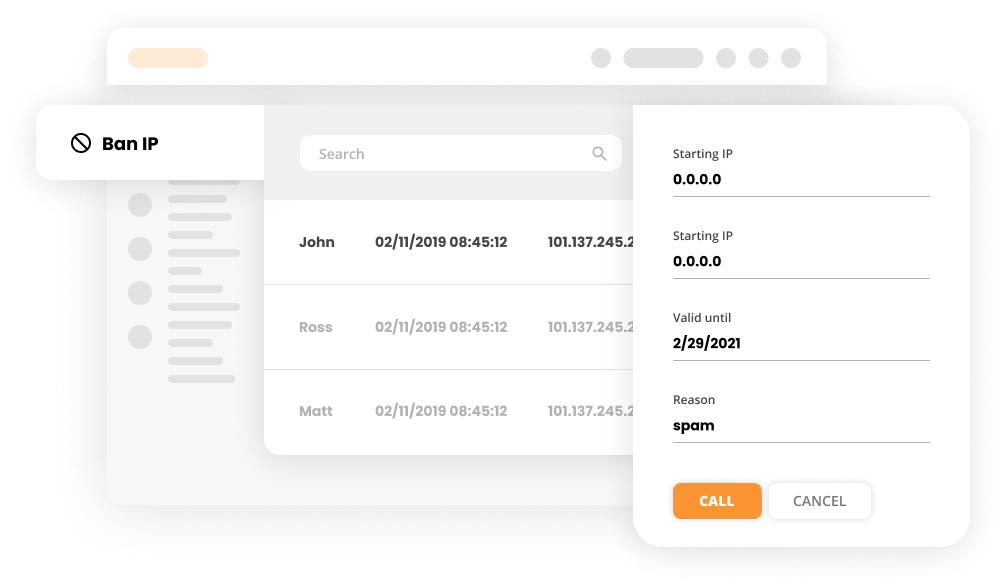
Ban IPs

Ban IPs

Security IP Blocking Protection

What is the Ban IPs Feature?

LiveAgent’s Ban IPs feature blocks specific visitor IPs to prevent them from disrupting interactions via chats, contact forms, calls, suggestions, and forum posts. It enhances security by redirecting banned users to voicemail or spam and records ban details for management.

Why is this feature valuable?

Protecting your customer service environment is crucial for maintaining agent productivity and data security. The Ban IPs feature provides several key benefits:

  • Eliminate disruptions - Block annoying or abusive visitors from contacting your agents
  • Protect agent productivity - Prevent time-wasting interactions that distract from legitimate customer support
  • Enhance data security - Reduce the risk of spam, phishing attempts, and malicious access
  • Maintain professional standards - Keep your support channels focused on genuine customer needs
  • Comprehensive tracking - Maintain detailed records of all bans for audit and compliance purposes
  • Multi-channel protection - Apply bans across all communication channels simultaneously
  • Easy management - Simple interface for adding and managing banned IPs

Ban is applied to:

The Ban IPs feature protects all your communication channels:

  • Chats - Banned visitors can see the chat button but cannot start a session with an available agent. They can only leave an offline message, which is automatically marked as Spam.
  • Contact forms - Messages submitted by banned visitors through contact forms are automatically marked as Spam.
  • Calls - Calls through the call contact widget (call button) are redirected to voicemail (and marked as Spam) or the call ends according to your IVR setup.
  • Suggestions/Forum posts - Banned users are unable to register and contribute to forums or add suggestions from their banned IP address.

Ban history – Saved information

LiveAgent maintains comprehensive ban records with the following details:

  • Date of the ban (Created)
  • Validity period (Valid until)
  • Banned IP address
  • Note with reason for the ban
  • Banned by (Agent name who created the ban)
  • Ticket ID associated with the ban

How to add a Ban

Adding a ban in LiveAgent is straightforward and can be done in two ways:

  1. During a chat - When chatting with an annoying visitor, you can quickly add a ban directly from the chat interface
  2. From Settings - Navigate to Settings/Protection section in LiveAgent and manually add the IP address you wish to ban
Ban IP Interface in LiveAgent

More secure than ever

LiveAgent ensures your customer’s data is always secure. Enjoy safe, carefree communications starting today. The Ban IPs feature is just one of many security measures built into LiveAgent to protect your business and your customers.

Knowledge base resources

Need more help with this feature? Check out these detailed guides: Learn how to ban IPs in LiveAgent .

Frequently asked questions

What is the Ban IPs feature?

The Ban IPs feature allows you to specify visitor IP addresses that you wish to ban from your LiveAgent account. This prevents annoying or disruptive visitors from contacting your agents through chats, contact forms, calls, suggestions, and forum posts.

Where can I apply IP bans?

IP bans are applied to chats, contact forms, calls (call button), suggestions, and forum posts. Banned visitors will be unable to initiate new interactions through these channels.

What happens when a banned visitor tries to contact me?

For chats, banned visitors can see the chat button but cannot start a session with an agent. They can only leave an offline message which is automatically marked as Spam. For contact forms, messages are marked as Spam. For calls, they are redirected to voicemail or the call ends based on your IVR setup. For suggestions and forum posts, banned users cannot register or contribute from their IP address.

What information is saved in the ban history?

The ban history records the date of the ban (Created), validity period (Valid until), banned IP address, note with reason, agent name who created the ban, and the associated ticket ID.

How do I add a ban?

You can add a ban in two ways: directly when chatting with an annoying visitor, or by adding it manually in the Settings/Protection section of LiveAgent.

Transform your customer support experience

Discover LiveAgent's powerful security features that protect your agents and customer data while streamlining communication.

Learn more

Help Desk Security features

Help Desk Security features

LiveAgent's help desk security ensures customer protection through IP bans, 2-step verification, HTTPS encryption, multiple data centers, and GDPR compliance, o...

4 min read
Security Data Protection +1

Chat Button Features

Chat Button Features

Enhance customer service with LiveAgent's customizable chat button. Direct inquiries, enable offline messages, and explore design options. Available in 43 langu...

6 min read
Live Chat Chat Button +1
AI Features for Customer Support

AI Features for Customer Support

Automate support with LiveAgent's AI Chatbot & Answer Assistant. Boost productivity, response speed & customer satisfaction.

4 min read
AI Automation +1

You will be in Good Hands!

Join our community of happy clients and provide excellent customer support with LiveAgent.

Post Affiliate Pro Dashboard - Campaign Manager Interface