


Email has become an integral part of business correspondence, and is often the preferred mode of communication for many organizations. However, as the volume of emails grows, it becomes increasingly challenging to manage them effectively. The time and effort required to manage emails can be overwhelming, and important messages can get lost in the clutter.
Email management software is designed to help individuals and organizations manage their email communication by providing tools that streamline the process. In this article, we will explore the importance of email in business communication, the challenges of managing emails effectively, and the role of email management software in overcoming these challenges. Automation tools in email management software reduce repetitive tasks, allowing teams to focus on resolving customer issues effectively.
2026 Update: Gmail Removed a Key Email Consolidation Feature
In early 2026, Google discontinued Gmail’s POP3 fetch — a feature many small businesses relied on to pull external email addresses (a company domain, a Shopify address, a support alias) directly into their Gmail inbox. If your team was using this to consolidate multiple accounts without paying for a separate tool, that setup no longer works.
For businesses affected, this is a practical forcing function: it’s time to move to a dedicated email management tool. A proper help desk platform handles multi-address consolidation natively, adds routing, SLA tracking, and shared inboxes — things Gmail POP3 never could. For a detailed breakdown of your alternatives and how to migrate, see our full guide on Gmail POP3 alternatives .
What is Email Management Software?
Email management software streamlines email communication for individuals and organizations with features such as email filtering, organization, support automation, and analytics. These software platforms prioritize emails, automate responses, and track metrics like open and click-through rates. Some software includes advanced ticketing features for greater productivity. The goal is to save time and effort while improving communication.
What Are the Types of Email Management Software?
Standalone Email Clients
These desktop-based software applications allow users to send, receive, and organize emails. These email clients download and store email messages on the user’s computer, enabling offline access to email data. Examples of standalone email clients include Microsoft Outlook, Mozilla Thunderbird, and Apple Mail.
Possible use cases: Business professionals using a standalone email client to manage their work emails, calendars, and contacts even without an internet connection.
Email management tools organize different types of emails, such as inquiries, feedback, and escalations, for better workflow efficiency. Well-organized contact lists allow businesses to personalize communication and improve email campaign effectiveness.
Webmail Services
Webmail services are web-based email platforms that allow users to access their emails through a web browser. These services store emails on a remote server, providing access from any device with an internet connection. Once signed up with an email address, incoming emails are promptly delivered to the user’s inbox, ensuring timely communication.
Examples of webmail services include Gmail, Yahoo Mail, and Outlook.com.
The most common use case would be freelancers logging into a webmail service to access their personal and professional emails from any device.
Help Desk and Customer Support Software
Customer support and help desk software are designed to help businesses manage their customer service interactions, including email communication. These tools often include features such as ticketing systems, knowledge base management, and automated responses. Customer service email management tools simplify organizing, prioritizing, and automating responses to customer inquiries.
Examples of help desk and customer support software include LiveAgent, Zendesk, Freshdesk, and Help Scout.
Potential use cases: An e-commerce company using help desk software to manage customer inquiries and support requests, ensuring efficient communication and a positive customer experience.

Email Collaboration Tools
Email collaboration tools enable teams to work together on email-related tasks, such as shared inboxes, task assignments, and internal discussions. These tools help streamline team communication and improve productivity. Examples of email collaboration tools include Front, Hiver, and Loop Email.
Streamlining repetitive tasks like sorting and tagging emails allows customer service teams to handle higher volumes effectively. Managing internal emails through centralized platforms ensures team communication remains organized and efficient.
A possible use case could be marketing and sales teams using an email collaboration tool to manage their shared inbox, assign tasks to team members, and discuss email content and strategy internally, ensuring smooth collaboration and efficient project management. Integrating a collaboration tool into existing workflows can vastly enhance team productivity and improve overall project success.
A strong email marketing strategy combined with efficient management tools ensures timely and personalized communication.
Email Marketing and Automation Software
Email marketing and automation software help businesses create, send, and track targeted email campaigns. These tools often include features such as email templates, list segmentation, and performance analytics. Additionally, a well-crafted email campaign can significantly boost customer engagement and drive sales.
Detailed analytics allow businesses to track email response times, open rates, and customer satisfaction metrics effectively.
Examples of email marketing and automation software include Mailchimp, Constant Contact, and Brevo (formerly Sendinblue).
Platforms offering comprehensive features cater to a wide range of business needs, from small teams to large enterprises.
A possible use case could be small business owners using email marketing software to create and send newsletters, promotional offers, and event invitations to their customers, keeping them engaged and informed about the company’s offerings.
What Are the Key Features of Email Management Software?
Comprehensive features like multi-channel integration, analytics, and automation make email management platforms essential for businesses.
Centralized Inbox
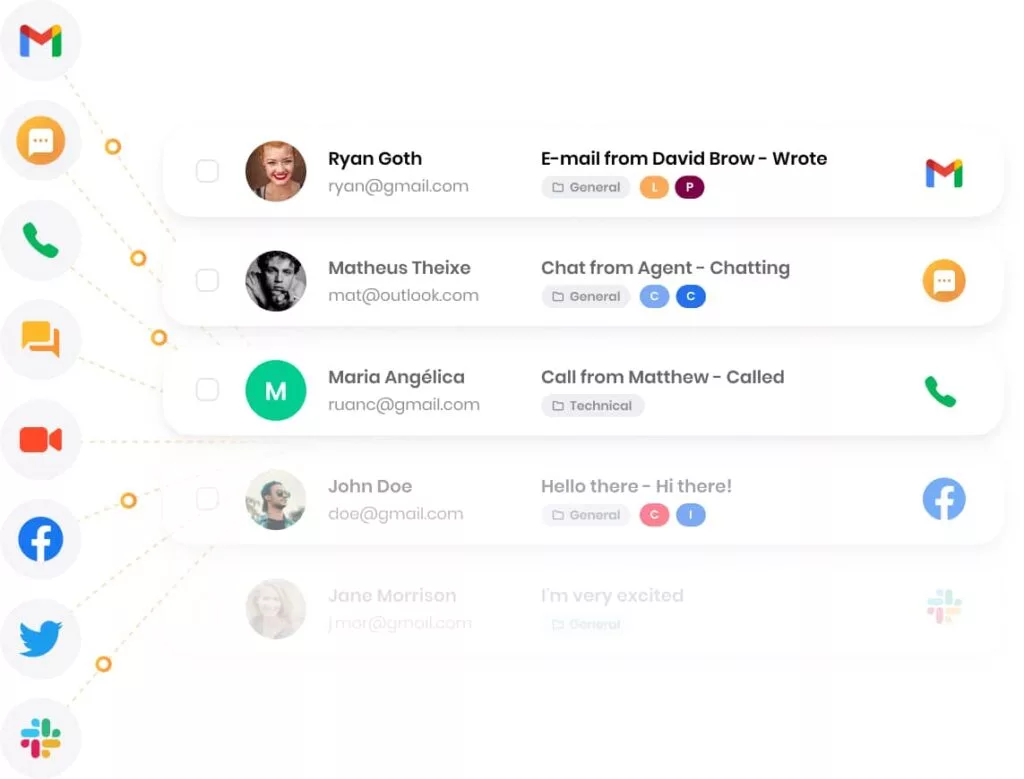
A centralized inbox is an essential feature of email management software, as it consolidates all your email communications into a single, easy-to-manage interface. LiveAgent’s universal inbox brings together emails from multiple addresses, allowing you to manage them seamlessly and efficiently. This not only streamlines your workflow but also improves your response times and customer satisfaction.
Additionally, multiple ticket/email tabs enable you to switch between conversations effortlessly, ensuring that you can multitask without losing context or missing critical details.
Email Categorization and Labeling
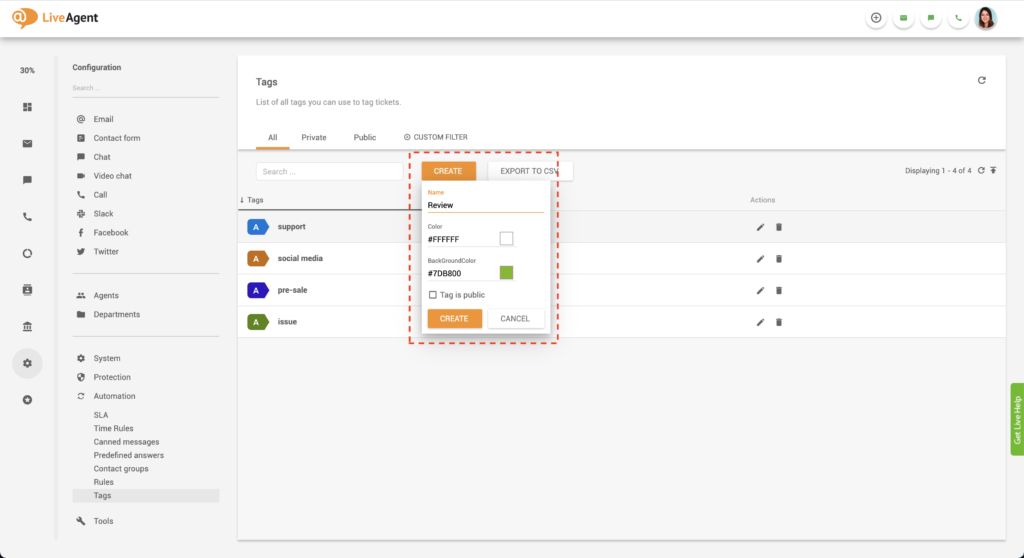
Effective email categorization and labeling are crucial in streamlining your workflow and ensuring that your team members can quickly and easily find the information they need. LiveAgent’s email management software allows you to categorize emails by departments and responsibilities, making it simple to assign and transfer emails to appropriate team members. This increases overall productivity and ensures that your team can work effectively.
Moreover, email tags help organize and locate specific emails, further improving overall efficiency. In addition, the internal note feature allows team members to share private comments on emails without disclosing them to the end recipient, fostering better collaboration and communication within the team.
Email management tools streamline internal emails by tagging and assigning them to the appropriate team members. Software for customer service, like email management platforms, ensures businesses deliver prompt and efficient responses to inquiries.
Email Prioritization and Filtering
Managing high volumes of emails can be overwhelming, which is why LiveAgent’s email prioritization and filtering features are vital in helping you manage your workflow effectively. With automation rules, you can prioritize and filter emails based on specific criteria, ensuring that urgent tasks are addressed first and that your team can focus on the most critical issues.
Streamlining workflows with automation tools boosts email productivity, allowing teams to manage higher volumes efficiently. Furthermore, SLA monitoring helps maintain high-quality customer service standards by ensuring prompt email response times and resolutions, keeping your customers satisfied and loyal.
Search and Retrieval
Efficient search and retrieval capabilities are crucial for any email management software, as they enable you to quickly locate essential information within your email archives. LiveAgent’s search and retrieval features are designed to make this process as straightforward and efficient as possible. On top of that, the analytics overview and customer service reports provide valuable insights, helping you identify areas for improvement and optimize your email management process. You can use this information to drive continuous improvement and enhance your team’s performance.
Email Templates
Customizable email templates, canned messages, and predefined answers are valuable features offered by LiveAgent. These features help you maintain consistency and professionalism in your email communication while saving time. Email thread integration within these templates further enhances the organization and accessibility of your team’s communication.
Conversation tools like these allow your team to respond to common queries more efficiently, allowing them to focus on more complex issues and deliver excellent customer service. Canned responses allow teams to reply to common inquiries quickly, ensuring consistent communication with customers.

Collaboration and Team Management
Effective collaboration and team management are essential for delivering exceptional customer service. LiveAgent’s suite of features is designed to do just that. Agent collision detection prevents multiple team members from working simultaneously on the same individual email, reducing confusion and ensuring a consistent response.
Internal chats and internal calls enable your team to communicate quickly and effectively, while private notes and an internal knowledge base encourage knowledge sharing and collaboration. Additionally, unlimited storage space ensures you have ample room for all your essential information.
Integrating email management systems with marketing automation tools streamlines outreach campaigns and improves lead conversion.
Integration with Third-Party Applications
Seamless integration with third-party applications is vital for streamlining your workflow and enhancing your team’s productivity and efficiency. LiveAgent’s help desk platform features many integrations, enabling you to easily connect your email management system with other powerful tools and platforms, such as a dedicated email management app for mobile devices.
By integrating with various applications, you can access a comprehensive suite of tools that work together to help you manage your emails effectively and deliver outstanding customer service.
Email management platforms enhance email productivity by providing features like tagging, prioritization, and follow-up reminders.
What Are the Benefits of Using Email Management Software?
Email management platforms have become an essential tool for businesses and individuals to optimize their email communication and organization. Managing, categorizing, and protecting your email data is becoming increasingly important as the number of emails received daily increases.
Email marketers benefit from tools that provide analytics to track open rates, clicks, and conversions effectively.
Email management software offers numerous benefits that can improve productivity, streamline collaboration, enhance security, and ultimately lead to higher customer satisfaction. Let’s discuss the various advantages of using email management software and how it can help you stay organized and efficient in your email communication.
Ensuring timely responses to customer inquiries improves satisfaction and builds trust in your brand.
Improved Productivity and Time Management
Email management software help you save time and increase productivity by automating mundane tasks such as sorting, categorizing, and archiving emails. By reducing the time spent manually managing your inbox, you can focus on more important tasks and improve your overall work efficiency.
Timely communication is crucial for resolving customer issues and maintaining positive relationships. Also, customizable templates help teams create consistent and professional email responses tailored to specific customer needs.
Utilizing an email management feature like smart filters, bulk actions, and email templates can significantly cut down the time spent on repetitive actions. Features like auto-replies and prioritization enable teams to provide timely responses to urgent emails.
Email management software automates routine tasks such as tagging, sorting, and scheduling, freeing agents to focus on customer satisfaction. Features like segmentation and automation make email management platforms invaluable for email marketers aiming to improve outreach.
Streamlined Collaboration and Communication
Email management software simplify collaboration and communication by allowing team members to work on email threads collectively. Through shared inboxes and team collaboration features, multiple users can access, respond to, and assign emails, ensuring that no message is left unattended.
Email management tools boost agent productivity by reducing time spent on repetitive tasks and improving collaboration. This collaborative approach can reduce response times and ensure that everyone on the team is on the same page.
Filtering out unimportant emails allows teams to focus on high-priority inquiries and improve efficiency.
Better Organization and Email Categorization
One of the main advantages of email management software is its ability to categorize and organize emails based on user-defined rules and filters. This means that in some software, like Clean Email, emails are automatically sorted into relevant folders or categories, making it easier for you to find and manage specific messages.
Pre-made templates allow agents to respond to customer queries quickly while maintaining communication standards.
You can create separate folders for different projects or clients, allowing for better organization. Additionally, features like tags, labels, and flags can help you further organize your inbox, ensuring that your email communication remains streamlined and clutter-free.
Using customizable templates allows businesses to maintain brand consistency while addressing unique customer concerns.
Enhanced Email Security and Data Protection
Customer service email management software provides robust security features that protect your data from potential threats like spam, phishing, and various malware. Many email management solutions come with built-in encryption and data protection measures, ensuring that your sensitive information remains secure. Additionally, advanced spam email filters and customizable security settings give you more control over the privacy and security of your email communication.
Superior Customer Support and Satisfaction
By using email management software, support teams can deliver better and faster responses to customer inquiries. Features like automated replies, email templates, and shared inboxes enable support teams to handle customer emails more efficiently, ensuring customers receive prompt assistance.
Pre-made templates are particularly useful for handling frequently asked questions, ensuring consistency and efficiency.
This leads to higher customer satisfaction and a better overall customer experience. Managing customer email effectively ensures businesses can promptly address inquiries and improve customer satisfaction. Email management tools assist customer service agents by providing organized dashboards and real-time notifications. Also, customizable templates save time and empower agents to craft personalized responses efficiently.
How to Choose the Right Email Management Software for Your Business
Choosing the right customer service email management software enhances efficiency and ensures no messages go unanswered. With numerous options available in the market, it can be overwhelming to select the most suitable solution that caters to your specific needs and requirements, including activities like campaign management and email automation.
In this guide, we will cover the steps you should take when selecting email management software for your business: assessing your needs, evaluating features and capabilities, comparing pricing and support, evaluating vendor reputation, and discussing a trial or demo period.
Evaluate the Features and Capabilities of Different Solutions
Once you have a clear understanding of your needs, you can start evaluating the features and capabilities of different email management solutions. Look for tools that offer essential features like email categorization, automation, shared inboxes, and security measures.
Optimizing subject lines in email campaigns increases open rates and improves engagement with recipients. Additionally, consider any specific integrations or customization options that may be necessary for your business. Comparing the features of various solutions will help you identify the one that best aligns with your requirements.
Advanced email management tools help teams resolve customer issues faster by providing access to conversation histories and context.
Compare Pricing and Available Support Options
When choosing email management software, the cost can be a significant factor in your decision-making process. Compare the pricing plans of different solutions, taking into account factors such as the number of users, storage capacity, and any additional features or integrations. Furthermore, consider the level of support provided by the vendor, such as 24/7 customer service, knowledge base access, and training resources. This will help you find a solution that fits within your budget while providing the necessary support to ensure successful implementation and ongoing use.
Consider Vendor Reputation and Customer Reviews
It’s crucial to research the reputation of the email management software vendors you’re considering. Look for customer testimonials and reviews to gain insights into the experiences of other businesses using the software. This can help you identify any potential issues or limitations with the solution or the vendor’s customer support. A reputable vendor with positive reviews will instill confidence in your decision and ensure a smooth software adoption process.
Conduct a Trial or Demo Period
Finally, before committing to a specific email management software, request a trial or demo period to test the solution within your business environment. This will allow you to evaluate how well the software meets your needs, including the integration of your preferred email app, as well as assess its usability and overall performance.
In this trial phase, pay close attention to the handling of incoming emails, as it is a crucial aspect of your daily workflow. A hands-on trial period can provide valuable insights, ensuring that you make the best decision for your business when selecting email management software to ensure successful implementation and ongoing use.
Top 20 Email Management Software Tools (2026)
Editor’s note, June 2026: Gmail has discontinued its POP3 fetch feature, removing a popular workaround businesses used to consolidate multiple email addresses into a single inbox. See the 2026 update section above for context on why this is the right time to upgrade to a dedicated solution.
1. LiveAgent
LiveAgent is a help desk software that makes communicating with customers easy and efficient. It provides tools and features that help businesses quickly respond to customer inquiries on a variety of platforms, including email. While LiveAgent is not specifically email management software, it does offer email ticketing and response features that make it a valuable addition to any business’s customer support operations. LiveAgent also offers live chat software, phone support, and social media integration, creating a centralized hub for all customer communication needs.

Recommended for: Small to medium-sized businesses that require efficient customer support and communication across multiple channels, including email, live chat, phone, and social media. Comprehensive analytics provide insights into team performance, customer satisfaction, and response trends, and task assignment features help managers distribute workload evenly, ensuring no email gets overlooked.
Key features:
- Omnichannel support: Manage email, live chat, phone calls, and social media interactions from a single dashboard
- Shared inboxes: Collaborate with your team on customer support inquiries in real-time
- Universal inbox replaces Gmail POP3 fetch: Consolidate multiple email addresses without Gmail workarounds
- Automation and rules: Set up custom automation rules to categorize, tag, and route incoming messages
- Knowledge base and self-service portal: Empower customers to find answers to their questions through a comprehensive knowledge base and self-service portal
- Reporting and analytics: Monitor team performance and gain insights into customer support metrics
Pros:
- Streamlined inbox for managing various channels
- Customization to improve workflow and efficiency
- Seamless integration with other platforms
- Enhanced department functionality for seamless administration
- View of all projects for better organization
Cons:
- Challenges with specific embedding options
- Customer support located in the EU may affect response times
- Complex interface may have a learning curve
- Mobile app less user-friendly than desktop version
Pricing:
- Free: Forever free plan with 1 chat button, 7-day ticket history, and email support
- Small: $15 per agent per month; includes ticket support, SLA, automation, and reporting
- Medium: $29 per agent per month; includes all features of the Small plan plus live chat support, chat invitations, and real-time visitor monitoring
- Large: $49 per agent per month; includes all features of Medium plan plus call center support, social media support, video call, and advanced reporting
- Enterprise: $69 per agent per month; includes all features of the Large plan plus custom billing setup, ability to remove branding, and assisted channels integration
Free trial: Yes, LiveAgent offers a 30-day free trial.
2. Gmail
Gmail is a popular email service developed by Google. It offers a wide range of features including a powerful inbox, spam protection, and automatic filtering. Gmail also offers integration with other Google products. Users can personalize their inboxes with themes and extensions, and the mobile app makes it easy to access email on the go. With over 1.5 billion users, Gmail is one of the most used email platforms in the world.
Recommended for: Individuals, small businesses, and enterprises that require an efficient and reliable email management solution with robust search capabilities and seamless integration with other Google Workspace applications.
Key features:
- Powerful search: Quickly find emails using Google’s advanced search capabilities
- Labels, filters, and categories: Organize your inbox with labels, filters, and automatic categorization
- Integration with Google Workspace: Seamless integration with other Google Workspace applications, such as Google Drive, Calendar, and Meet
- Undo send: Cancel sending an email within a short time window after clicking the ‘Send" button
- Confidential mode: Send sensitive information with additional security measures, such as expiration dates and passcodes
Pros:
- Intuitive interface for easy navigation
- Strong spam filtering and security features
- Compatibility with numerous third-party apps
- Connection to Google Classroom for efficient work management
- Customizable folders for organizing important emails
Cons:
- Limited customization options
- Algorithms may occasionally mislabel or misplace messages
- Difficulty in locating the spam folder
- High volume of emails end up in the spam folder
Pricing:
- Free: Basic Gmail with 15 GB storage for personal use
- Google Workspace Business Starter: $6 per user per month; includes 30 GB storage per user and business email features
- Google Workspace Business Standard: $12 per user per month; includes 2 TB storage per user, advanced email features, and video conferencing for up to 150 participants
- Google Workspace Business Plus: $18 per user per month; includes 5 TB storage per user, advanced security, and compliance features
- Google Workspace Enterprise: Contact sales for pricing; includes 5 TB storage per user that can be extended, advanced security, management, compliance controls, and premium support
Free trial: Yes, Google Workspace offers a 14-day free trial for all plans.
3. SMTP2GO
SMTP2GO is an email management software that aims to simplify the process of sending and receiving emails. It offers features that let you easily send and track all your emails, advanced reporting, and a user-friendly interface. Whether you’re an individual or a business, SMTP2GO could be an effective solution to streamline your email communication.
Recommended for: Anyone who relies on email communication. It can be particularly helpful for sending bulk emails as it helps to ensure that messages are delivered to recipients’ inboxes rather than being flagged as spam. SMTP2GO can also benefit individuals who want to improve the reliability and security of their email communication.
Key features:
- Multi data center
- Visual reports
- Email testing tools
- Spamtrap Detection
- Bounce/Spam tracking
- SMS messaging
Pros:
- Reliable email delivery
- API tools for developers
- User-friendly interface
- Generous free plan
Cons:
- It can be slow with higher volume of emails
- More detailed reporting
- Lack of language support
Pricing:
- Free plan: $0 per month; includes 1,000 emails per month, 5 days of email reporting, and ticket support only
- Professional: $75 per month; includes 30 days of email reporting, ticket/chat/phone support, dedicated IP address, email testing tools, and SMS messaging
- Premier customer: Personalized pricing for enterprise-level senders; includes 30 days of email reporting, ticket/chat/phone support, dedicated IP address, email testing tools, and SMS messaging
Free trial: No, SMTP2GO does not offer a free trial for their paid plans.
4. Microsoft 365
Microsoft 365 is a cloud-based productivity suite that includes a range of powerful tools for email management and communication. In terms of email management, Microsoft 365 provides users with Outlook, an email client that offers a customizable inbox, spam protection, and an intuitive user interface. Microsoft 365 also includes Microsoft Teams, a unified communication and collaboration platform that allows teams to collaborate on projects in real-time.
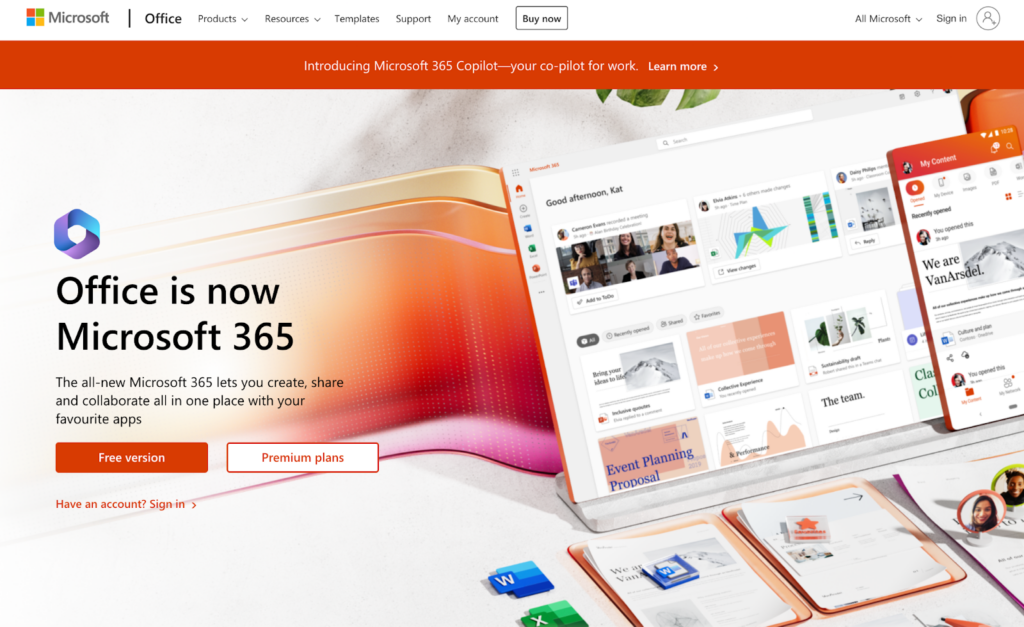
Recommended for: Streamlined customer service email management improves productivity while maintaining consistent communication quality. Microsoft 365 is recommended for businesses of all sizes that require a comprehensive productivity suite, including email management through Outlook, as well as access to other Microsoft applications available in Office 365 like Word, Excel, PowerPoint, and Teams.
Key features:
- Outlook email management: Manage emails, calendars, and contacts through Outlook’s powerful email client
- Integration with Microsoft 365 apps: Seamless integration with other Microsoft 365 applications, such as Teams, OneDrive, and SharePoint
- Focused Inbox: Automatically sorts important emails into a focused inbox, helping you prioritize your email management
- Rules and automation: Set up custom rules and automation to organize, categorize, and manage incoming messages
- Advanced security features: Robust security measures, including email encryption, spam filtering, and malware protection
Pros:
- Comprehensive productivity suite, combining email and Microsoft apps
- Seamless integration between Microsoft 365 apps
- Robust security features to protect sensitive data
- Versatile tool supporting a wide range of tasks
- Facilitates remote work with easy access to files and emails
Cons:
- Outlook’s interface may be overwhelming for some users
- Limited integration with non-Microsoft applications
- Occasional confusion with new features and processes
- Issues with slow performance and crashes
- Recurring issues may re-appear after software updates
Pricing:
- Microsoft 365 Business Basic: $6 per user per month; includes web-based Office apps, Outlook, and Microsoft Teams
- Microsoft 365 Business Standard: $12.50 per user per month; includes desktop and web-based Office apps, Outlook, Microsoft Teams, and additional business apps
- Microsoft 365 Business Premium: $22 per user per month; includes all features of Business Standard plus advanced security and device management
Free trial: Yes, Microsoft 365 offers a 30-day free trial for all of its plans.
5. MailerLite
MailerLite is a software that offers businesses a wide range of tools to help grow their email list and send engaging, professional-looking emails. It also offers email automation, allowing users to send targeted campaigns to specific segments of their audience. MailerLite integrates with other platforms, allowing businesses to target customers with personalized communication based on purchase history.

Recommended for: MailerLite is a great email marketing tool for small businesses, bloggers, and freelancers who need an affordable and easy-to-use platform for their email campaigns. It offers a range of features to help users create, send, and track their email campaigns.
Key features:
- Drag-and-drop email editor
- Automation workflows
- A/B testing
- Landing pages and pop-ups
- Integrations with popular e-commerce platforms
Pros:
- Generous free plan and trial period
- Affordable pricing plans
- User-friendly interface
- Top-notch customer support
- Easy problem resolution
Cons:
- Lack of language support
- Limited templates for the landing page builder
- Challenges with embedding email forms and hyperlinks
- Occasional glitches and bugs
Pricing:
- Free plan: up to 1,000 subscribers, allows 12,000 emails monthly for 1 user, and includes email automation
- $9/month: up to 1,000 subscribers, includes everything in the free plan as well as unlimited templates, dynamic emails, and unlimited websites
- $19/month: up to 2,500 subscribers
- Custom pricing for businesses with over 100,000 subscribers, and allows for custom designs, dedicated IP and deliverability consultations
Free trial: Yes, Mailerlite offers a 30-day free trial for its paid plans.
6. Omnisend
Omnisend is a marketing automation platform designed to help ecommerce businesses grow and engage with their audiences through email, SMS, and social media marketing campaigns. Whether you’re looking to improve customer engagement, increase conversions, or increase your ROI, Omnisend could be an effective solution to help you achieve your goals.

Recommended for: Omnisend is mainly recommended for ecommerce businesses that are looking for a platform to manage their marketing campaigns. It is a suitable solution for businesses of all sizes, and can cater to a wide range of industries.
Key features:
- Create email campaigns
- Pre-built e-commerce workflows
- Data about customer shopping and on-site behavior
- Landing pages
- Campaign and automation reports
- Omnichannel marketing
Pros:
- Campaign boosters to improve click rates
- Integrated SMS automation
- Reduces manual tasks with pre-built marketing automation workflows
- Ability to automate campaigns based on customer behavior
Cons:
- More email customization options
- Occasional glitches and bugs
- It can be challenging to use because of its complexity
- Mobile devices sometimes display emails differently
Pricing:
- Free: $0/month; includes up to 250 contacts, 500 emails per month, up to 60 SMS, A/B testing, email templates, and more
- Standard: starts at $16/month; includes all features from the free plan, plus up to 500 contacts, 6000 emails per month, and unlimited web push
- Pro: starts at $59/month; includes everything from the Standard plan, plus unlimited emails, up to 3.933 SMS per month, advanced reporting, and 24/7 priority support
Free trial: Yes, Omnisend offers a free trial for their plans.
7. Clean Email
Clean Email is an online service designed to help users efficiently clean, organize, and manage their email inboxes. It offers tools to unsubscribe from newsletters, filter and sort emails, automate removing unwanted messages, and more, all while prioritizing user privacy and security.

Recommended for: Clean Email is recommended for people who need to efficiently manage high volumes of email, including busy professionals, productivity enthusiasts, and anyone with multiple email accounts or frequent subscriptions.
Key features:
- Unsubscriber: Easily opt out of all your email subscriptions and mailing lists in one place
- Auto Clean: Automatically sort, delete, archive emails, and more, based on user-defined rules
- Screener: Allow only approved senders to reach your inbox by pre-screening new messages
- Cleaning Suggestions: Get customized advice on how to tidy up your inbox based on past behaviors
- Smart Folders: Sort emails into specific folders, such as for online purchases or service notifications, to simplify email organization
Pros:
- Customizable options for email filtering and sorting
- Advanced email automation tools
- Support for all IMAP-based email providers
- Focuses on highlighting essential emails
- Keeps inboxes clear and free from unnecessary clutter
- Available on Mac, iOS, Android, and the web
Cons:
- No dedicated Windows app
- Lacks attachment management features
- Can take time to set up all rules and filters
- May seem complicated for some users
Pricing:
- Clean Email Basic: $9.99 per month or $29.99 per year; includes full access to all features for one email account
- Clean Email Family: $19.99 per month or $49.99 per year; provides access for up to five email accounts
- Clean Email Team: $29.99 per month or $99.99 per year; supports up to ten email accounts, ideal for team use
Free Trial: Yes, Clean Email offers a 14-day free trial with full access to all features, allowing free management of up to 1,000 emails.
8. ConvertKit
ConvertKit is a software designed for creators, bloggers, and online businesses. It helps them manage their email marketing campaigns and create customized forms for audience segmentation. One of the strengths is its focus on automating personalized messages based on the subscriber’s behavior, preferences, and activity history. ConvertKit’s analytics provide insights into the performance and audience engagement, enabling creators to make data-driven decisions.
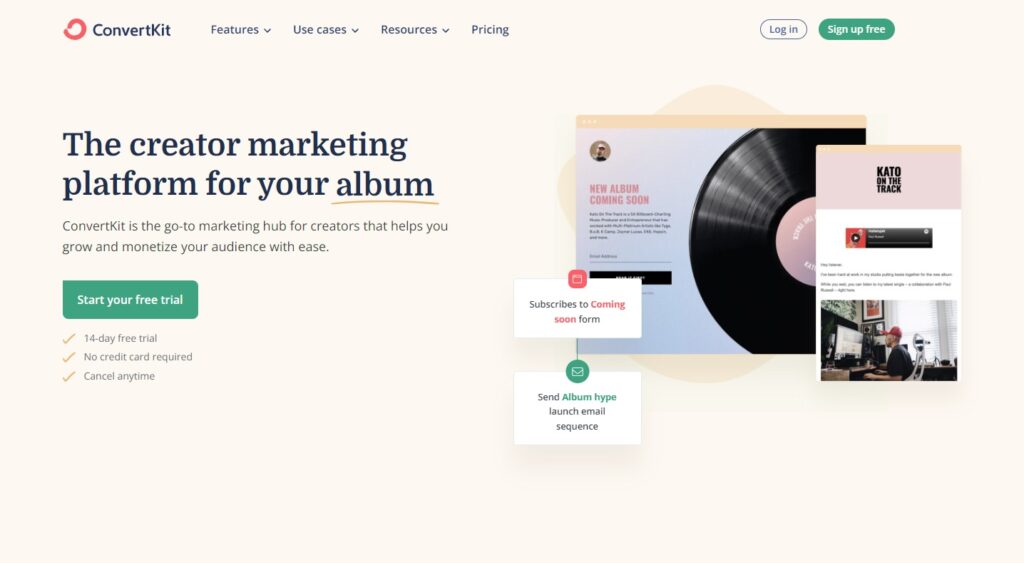
Recommended for: ConvertKit is recommended for bloggers, content creators, and small businesses that need a simple and easy-to-use email marketing platform. It is ideal for businesses that want to build their audience and create targeted email campaigns with advanced segmentation and automation features. Tagging and archiving unimportant emails help declutter inboxes and streamline workflows for agents.
Key features:
- Drag-and-drop email editor
- Advanced automation workflows
- A/B testing
- Subscriber tagging and segmentation
- Integrations with popular apps and services
Pros:
- Easy setup and user-friendly interface
- Advanced features to suit various business needs
- Effective in attracting new sign-ups
- User-friendly interface
Cons:
- Limited design customization for email campaigns
- Limited variety of email templates available
- Occasional glitches and bugs
- Inefficient support that leads to dissatisfaction
Pricing:
- Free plan: up to 300 subscribers
- Creator plan: starts at $9/month for up to 300 subscribers; includes everything from the Free plan and automated email sequences, third-party integrations, and visual automation builders
- Creator Pro plan: starts at $25/month for up to 300 subscribers; includes everything from the Creator plan and subscriber scoring, newsletter referrals, and advanced reporting
Free trial: Yes, ConvertKit offers a free plan with limited features and a 14-day free trial for its paid plans.
9. Hiver
Hiver focuses on simplifying email collaboration for teams. With Hiver, users can share emails, notes, and tasks with other team members without leaving their email clients. Users can easily track their team’s performance, track email-response time and reply to important emails in a timely manner.

Recommended for: Hiver is recommended for businesses of all sizes that require an email management solution focused on collaboration and customer support, specifically built for Gmail and Google Workspace users.
Key features:
- Shared inboxes: Collaborate on emails in real-time with shared inboxes for teams
- Email assignments: Assign emails to team members, ensuring clear ownership and responsibility
- Email templates and canned responses: Save time with pre-written email templates and canned responses for frequently used messages. Using canned responses reduces response times and ensures accurate information is consistently delivered to customers
- Email analytics: Gain insights into team performance, response times, and customer satisfaction metrics
- Integration with Gmail and Google Workspace: Seamlessly works within Gmail and integrates with other Google Workspace tools
Pros:
- Designed for Gmail, providing users with a native Workspace experience
- Shared inboxes and email assignments for improved team efficiency
- Easy-to-use interface
- Responsive Hiver support team
- Organized and feature-rich platform
Cons:
- Not suitable for non-Gmail users
- Limited integration with non-Google applications
- Lack of notification unread feature (forthcoming)
- Potential issues with email delivery
- Potential operational disruptions during critical business periods
Pricing:
- Lite: $15 per user per month; includes 2 shared inboxes, email assignments, analytics, and email templates
- Pro: $39 per user per month; includes all Lite features plus automations and advanced analytics
- Elite: $59; includes all Pro features plus dedicated account management, priority support, and custom integrations
Free trial: Yes, Hiver offers a 7-day free trial for its Lite, Pro, and Elite plans.
10. Help Scout
Help Scout is a customer support software that aims to provide a seamless and personalized customer support experience. Help Scout enables you to create automated workflows to make sure that all the inquiries are sent to the appropriate person, increasing response times and accuracy. With Help Scout, businesses can enhance the overall customer experience and streamline their customer support operations.

Recommended for: Help Scout is recommended for small to medium-sized businesses that need helpdesk software for managing customer support emails. It is ideal for businesses that prioritize collaboration and customer service.
Key features:
- Shared inbox for managing email conversations
- Team collaboration tools
- Workflow automation for faster response times
- Reporting and analytics to track performance
- Integrations with popular apps and services
Pros:
- Impressive features for a comprehensive user experience
- All-in-one solution with live chat and knowledge base integration
- Simple setup process
- User-friendly interface for easy navigation
- Versatile platform for multiple aspects of business operations
Cons:
- Difficulty in customizing and enhancing customer experience
- Issues with automated format
- Occasional glitches and bugs in the Android app
- Limited customization options
- Higher pricing compared to some competitors
Pricing:
- Standard plan: $20/month per user and includes 2 mailboxes, email and live chat, and automated workflows
- Plus plan: $40/month per user; includes everything from the Standard plan as well as custom fields, advanced security features, and basic integrations
- Pro plan: $65/month per user; includes everything from the Plus plan as well as tiered discounts, team training, and optimization reviews
Free trial: Yes, Help Scout offers a 15-day free trial for its Standard and Plus plans.
11. Moosend
Moosend is a marketing automation software that offers many features in order to help businesses grow their email audience. The software facilitates email marketing campaigns, creating email templates, and email personalization. Moosend also offers robust A/B testing capabilities that help users to improve their email marketing conversion rates.
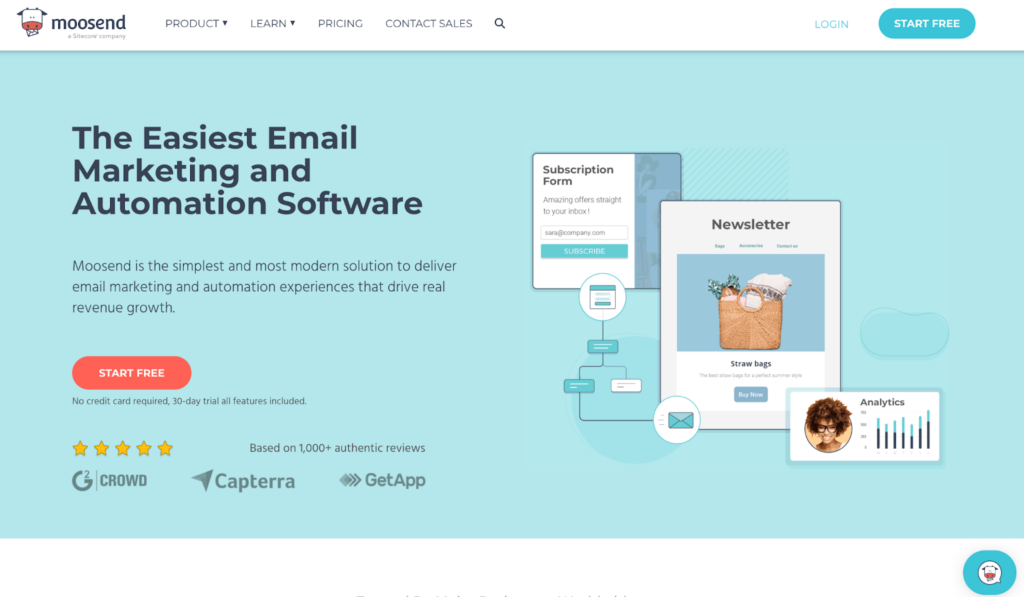
Recommended for: Moosend is recommended for small to medium-sized businesses that need an affordable and easy-to-use email marketing tool.
Key features:
- Drag-and-drop email editor
- Advanced marketing automation
- A/B testing
- Real-time analytics and reporting
- Integrations with popular apps and services
Pros:
- Affordable pricing plans
- User-friendly interface with a simple design
- Responsive and attentive customer support
- Implementation of new features based on user feedback
Cons:
- Limited design customization options for email campaigns
- Limited variety of email templates
- Occasional glitches and bugs
- Difficult to use on mobile devices
- Potential reputation issues with certain email providers
Pricing:
- Free plan: $0/month and offers unlimited emails, 1 automation workflow, 1 landing page, and 1 form
- Pro plan: starts at $9/month and offers unlimited emails, multiple automation workflows, landing pages and forms, and an SMTP server
- Enterprise plan: custom pricing, and offers everything from the Pro plan as well as priority support and an account manager
Free trial: Yes, Moosend offers a 30-day free trial that includes all available features.
12. Mailchimp
Mailchimp is an email marketing software that lets you create, manage, and automate email campaigns. Mailchimp offers a user-friendly drag-and-drop email builder which makes it easy to create engaging email campaigns. The software also includes email automation features, allowing users to set up automated emails to send targeted and personalized messages based on behavior, interests, and purchase history.

Recommended for: Mailchimp is recommended for small to medium-sized businesses that need an easy-to-use email marketing platform with advanced automation and analytics features. It is ideal for businesses that want to create and manage email campaigns without the need for extensive technical skills.
Key features:
- Drag-and-drop email editor
- Advanced automation workflows
- Campaign management
- A/B testing
- Reporting and analytics to track performance
- Integrations with popular apps and services
Pros:
- In-house email design and iteration capabilities
- Email marketing solution with continuous improvements
- Positive audience reception, including better mobile email formatting
- User-friendly interface for easy navigation
- Robust email marketing tools for attentive customer support
Cons:
- Merge tags functionality issues lead to unprofessional interactions
- Unfavorable billing system
- Difficulties with linking to external resources
- Limited design customization for email campaigns
- Occasional glitches and bugs
Pricing:
- Free plan: Up to 500 contacts, and 1000 monthly emails; includes basic reporting and templates, email and social media channels, and single-step automations
- Essentials plan: Starts at $13/month for up to 50,000 contacts and 10x monthly email limits; includes email scheduling, customer journey builder, and A/B testing
- Standard plan: Starts at $20/month for up to 100,000 contacts and 12x monthly email limits; includes retargeting ads, custom-coded templates, and integrations
- Premium plan: Starts at $350/month with a custom contact list, 15x monthly email limits; includes multiple channel support, comparative reporting, and advanced audience insights
Free trial: Yes, Mailchimp offers a free plan with limited features and a 30-day free trial for its Essentials and Standards plans.
13. Brevo (formerly Sendinblue)
Brevo (formerly known as Sendinblue) is a marketing automation software that offers a wide range of features including email marketing, SMS marketing, and chat. In terms of email management, Brevo provides tools to create and send tailored email campaigns, automated workflows, and transactional emails. It also enables you to easily segment your email lists and track open rates, click rates, and other important metrics.

Recommended for: Brevo is recommended for small to medium-sized businesses that require an all-in-one marketing and transactional email platform with built-in SMS and email marketing, and marketing automation capabilities.
Key features:
- Email marketing: Create, launch, and analyze email marketing campaigns with an easy-to-use drag-and-drop editor
- SMS marketing: Send targeted SMS messages to engage with customers and prospects
- Marketing automation: Set up automated workflows for personalized email and SMS campaigns based on customer behavior
- Transactional email: Send transactional emails through a reliable SMTP infrastructure
- Customer relationship management (CRM) and segmentation: Manage contacts and segment your audience for targeted messaging
Pros:
- Comprehensive email tool in a single platform
- User-friendly interface
- A generous free plan
- Seamless integration with websites for efficient backend management
- Easily scalable plans
Cons:
- Limited customer support for free plan users
- Marketing-focused platform may not fulfill email management needs
- Initial difficulties setting up targeted emails and configuring settings
- Confusing and limited CRM functions
- Limited email templates and potential challenges with dedicated IP addresses
Pricing:
- Free: Unlimited contacts, 300 daily email sends, and basic email marketing features
- Starter: €19 per month; 20,000 monthly email sends, no daily sending limit, and advanced email marketing features
- Business: €49 per month; 20,000 monthly email sends, marketing automation, A/B testing, and advanced statistics
- Brevo Plus: Custom pricing; 120,000+ monthly email sends, personalized support, Enterprise-grade security, and landing pages
Free trial: Yes, Brevo offers a free plan with limited features.
14. Spike
Spike is a software designed to simplify email communication and make teamwork more productive. It offers a chat-like interface for emails that enables users to avoid switching between email and other chat applications. Spike offers advanced features like email consolidation that allows users to merge multiple accounts in one place, and priority inbox, which highlights the most important messages. It also has built-in collaboration and team management tools.
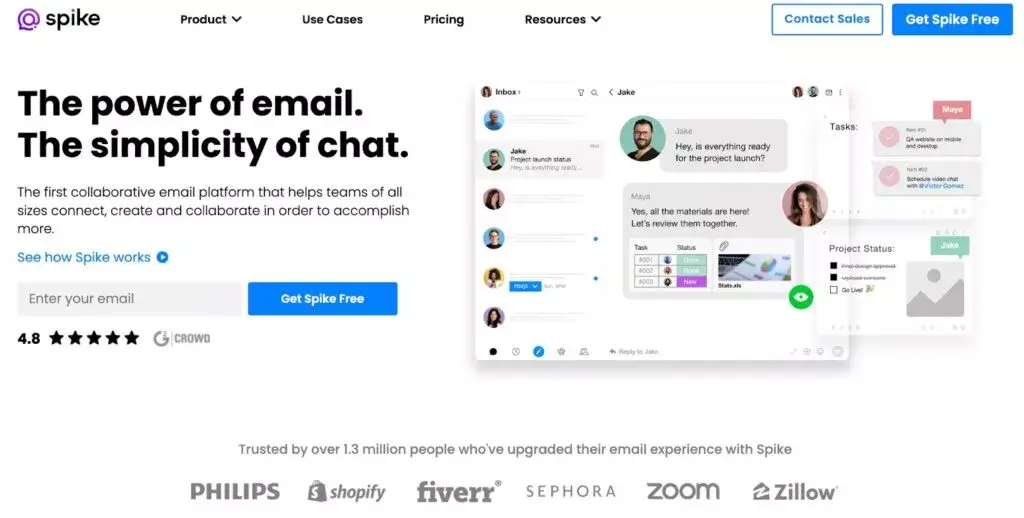
Recommended for: Spike is recommended for individuals, freelancers, and small teams who want a modern and conversational approach to email management. It is ideal for those who prefer a simplified, chat-like experience for managing emails, tasks, and calendars within a single app.
Key features:
- Conversational email inbox
- Integrated calendar and tasks management
- File management and storage
- Voice and video calls within the app
- Real-time collaboration with notes
Pros:
- Simple setup and ease of use
- Balances modern and formal conversational style
- Chat-like threaded messages
- User-friendly and modern interface
- Mobile support through iOS and Android apps
Cons:
- Limited advanced email management features
- Not fully functional for large businesses or multiple accounts
- Chat-like interface may not be for everyone
- Inability to customize signatures on free plan
- Spike’s own branding replacing user branding
Pricing:
- Personal plan: Free
- Pro plan: $5 per month per user; includes everything from the Free plan and priority support
- Business plan: $10 per month per user; includes everything from the Pro plan and video call recording
Free trial: Yes, Spike offers a 14-day free trial for its Pro and Business plan.
15. Zoho Mail
Zoho Mail is an email management software that provides tools to manage email communication effectively. Zoho Mail provides users with features which help to organize emails and make it easy to find important messages. The software allows users to set up custom domains for their email addresses and offers built-in security features to protect against email phishing and spam.
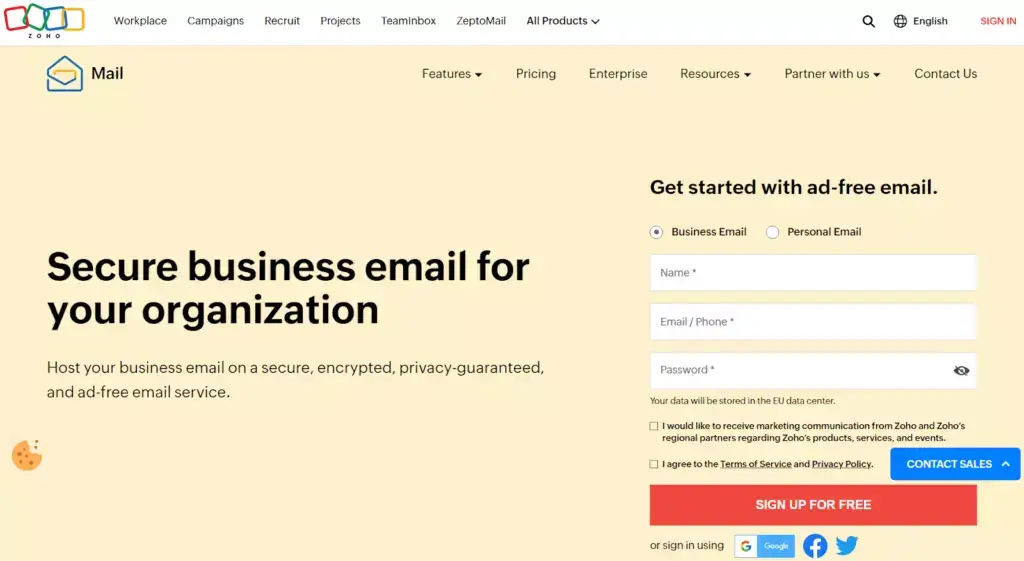
Recommended for: Zoho Mail is recommended for small to medium-sized businesses that need an affordable email management solution with features such as a custom domain, email hosting, and an integrated calendar.
Key features:
- Custom domain email hosting
- Integrated calendar and tasks
- Advanced email filters and search options
- Integration with other Zoho apps and third-party services
- Mobile apps for iOS and Android
Pros:
- User-friendly domain email management
- Free lifetime access to professional email for small workspaces
- Affordable pricing plans
- Seamless integration with other Zoho apps
Cons:
- Limited design customization and email template variety
- Occasional glitches and bugs
- Confusing email forwarding process
- Inadequate mobile experience
- Issues with creating specific email addresses for business purposes
Pricing:
- Mail Lite: €0.90 for 5GB storage per user and €1.13 for 10GB storage per user; includes email routing, team collaboration tools, and email recall
- Mail Premium: €3.60/month per user, 50GB storage per user; includes everything in the Mail Lite plan as well as attachments up to 1GB, email backup and restoration, and white labeling
- Workplace: €3/month per user; includes the complete communication suite with business email and online office apps
Free trial: Yes, Zoho Mail offers a 15-day free trial for their Mail Premium plan.
16. Campaign Monitor
Campaign Monitor is an email software used by many businesses, agencies, and nonprofits to manage their email marketing campaigns. It offers a user-friendly email designer that makes it easy to create visually appealing and engaging emails. It also provides segmentation and automation features that enable you to create targeted campaigns based on behavior, demographics, and preferences. Campaign Monitor is a versatile tool perfect for businesses looking to grow their audience and increase engagement.
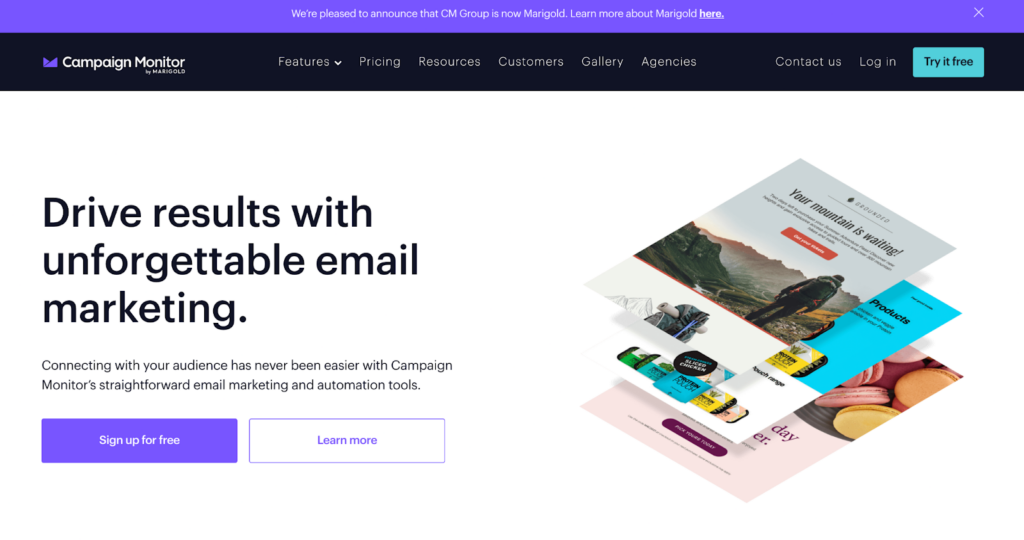
Recommended for: Campaign Monitor is recommended for small to medium-sized businesses that need an easy-to-use email marketing platform with a focus on design and automation. It is ideal for businesses that want to create visually appealing email campaigns and track their performance with advanced analytics.
Key features:
- Drag-and-drop email editor
- Advanced automation workflows
- A/B testing
- Reporting and analytics to track performance
- Integrations with popular apps and services
Pros:
- User-friendly interface for easy navigation
- Engaging email templates for effective communication
- Attentive customer support
- Powerful analytics for informed decision-making
- Efficient email delivery with comprehensive tracking
Cons:
- Limited design customization for email campaigns
- Limited variety of email templates available
- Occasional glitches and bugs reported by some users
- Difficulty in managing campaigns without proper tools
- Differentiating hard bounces hindering automation in Salesforce
Pricing:
- Basic plan: starts at €9/month for up to 2,500 emails per month
- Unlimited plan: starts at €29/month for unlimited emails per month and priority support
- Premier plan: starts at €149/month for unlimited emails, advanced features, and premier support
Free trial: Yes, Campaign Monitor offers a free trial with limited features.
17. Front
Front is a collaborative inbox software that is built to increase team productivity. It is designed for teams to manage communication channels like email, social media, and chat in one place. The shared inbox allows team members to collaborate on incoming messages and provide faster response times to customers. With Front, teams can easily streamline their communication process and provide excellent customer service.
Recommended for: Front is recommended for businesses of all sizes that require a collaborative email management solution with shared inboxes, team collaboration features, and integration with popular productivity tools.
Key features:
- Shared inboxes: Manage team email accounts, support tickets, and social media messages in one collaborative inbox
- Internal team chat: Communicate with team members within email threads without forwarding or CCing
- Automation and rules: Set up custom rules and automation to categorize, tag, and route incoming messages
- Integration with productivity tools: Integrate Front with popular tools like Slack, Trello, Asana, and Salesforce
- Analytics and reporting: Monitor team performance and gain insights into email response times, workload distribution, and more
Pros:
- Streamlined collaboration through shared inboxes and team chat
- Customizable workflows and automation for productivity
- Integration with CRM, project management, and communication tools
- Easy access to documentation and communication
- Comprehensive features for team collaboration
Cons:
- Relatively high pricing for small businesses
- May require time to adapt to collaborative inbox approach
- Confusing plugin interface
- Limited organization options with no traditional folder-based organization
- Potential niche limitations with copying and pasting email text
Pricing:
- Starter: $19 per user per month; includes omnichannel messaging, internal discussions, and basic integrations
- Growth: $59 per user per month; includes advanced integrations, analytics, and guided rule templates
- Scale: $99 per user per month; includes flexible rules options, custom roles, and API access
- Premier: $229; includes advanced security features, onboarding assistance, and dedicated account management
Free trial: Yes, Front offers a 7-day free trial for all plans.
18. Zendesk
Zendesk is a well-known customer service software that helps businesses manage their customer interactions and support requests. The software also provides a shared inbox that enables teams to collaborate and respond to customer inquiries efficiently. Zendesk also includes analytics and reporting tools, allowing businesses to measure customer service performance and optimize their workflows.
Recommended for: Zendesk is recommended for businesses of all sizes that need helpdesk software with robust email management capabilities. It is ideal for businesses that prioritize customer support and need a platform that can handle high volumes of emails.
Key features:
- Shared inbox for managing email conversations
- Automated workflows for faster response times
- Reporting and analytics to track performance
- Integration with other Zendesk products and third-party services
- Mobile apps for iOS and Android
Pros:
- Superior performance compared to other tools
- Offers multiple communication channels
- Support for 40 different languages
- Seamless integration with other Zendesk products
Cons:
- Occasional confusion and missed updates
- Dissatisfaction with the product quality and company practices
- Poor customer service experience
- Higher pricing compared to some competitors
- Steep learning curve and occasional glitches and bugs
Pricing:
- Support team plan: €19/month per user includes a ticketing system, basic integration and reporting
- Suite Team plan: €49/month per user; includes a ticketing system, email automations and workflows, and prebuilt analytics
- Suite Growth plan: €79/month per user; includes everything from the Suite Team plan, as well as SLA management, a self-service customer portal, and multilingual support
- Suite Professional: €99/month per user; includes everything from the Suite Growth plan, as well as customizable dashboards, data location options, and advanced voice capabilities
Free trial: Yes, Zendesk offers a 14-day free trial for all of its plans.
19. Constant Contact
Constant Contact is an email marketing software that aims to help small businesses grow their online presence through email marketing campaigns. Its tools help users create professional-looking emails, targeted automation, and detailed analytics for campaign performance tracking. Constant Contact offers customizable sign-up forms and landing pages to manage and grow email lists.
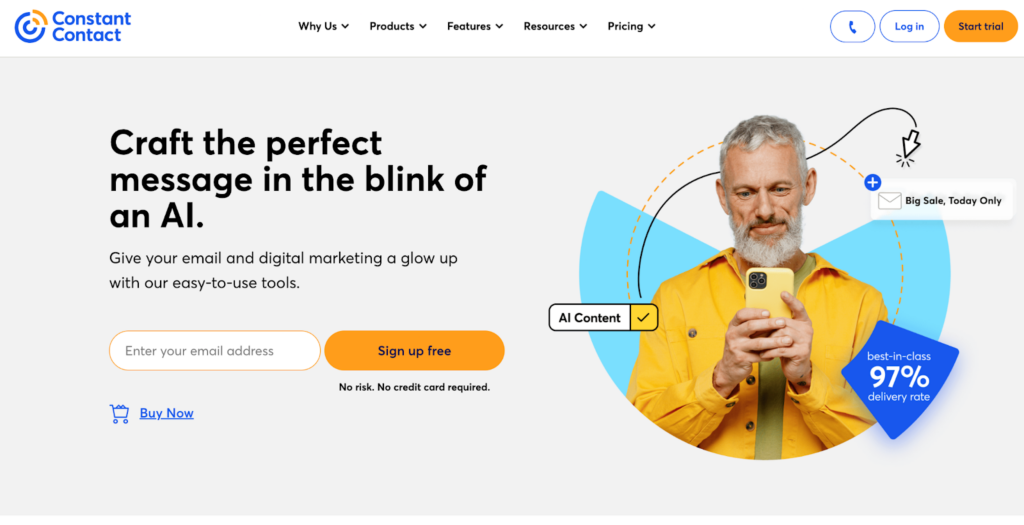
Recommended for: Constant Contact is recommended for small to medium-sized businesses that need an easy-to-use email marketing platform with advanced automation and analytics features. It is ideal for businesses that want to create and manage email campaigns without the need for extensive technical skills. Email sequences streamline follow-ups and ensure timely delivery of important messages.
Key features:
- Drag-and-drop email editor
- Advanced automation workflows
- A/B testing
- Reporting and analytics to track performance
- Integrations with popular apps and services
Pros:
- User-friendly interface for easy navigation
- Robust tools to effectively engage audiences
- Attentive customer support for a seamless experience
- Ideal for maintaining contact with important stakeholders
- Features for enhanced communication with large customer bases
Cons:
- Limited design options for email campaigns
- Limited variety of email templates available
- Occasional glitches and bugs
- Difficult account cancellation and inability to delete data online
- Unresponsive support and inadequate email editor features
Pricing:
- Lite plan: starts at $12/month; includes 1GB of storage, email templates
- Standard plan: starts at $35/month; includes everything from the Lite plan, 10GB of storage, email scheduling, and social media ad integration
- Premium plan: starts at $80/month; includes everything from the Standard plan, 25GB of storage, SEO, and revenue reporting
Free trial: Yes, Constant Contact offers a 60-day free trial.
20. SaneBox
SaneBox is an email management software that uses artificial intelligence to prioritize and organize all your emails. It uses machine learning algorithms to learn user behavior and then uses that information to sort emails into folders. SaneBox is a powerful tool that can help individuals and organizations save time by reducing the amount of time spent on email management.

Recommended for: SaneBox is recommended for individuals and businesses looking to improve their email organization and productivity by automatically filtering and prioritizing their inboxes.
Key features:
- Smart filtering
- SaneReminders: Set reminders to follow up on emails if no reply is received within a specified time
- SaneSnooze: Temporarily hide emails and have them reappear in your inbox at a later time
- SaneAttachments: Automatically save email attachments to cloud storage services like Dropbox or Google Drive
- SaneBlackHole: Quickly unsubscribe from unwanted email lists by moving emails to the SaneBlackHole folder
Pros:
- Email management requiring minimal effort from users
- Compatibility with various email clients and services
- Personalized filtering and folder settings
- Effective in prioritizing important messages
- Prevents email overload and maintains a clutter-free inbox
Cons:
- Lacks team collaboration features
- Restricted functionality beyond organizing and filtering emails
- Customer support with limited contact options
- Unhelpful support articles and directions for resolving issues
Pricing:
- SaneBox Snack: $59 per year; includes basic smart filtering features
- SaneBox Lunch: $99 per year; includes additional features like SaneReminders and SaneAttachments
- SaneBox Dinner: $299 per year; includes all features, VIP support, and additional customizations
Free trial: Yes, SaneBox offers a 14-day free trial.
Who Can Benefit from Using Email Management Software?
Small businesses – These businesses usually operate with limited resources, which is why productivity is crucial for their success. Email management software allows them to automate email processes, which saves them time and effort. They can easily sort, filter, and categorize emails, making it easier to identify and prioritize important emails. This helps to improve response time and customer satisfaction. Email management software also provides centralized inbox, which ensures that every email is accounted for and no email is missed.
Medium businesses – As your business grows, the volume of emails you receive grows as well. This is where email management software becomes even more important. This type of software helps to manage email overload and ensure that no emails are left unanswered. It also automates email response and follow-up emails, which increases productivity and saves a lot of time. Many email management software providers offer advanced analytics that help to track email performance, identify trends, and optimize email campaigns.
Large businesses – When it comes to large businesses, they have complex workflows and multiple departments, which makes email management more challenging. Email management software provides them with tools to manage emails and collaborate more efficiently. They can use this software for managing customer support emails, sales emails, and marketing emails, among others. Email management software also offers advanced security features, such as encryption, which protects sensitive information and data. Additionally, it provides them with customizable dashboards to manage and monitor performance across different departments.
What Are the Best Practices for Implementing Software for Email Management?
Small businesses – Implementing email management software can be a game-changer for small businesses. The first step is to evaluate your exact needs and identify the features that are the most important to your business. Then, you have to choose a software that aligns with your goals. It’s also important to provide training to your team members to ensure a seamless integration into their workflow. Finally, it is crucial to regularly review the software’s performance to make sure that it’s meeting your needs and you can identify areas that need improvement.
Medium businesses – Email management software can help to boost productivity and streamline workflow when it’s implemented correctly. Choosing the right software solution is important because it should be easily integrated with your existing systems to avoid disruption. Ensure that your chosen software offers customization options to tailor the solution to your specific needs. Once implemented, regularly monitor the performance to identify areas for improvement and make necessary adjustments. Make sure to maintain open communication with your team to ensure that everyone is effectively using the software and that they understand it.
Large businesses – Large businesses require careful planning when implementing email management software due to their complex workflows and various departments. The first step is to conduct a comprehensive audit of your current email processes to identify areas that need improvement. Choose software that integrates easily with your existing systems and customize it to meet the unique needs of your company. Train your employees on how to use the new software effectively and provide them with ongoing support. Monitor the software’s performance and use the analytics to optimize your workflow.
The Future of Email Management Software
The future of email management software will likely involve increased AI-driven automation, enhanced personalization, and integration with other communication channels. Email management systems will play a crucial role in streamlining and organizing business communication, making it more effective and efficient.
Email management services provide centralized inboxes and analytics to optimize communication and improve team performance. Automating email sequences helps businesses nurture leads and maintain consistent communication with customers.
Advanced analytics and improved security and compliance features will also become increasingly important in response to evolving customer expectations and data privacy regulations. Analyzing subject lines through A/B testing helps refine email communication strategies for better results. Staying ahead of these trends will enable email management software providers like LiveAgent to continue offering innovative solutions for exceptional customer service.
Conclusion
In conclusion, email management software is essential for streamlining communication and enhancing customer service. By implementing the right software, businesses can improve team productivity, optimize workflow, and maintain a professional approach to customer interactions. Many email management platforms offer a 30-day free trial, allowing businesses to evaluate features before committing.
Successful implementation requires assessing organizational needs, prioritizing user-friendly platforms, involving the team, customizing software, and providing comprehensive training and support. An efficient customer service team relies on email management software to handle inquiries promptly and effectively.
The future of email management software will involve increased AI-driven automation, enhanced personalization, integration with other communication channels, advanced analytics, and improved security and compliance features. Staying ahead of these trends will enable providers like LiveAgent to offer innovative solutions for exceptional customer service.