



Why do you need a ticketing system?
Ticketing systems are vital for managing customer support efficiently. They centralize requests, consolidate interactions, maintain service standards, improve c...
5 min read
Ticketing

Web helpdesk technology streamlines customer service with features like ticketing system, CRM, asset management, and analytics. It’s scalable, enhances efficiency, integrates with other tools, and improves customer satisfaction by providing a seamless support experience.

Web helpdesk, commonly known also as WHD, is a technology that provides help desk features like a ticketing system, task management, CRM, a built-in knowledge base, and more. Implementing web help desk software allows service desk teams to address all customer queries and resolve tickets on time and to the utmost customer satisfaction.
Companies are increasingly turning to technology to deliver exceptional service and exceed customer expectations. Although keeping up with rising demands isn’t always easy, continuous improvement of help desk features ensures that businesses don’t fall behind their competitors. One way to achieve this is by implementing help desk ticket system software, which can enhance the efficiency of the existing web help desk platform.
The web helpdesk offers a wide range of functionalities designed to streamline customer service. Here are some of the key features:
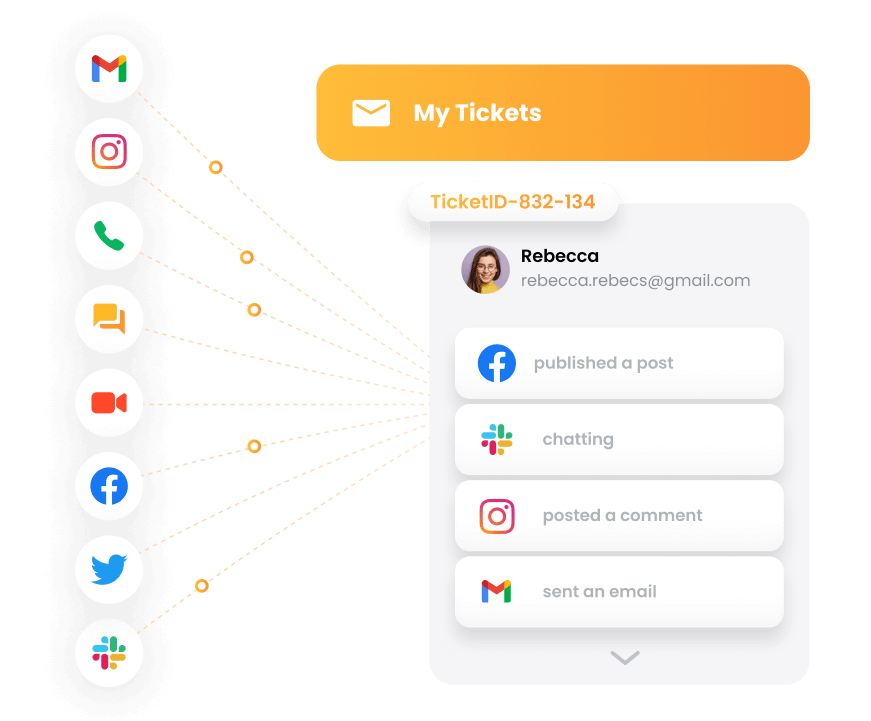
The most well-known and significant part of help desk support software is its ticketing tool. It serves as a centralized platform to manage customer requests and issues using service tickets. All customer interactions are handled through the help desk ticketing tool, converted into tickets and stored in a team inbox.
A multichannel approach ensures that customer service tickets from live chats, social media, emails, and others don’t go unnoticed. All the tickets are accessible to agents through one unified inbox. On top of that, you can use relational ticketing to connect two or more inbound service requests, usually from the same end user. This helps to declutter your system and prevent multiple agents from working on repetitive service requests.
WHD helps businesses manage their hardware and software assets. This includes tracking the location, status, and history of assets, as well as identifying and resolving issues related to them. The ability to retrieve real-time information about your physical and software assets can improve your resource management and overall organization. Although small businesses use this feature too, larger companies are the ones that can fully benefit from reliable asset management.
Web helpdesks aim to build a centralized knowledge base where businesses can store information related to their products or services. This information is often used as a source for FAQs, guides, and tutorials for customers, as well as new employees during onboarding. On top of that, customer service teams should be able to access it at any time, so they can answer all customer inquiries quickly and efficiently.
Some WHD systems provide features to automate feedback requests from customers. These help businesses collect customer feedback and insights about their performance. Efficient feedback collection and analysis help companies identify areas for improvement.
Most web helpdesks provide comprehensive reporting and analytics tools, allowing businesses to analyze their customer service performance. Advanced helpdesk solutions offer many detailed reports for you to study including performance reports, availability and channel reports, agent reports, analytics overview, and more.
Reports and analytics also include metrics like average response time, resolution time, and customer satisfaction rate. It’s crucial for companies to analyze their KPIs and other metrics to reach the ultimate goal of building strong customer relationships, preventing churn, and boosting conversions.

Having all the essential data accessible right from your dashboard is a convenient and time-saving practice many users appreciate. The dashboards feature lets web helpdesk support teams filter through dashboards to better suit their use case displaying an overview of customer service performance in one convenient user interface. This helps businesses monitor their customer service operations and identify areas for improvement.
Overall, WHD is a powerful tool that helps businesses manage customer service needs, set up and manage approval processes, and use its extensive capabilities to meet customer service demands.
Web helpdesk solutions are highly scalable and flexible, meaning they can grow and adapt to the changing needs of a SaaS company without a disruption of service. Whether you’re a small startup or a large enterprise, web helpdesk solutions can accommodate your growth and evolving requirements.
Efficient resource allocation is another advantage of using online web helpdesk solutions. These service management platforms automate and streamline customer support processes, allowing companies to allocate resources more effectively and efficiently. Features like automated ticket routing, canned messages, and IVR lets agents focus on more time-consuming tasks and complex issues.
Web helpdesk solutions also provide streamlined communication channels between customers and support teams. These customer service software solutions offer various contact methods, including email, live chat, and social media, allowing customers to use their preferred communication channels.
Of course, we can’t talk about simplified project management and streamlined services without mentioning third-party integrations. Connecting your web helpdesk with other SaaS tools is crucial for delivering efficient customer service. Customer support platforms often integrate with CRM software, marketing automation platforms, and other customer service tools. For example, modern helpdesk solutions offer over 200 integrations to ensure your customer-facing teams never miss any app or tool they might need.
Finally, using online web helpdesk solutions can result in increased customer satisfaction and retention. By providing clients with a streamlined and efficient customer experience, companies can build trust and loyalty. Additionally, satisfied customers are likely to recommend your company to others, helping to drive growth and success.
There are two main types of helpdesk solutions: web helpdesk and standalone helpdesk applications. Although both manage customer support inquiries, there are some critical differences between them.
The web helpdesk is accessible via a web browser or a mobile phone application and is often cloud-based. This means:
The standalone helpdesk is installed on-premises and requires IT support. This means:
Many companies opt for standalone helpdesk applications, mainly for security reasons. Providing enhanced security features such as encryption, secure authentication, GDPR compliance, and access controls is an industry standard for both web-based and standalone helpdesk applications. That being said, having your own servers on-premise adds a layer of security.
Cloud-based helpdesks are ideal for small to medium-sized businesses and companies with remote workers. A standalone helpdesk is better for larger organizations with complex customer support needs and integrations with other business tools. Standalone helpdesks are often more expensive as they require on-premise hardware and extensive technical support.
When choosing a web helpdesk provider, you should consider a few key factors:
First, make sure the provider offers the necessary customization options and features that meet your business’s specific needs. Look for a service desk solution providing features such as automated workflows, integrations with other tools, and customizable reporting and analytics.
Consider the helpdesk provider’s pricing model and whether it aligns with your budget and growth goals. Some providers offer flexible pricing plans that scale with your business, while others may require a more substantial investment upfront.
Of course, don’t forget to research the customer support and training options for your staff. Look for a provider that offers comprehensive training and support resources to ensure your team can fully utilize the platform and provide the best service.
Finally, take the time to read reviews and testimonials from other customers that have used the provider’s services. This can give you valuable insight into the provider’s strengths and weaknesses and help you make an informed decision.

The latest tips and deals delivered straight to your inbox.
A web helpdesk is a widely-used solution that helps businesses provide excellent customer service. Web helpdesk platforms usually have a user-friendly and accessible interface, so even the less tech-savvy users can operate them effectively. WHDs come with multiple customer-centric features including ticket management software, SLAs (service level agreements), reporting, various integrations, and many more.
WHD has become an increasingly popular option for businesses looking to improve their customer support. By adopting online customer service solutions, companies can ensure timely and effective customer support, resulting in increased satisfaction and a loyal customer base.
Expand your knowledge and discover more about the differences between help desk vs service desk by reading our dedicated article. In addition to understanding the key differences, you’ll also explore the benefits each one offers and gain insight into which option might be better for your business.
Ticketing systems are vital for managing customer support efficiently. They centralize requests, consolidate interactions, maintain service standards, improve c...

Explore LiveAgent's free, customizable helpdesk portal for efficient customer support, even offline. Seamlessly manage requests with ease!
Gain control, security, and flexibility with on-premise helpdesk software. Host it on your servers to enhance customer service. Try free!
Cookie Consent
We use cookies to enhance your browsing experience and analyze our traffic. See our privacy policy.