



Automated Ticket Distribution
Automated ticket distribution in LiveAgent assigns help desk tickets to agents based on predefined rules, enhancing efficiency and reducing errors. It offers me...
7 min read
Ticket Management
Automation
+1

Learn how to efficiently assign tickets in LiveAgent to enhance customer support, streamline processes, and increase satisfaction. Customize criteria for ticket routing and use automation for optimal ticket management.

Individual tickets are created without any ownership. Therefore, they need to be assigned to a customer care rep that will handle that particular ticket, contact the customer, and perform any further actions that are needed to solve the issue. Assignees are responsible for handling or escalating the ticket.
Individual tickets are created without any ownership. Therefore, they need to be assigned to a customer care rep that will handle that particular ticket, contact the customer, and perform any further actions that are needed to solve the issue. Assignees are responsible for handling or escalating the ticket.
Tickets represent various customer interactions through different channels that are logged into your ticketing tool. When a customer contacts your business, a ticket is created for your customer service representatives to solve. With some efficient tools, agents can easily track the status and history of each of their assigned tickets, ensuring timely resolution and consistent support quality.
Once the tickets come in, they are stored in the universal inbox regardless of the channel they’re coming from. This way, your agents don’t have to check each communication channel separately and they can provide a seamless omnichannel customer experience. Not only does this make the entire process easier and more manageable, but it also boosts the efficiency of your contact center.
In LiveAgent help desk software, there are various ways to assign tickets to agents. It can be done manually with each ticket coming in, or with an auto-assignment feature (in LiveAgent using automated ticket distribution). You can route tickets to agents based on:
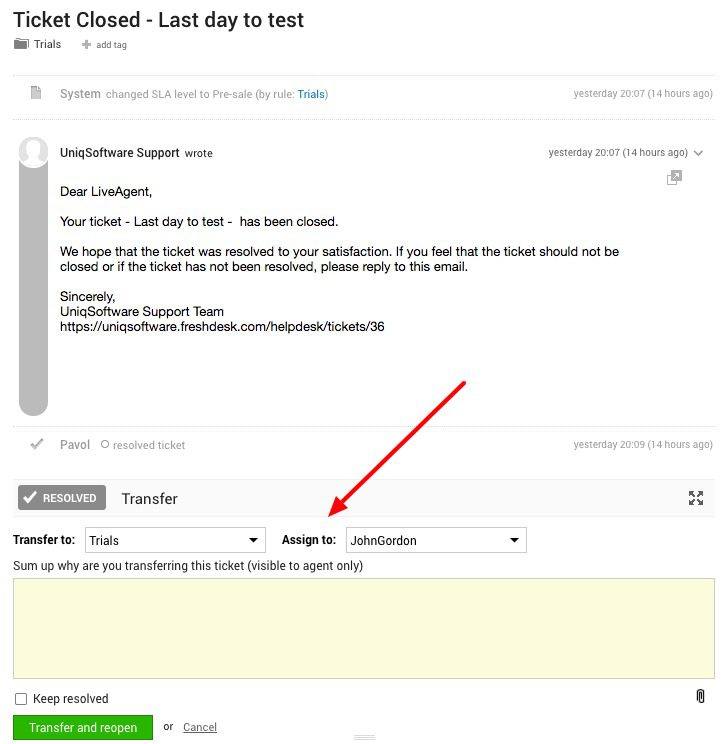
After an agent becomes an assignee to the ticket, they are responsible for handling it and making sure that it is resolved quickly, efficiently, and to the utmost customer satisfaction.
Automated ticket assignment ensures that customer inquiries are routed to the right agent immediately, reducing response times and improving customer satisfaction.
By assigning tickets based on agent workload and skills, you ensure that your team’s capacity is used optimally, preventing bottlenecks and agent burnout.
When tickets are assigned to the most suitable agent, customers receive more personalized and effective support, leading to higher satisfaction rates.
Proper ticket assignment to skilled agents reduces the need for escalations, as issues are resolved at the first point of contact more often.
Agents can focus on their assigned tickets without wasting time searching for work or handling tickets outside their expertise, boosting overall productivity.
Automated ticket distribution in LiveAgent assigns help desk tickets to agents based on predefined rules, enhancing efficiency and reducing errors. It offers me...

Learn about ticket reassignment in LiveAgent, its benefits, challenges, and best practices. Boost efficiency and customer satisfaction!
Discover the power of efficient ticket management with LiveAgent. Streamline customer support by converting issues into tickets, enhancing response times, and b...
Cookie Consent
We use cookies to enhance your browsing experience and analyze our traffic. See our privacy policy.