Automated customer service enhances support without agents, improving response times and satisfaction. LiveAgent offers tools like canned messages, email templates, and workflow automation to streamline processes while maintaining essential human interaction.
Automated customer service is a process that allows you to assist without the participation of an agent. What does that mean? Well, specific actions within customer support are automated. For instance, you can easily save agents’ and customers’ time by creating automated emails for registration or forgotten password, and even implement automated ticket distribution to streamline the support process.
Call centers also often use features like an ACD system to assign incoming calls to agents based on pre-set rules automatically. In addition, by automating such repetitive tasks, your customer support team can prioritize other customer inquiries. Automation can streamline many customer service process steps, improving efficiency and response times.
However, it is necessary to mention that not all automation is beneficial. Too much automation can have the opposite effect. There needs to be an element of human interaction to make the customers happy. Thus, make sure you only optimize/automate the repetitive processes.
What are the benefits of automated customer service?
The benefits of customer service automation include:
Faster response time - Automated responses ensure customers get immediate acknowledgment of their inquiries
Customer satisfaction - Quick resolutions and consistent service quality improve overall satisfaction
To automate some tedious customer service processes, you need to have the tools to do that. Help desk software is a feature-rich automation tool that enables you to deal with customer inquiries from one interface. What does it mean? The customer service software gathers all customer inquiries from multiple communication channels so that your agents can effectively deal with customer service issues from one place. Moreover, the features enable you to automate some repetitive processes.
5 ways to automate your support processes
Canned messages
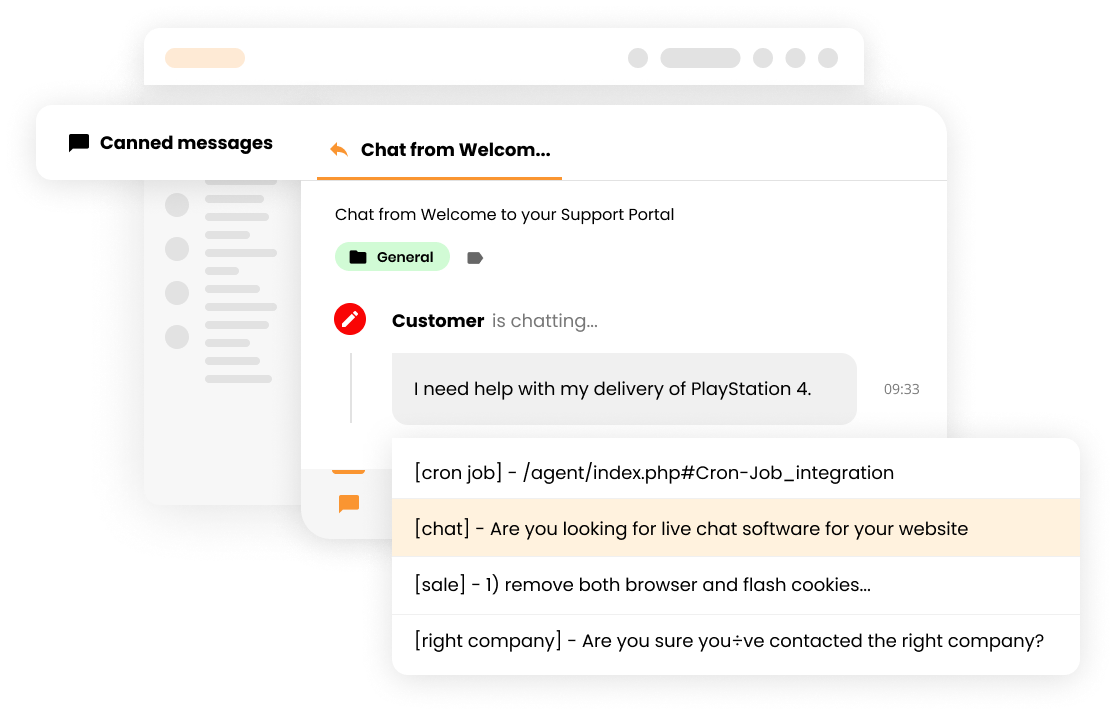
The first way to automate your customer reps’ processes is through creating canned messages, or in other words, canned responses. The canned message is a feature inside help desk software, which allows you to have already prepared answers. For instance, if you are an eCommerce shop, you probably receive many customer requests about orders, refunds, etc. Therefore, you can create a canned message for refunds. As a result, you can quickly and professionally provide the necessary details.
However, it is not optimal to send the canned messages all the time. Customers do not want to speak to a robot. Our advice is to use canned messages but to add a final touch to personalize the customer experience. For instance, you will add their name, or order details, etc.
Email templates
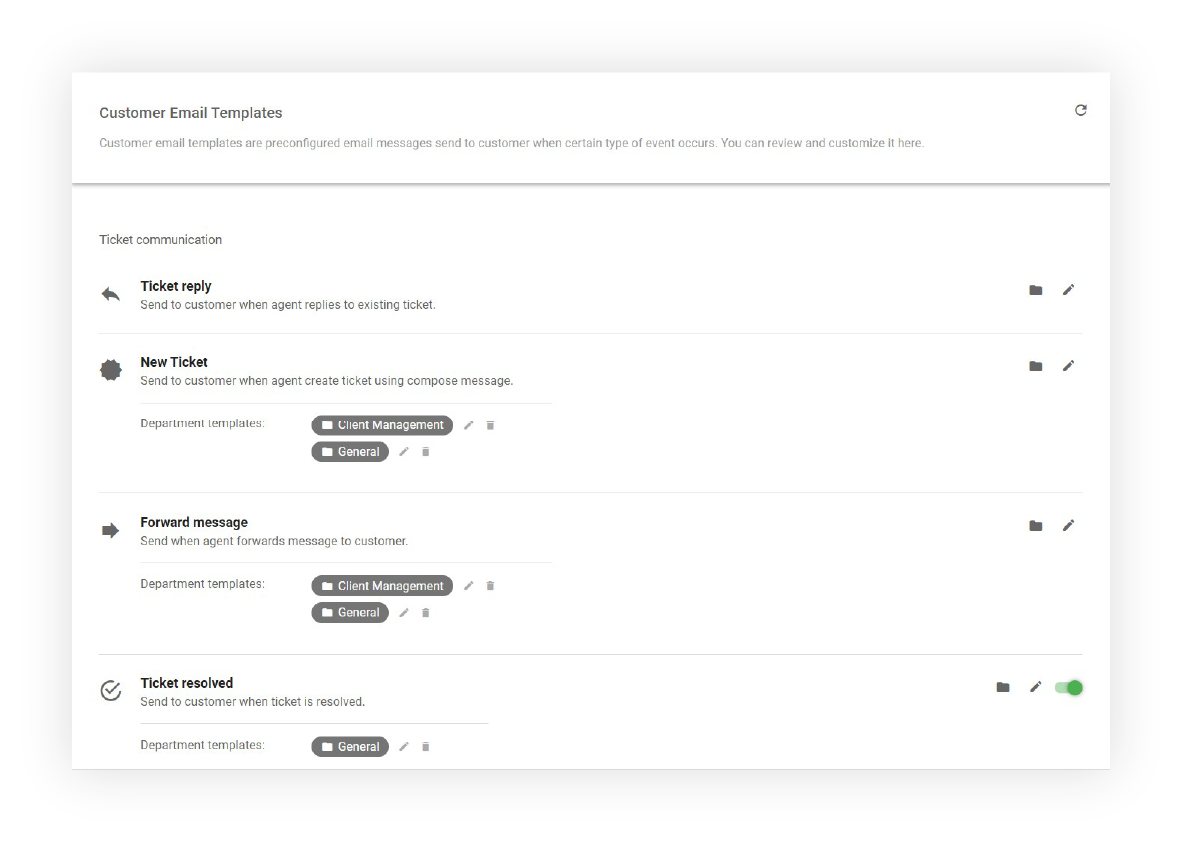
Customer service software offers its client preconfigured email templates. What does that mean? Your customer service rep can create emails that the help desk software will send automatically after specific actions. For instance, you can create a thank you email after the customer reaches out to your support outside business hours. In addition, you can automate support processes such as a forgotten password email or/and a registration email, so your customer service representatives do not have to deal with these reoccurring mechanical inquiries.
Overall, email templates improve communication with a customer because the client does not need to contact agents for confirmation.
Customer queue organization
The organization of your customer support queue is key to effective assistance. If you lack a structure, your lines will be long, resulting in frustrated customers and agents.
Let’s take a look at an example;
The customer is waiting in line for a good 20 minutes. Then, when the customer connects with a company employee, he finds out that he needs to wait for an agent longer or be transferred. The situation can be frustrating and can escalate quickly.
To prevent this from happening, you can automate support queue processes in your contact center. For example, a help desk solution offers contact forms or IVR to avoid these situations. These features enable the customer to choose the department beforehand. Therefore, eliminating unnecessary waiting time.
Knowledge base articles
A customer portal is a self-service option where the website visitor can find the needed information without waiting for the customer service agent. For example, the client can engage in a customer forum to get the help needed from fellow users, or on the other hand, they can explore the company’s knowledge base articles section. A knowledge base article can be in the form of a guide, video, or just plain product/service information.
Workflow automation
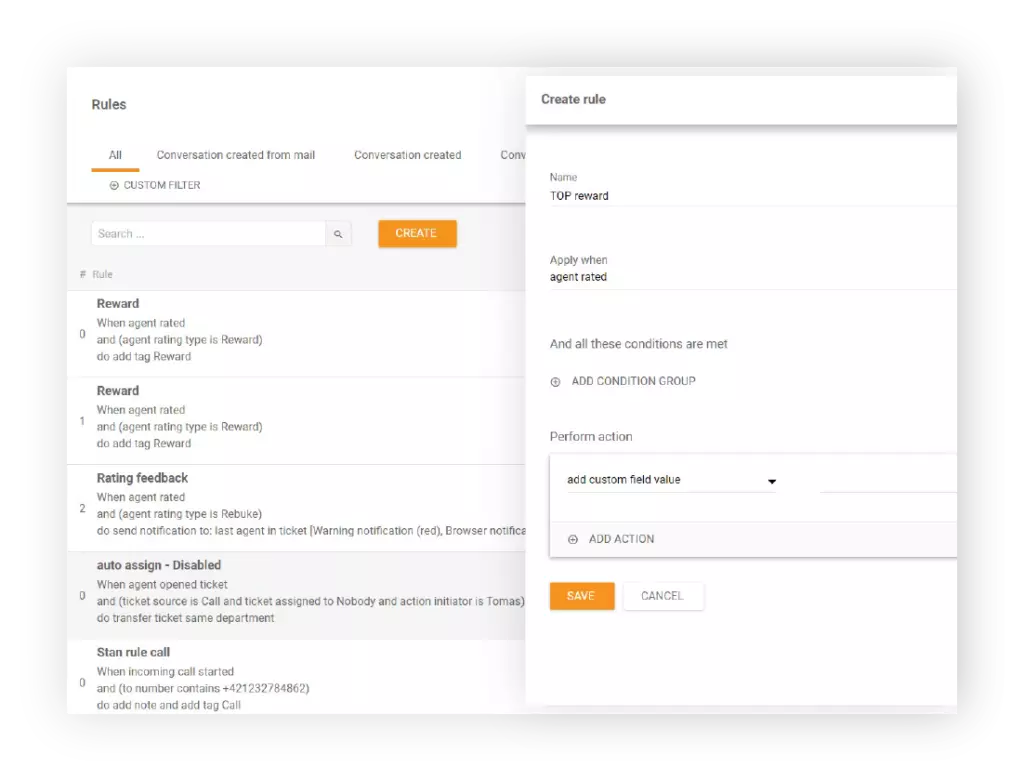
A proper help desk software enables you to automate necessary customer service workflow processes to achieve the best possible team productivity. Features such as the Rules and Mass actions help you automate tasks that your agents would otherwise have to perform manually. Whenever setting a rule, you set triggers, conditions, and finally, the actions. Mass actions are actually a part of the Rules. Thus, once you set your rule, the system automatically executes the actions when the conditions are fulfilled.
The rules you set entirely depend on your business/customer service goals and needs. However, some popular rules are:
Transferring tickets to different departments
Adding tags such as URGENT
Marking tickets as SPAM after a certain time
Triggers
Agent left ticket
Incoming call started
Message added
Message group added
Ticket tags changed
Ticket created from an email
Conditions
Action initiator
Context variable
Current date
Custom field
Customer group
Ticket source
Actions
Add tag
Add note
Change ticket priority
Delete ticket
HTTP Request
Mark as answered
If you would like to learn about all triggers, conditions & actions, check out our in-depth knowledge base article that explains all possible automation options.
Join our newsletter
The latest tips and deals delivered straight to your inbox.
Don’t know LiveAgent?
Are you ready to automate some of your internal processes? LiveAgent is a customer service platform that allows you to implement all of these automation ways and more.
Do not wait around for your competitors to improve. Instead, be the one that creates a change and become the #1 in your industry.
Discover more
If you would like to learn more, check out our extensive automation articles below:
The benefits of automated customer service include faster response time, customer satisfaction, organized workflow, customer retention, and increased sales/revenue.
The canned message is a feature inside help desk software, which allows you to have already prepared answers.
Ready to automate your customer service?
Streamline your support processes with LiveAgent's powerful automation tools. Reduce response times, improve efficiency, and boost customer satisfaction.
Support automation uses AI or software to enhance customer service efficiency, balancing automation with human interaction. LiveAgent offers features like time ...
5 min read
Support automation - AI-driven customer service efficiency
Boost customer support with LiveAgent's automations! Save time, enhance efficiency, and provide quick, consistent service. Learn about automation rules, benefit...
Explore LiveAgent's call center automation for enhanced customer satisfaction and agent workflow. Features include IVR, automatic callback, call routing, CRM in...
4 min read
Call center automation
IVR
+2
You will be in Good Hands!
Join our community of happy clients and provide excellent customer support with LiveAgent.